
How Meetup: Social Events & Groups works
BENDING SPOONS OPERATIONS SPA · Social
Android
What it does
Meetup helps people find and join local groups and events, RSVP, chat with organisers and host their own groups.
Who it is for: People who want to find and join local social groups and events, RSVP, chat with organisers, or host their own groups.
Key features
Consent and onboarding
IAB consent, Google sign-in, location, age and survey questions
Discover events
Upcoming events with date/category chips, event detail, filters, explore
Settings and themes
Push/email, calendar, units, subscriptions, app theme
Notifications and messages
Notification feed and direct messages with enable-notification prompts
Profile and account
Profile counts, account info, Meetup+ upsell, looking-to
The main user flow
- Consent, sign in, set location and interests
- Browse upcoming events by category/date
- Open an event and attend (not done)
- Join groups, message organisers
- Navigation
- Bottom bar: Home (my groups and events), Explore (events), Notifications, Messages; profile via the avatar on Home.
- Onboarding
- Consent, sign-in, location (permission then manual city), birth date, how did you discover Meetup, what are you looking for, then groups are auto-joined from IP location.
- How it makes money
- Freemium: Meetup+ subscription for friendship seekers, organiser plans, in-app purchases to $344.99; ads in lists.
Screenshots
10 of 21 screens, captured on a real phone with sample data.
Home / Upcoming events Explore Event detail Where are you located Profile Settings How did you discover Meetup Filter events Search (dark) Privacy consent - +11 more screensFree with an account
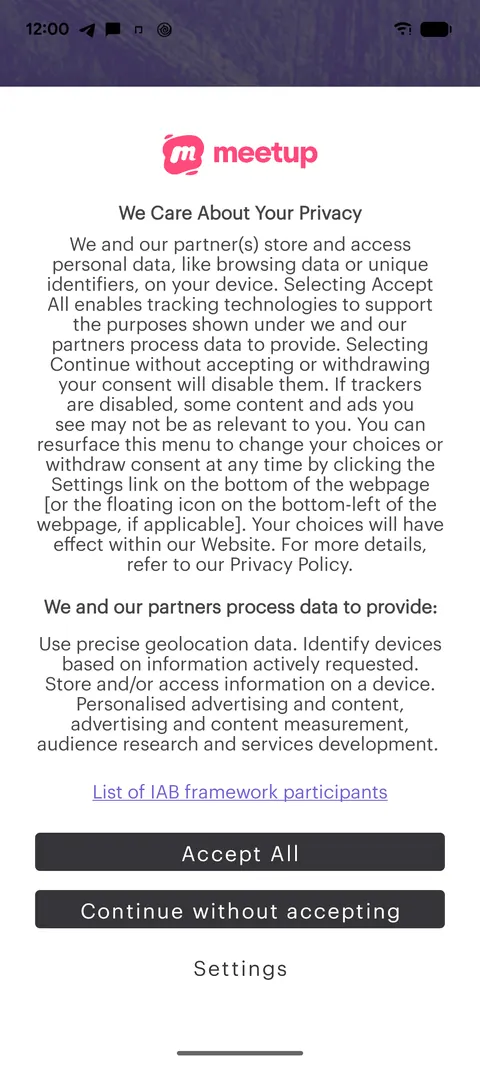
Screenshots: © BENDING SPOONS OPERATIONS SPA, shown for commentary.
See all 21 screens — create a free accountSee every screen
The full map has all 21 screens, every feature and where each one lives. It is free with an account.
What could be better
Our read of the map, the store listing and recent reviews.
Show price, renewal date and a one-tap cancel before any chargemedium
Reviews describe charges after cancelling and no confirmation at purchase. Show the price and renewal date before payment, send a receipt, and let users cancel in the app without contacting support.
Keep event details and member lists free; gate only organiser toolsmedium
Users say host names, attendee lists and event details sit behind payment. Show the basics to everyone and charge only for organiser features such as contact and analytics.
Let users pick their city and country instead of auto-joining by IPmedium
Groups are auto-joined from IP location without asking, so people see other countries' events. Ask for the location first, add a country filter, and keep distance settings that persist.
Save search filters and match topic keywords against group namesmedium
Users must reset filters on every search and say topic searches return almost nothing. Remember the last filters per user and widen keyword matching to group descriptions and categories.
Show upsell prompts at most once per session and never on sign-up stepssmall fix
Users report upgrade prompts on every click and during sign-up. Limit upsells to one dismissible card per session and keep them out of onboarding and confirmation flows.
Save profile edits locally and retry when the save failsmedium
Users lose written bios and hit upload failures and sign-in errors. Keep a local draft of profile fields, retry failed saves, and show a clear error with a retry button.
Add a per-group email unsubscribe and move email toggles out of the status barsmall fix
Users cannot stop email from each group without opening every dropdown. Add one control to unsubscribe from all group emails, and keep email toggles inside the settings screen.
Want an app like this, but better?
Tell us the idea. We research it, and build it for you.
Submit your idea