
How Chess - Play and Learn works
Chess.Com, LLC · Board
Android
What it does
Online chess platform: play humans and bots, solve puzzles, take lessons and watch events.
Who it is for: Chess players of all levels who want to play online, solve puzzles, take lessons, and watch events.
Key features
Play and bots
New game setup, bots, game board, resign.
Main tabs
Home, Puzzles, Learn, Watch, More.
Settings and theme
Settings list and board/piece themes.
Sign-in and offers
Google sign-in and promo offer.
The main user flow
- Continue with Google
- Browse puzzles, lessons and events
- Start a bot game, play moves, resign
- Customise theme
- Navigation
- Bottom tabs Home, Puzzles, Learn, Watch, More; Play button on Home.
- Onboarding
- Welcome with Google/email/guest, then a full-screen Black Friday premium offer.
- How it makes money
- Premium membership promos, ads (banner and post-game video), in-app purchases $1.00-$229.99.
Screenshots
10 of 19 screens, captured on a real phone with sample data.
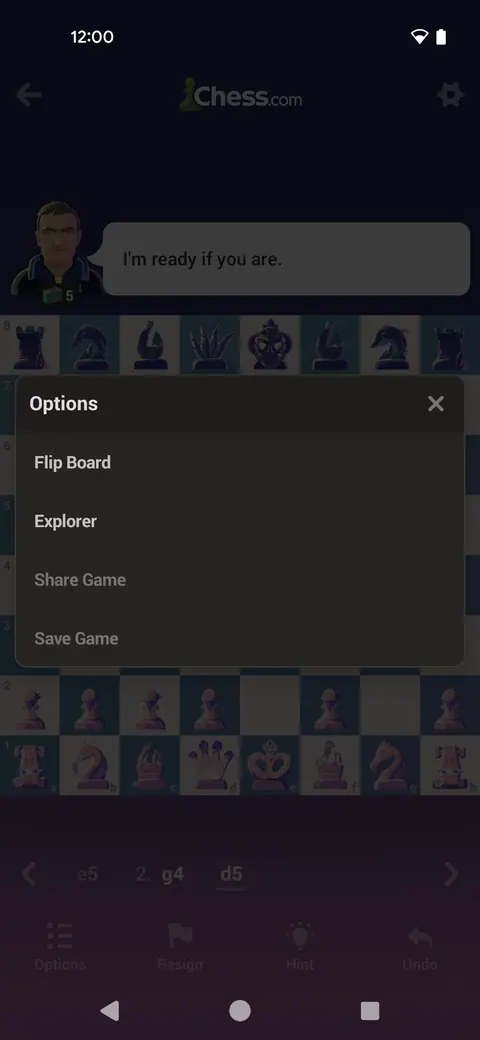
Home Time controls Bot game start New game Puzzles Black Friday offer Settings More Welcome Game options - +9 more screensFree with an account
Screenshots: © Chess.Com, LLC, shown for commentary.
See all 19 screens — create a free accountSee every screen
The full map has all 19 screens, every feature and where each one lives. It is free with an account.
What could be better
Our read of the map, the store listing and recent reviews.
Move ads out of the post-game flow and off the boardsmall fix
Ads appear right after game end and in daily chess the board is taken away after a move. Show ads only at natural breaks, never between a finished game and the next action, and never pull the player off a live board.
Show the premium offer after the first game, not at sign-insmall fix
A full-screen Black Friday offer appears before the user has played anything. Let the first game and a free lesson or puzzle happen first, then offer premium once, with a clear dismiss path.
Show annual and monthly prices side by side before trial sign-upsmall fix
Reviewers say a free trial led to an annual charge at a price different from the monthly price shown. Display the billing period, total charge and renewal date on the same screen as the trial button.
Label bot strength honestly and keep bot ratings close to stated levelmedium
Bots are grouped by level, but reviewers say bot strength does not match the label, and a coach bot's hints are marked as mistakes. Publish each bot's target rating and test bots against it before release.
Add a reconnect grace period and stop auto-losing on brief dropsmedium
Players lose games to short network drops, with auto-resign timers running while they try to reconnect. Keep the clock paused for a set reconnect window, show the remaining time, and do not record a loss for a drop the user did not cause.
Tell reporters what happened after a cheating or stalling reportmedium
Users report cheating and stalling but say they never hear the outcome. Send each reporter a short status (reviewed, action taken, or no action) and show it in the report history.
Offer self-serve account recovery and streak restoremedium
Users lose accounts, cannot log back in with the same email, and lose streaks after a missed sync with no way to restore them. Add a recovery flow tied to the sign-in method and a streak-restore option that does not need a support email.
Add a setting to turn off new features and update promptssmall fix
Users say the app changes too often and interrupts play with prompts such as the streaks widget. Add a settings toggle that hides new features, and move the widget prompt off the Play path.
Want an app like this, but better?
Tell us the idea. We research it, and build it for you.
Submit your idea