
How Quizlet: AI-powered Flashcards works
Quizlet, Inc. · Education
Android
What it does
Study app for flashcards, practice tests and AI study help.
Who it is for: Students who want to study with flashcards, practice tests, and AI study help.
Key features
Create flashcard sets
Editor with autosuggest and set options.
Sign-up
Google sign-up, DOB, trial offer, consent.
Settings and theme
Settings, dark theme.
Library and AI Coach
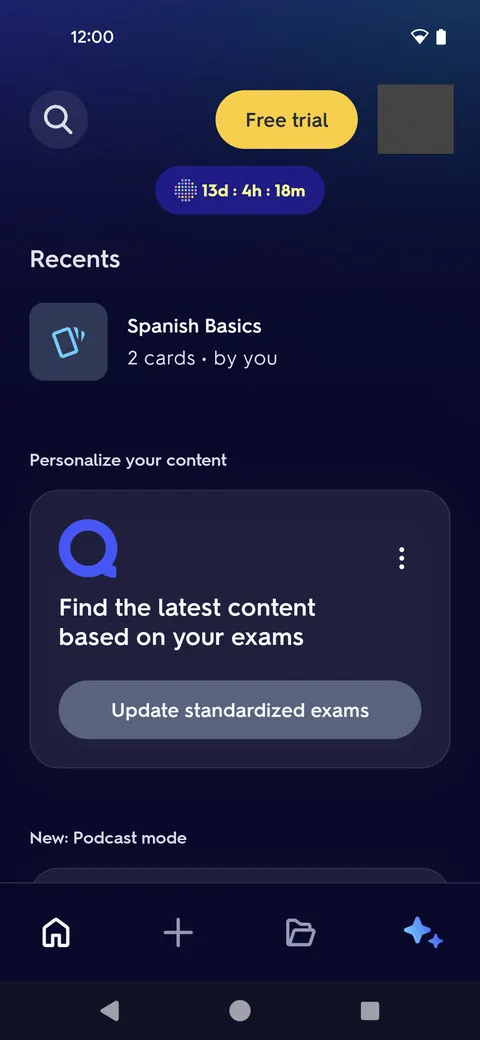
Library, AI coach, profile.
Study modes
Set detail, card sorting, flashcards.
The main user flow
- Sign up with Google
- Create a flashcard set
- Study with flashcards
- Library and AI Coach
- Change theme
- Navigation
- Bottom navigation: Home, Create, Library, AI Coach; avatar opens profile and settings.
- Onboarding
- Google sign-in, birthdate and student/teacher, Plus trial offer, tracking consent, notification permission.
- How it makes money
- Quizlet Plus subscription with trial, upsell banners, ads; in-app purchases $1.99-$44.99.
Screenshots
10 of 26 screens, captured on a real phone with sample data.
Language picker Set detail Create set (empty) Final details Profile Quizlet Plus trial Set options Create menu AI Coach Home (dark) - +16 more screensFree with an account
Screenshots: © Quizlet, Inc., shown for commentary.
See all 26 screens — create a free accountSee every screen
The full map has all 26 screens, every feature and where each one lives. It is free with an account.
What could be better
Our read of the map, the store listing and recent reviews.
Let learn and test modes finish without an upgrade interruptionmedium
Reviews say the app stops mid-session and asks for payment. Let free users finish a study round, and show Plus only as an optional choice at the end of a session.
Cap upsell banners and ads to a few placements per sessionsmall fix
Reviews complain about ads after every question and upgrade prompts. Show ads only between sessions and limit upgrade banners so they do not sit on every screen.
Keep saved sets intact and sync them across deviceslarge
Reviews report sets disappearing after saving and no sync between devices for paying users. Add a save check before leaving the editor and show a visible sync status per device.
Make offline study work for downloaded sets without a paywallmedium
Reviews say downloaded sets stop working offline after an update and that offline use is gated. Keep downloaded sets usable offline and keep the offline setting free for all users.
Fix study-mode crashes and stuck cards before adding new modesmedium
Reviews say learn mode stalls after a set number of cards and that answer choices duplicate. Test flashcards, learn and card-sort flows end to end and fix stalls before shipping new modes.
Add a reachable human support route for billing and cancellationsmall fix
Reviews say users cannot reach a live agent and the bot does not help with cancelling a trial. Offer a human contact path from settings and a self-serve cancel option inside billing.
Show the main study actions first and simplify the navigation labelssmall fix
Reviews say users cannot find basic actions like uploading files and that the app is hard to navigate. Keep four primary destinations and move secondary options into clearly named menus.
Want an app like this, but better?
Tell us the idea. We research it, and build it for you.
Submit your idea