
How Eventbrite works
Eventbrite, Inc. · Entertainment
Android
What it does
Eventbrite is an event discovery and ticketing app: find events by location and interest, save them, and hold tickets.
Who it is for: People who want to find local events by location and interest, save them, and keep their tickets in one place.
Key features
Sign-in and onboarding
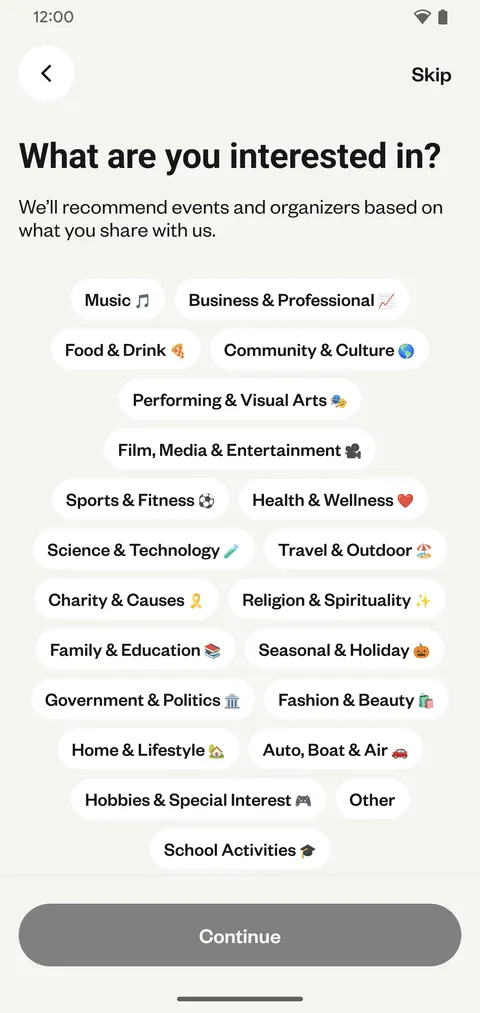
Email, Facebook or Google sign-in, terms acceptance, location step (skipped), notifications step (skipped), interests, suggested organizers.
Saved and tickets
Saved events and organizers, tickets (empty for a new account).
Discover and search
Discover home with search, location chip, filter and empty-state message; bottom bar.
The main user flow
- Sign in with Google (test account), accept terms
- Set interests and follow suggested organizers (onboarding)
- Discover events near a chosen location, search and filter
- Save events and view tickets
- Navigation
- Bottom bar: Discover, Saved, Tickets, Account. Location chip and filter on Discover.
- Onboarding
- Location, notifications, interests and organizers steps, each skippable with Skip at the top right.
- How it makes money
- Free to attend; ticket purchases happen on events (none bought here). Listing shows ads.
Screenshots
8 of 9 screens, captured on a real phone with sample data.
Discover (home) Saved Location step (skipped) Welcome Terms and conditions Tickets Notifications step Interests step - +1 more screenFree with an account
Screenshots: © Eventbrite, Inc., shown for commentary.
See all 9 screens — create a free accountSee every screen
The full map has all 9 screens, every feature and where each one lives. It is free with an account.
What could be better
Our read of the map, the store listing and recent reviews.
Deliver tickets from the purchase email and a web link that opens in the appmedium
Users cannot reach their tickets. The Tickets tab is empty for a new account, and links bounce between email, web and app. Put a ticket link in the confirmation email that opens the ticket directly in the app.
Paginate search results and show a retry when a page failsmedium
Search stops after the first page and the spinner never resolves. Load further pages as the user scrolls, and show an error with a retry action when a page fails to load.
Scope search to a chosen radius with working filtersmedium
Results leak outside the chosen location and filters do little. Offer a radius-from-a-point search and apply location and price filters to every page of results.
Replace the empty Discover message with nearby events and a wider-area optionsmall fix
Discover shows 'Nothing to show right now' when an area has no events, which ends the session. Show the nearest events outside the chosen area and offer a one-tap option to widen the search.
Defer location and organizer steps until after the first event is viewedmedium
Location is requested before any value shows, and organizer suggestions come before any event. Make these steps skippable by default, and let users edit a pre-filled account email instead of a greyed-out field.
Split notifications into per-category togglesmedium
All notifications merge into one setting, so spam cannot be turned off without losing useful alerts. Add per-category controls and a request-alert option for organizer posts.
Keep ads and upsells off the sign-in and ticket pathsmall fix
Ads show on listings and extra offers appear during purchase, which users call a zillion advertisements. Keep ads off the sign-in and ticket path, and show add-ons only as an opt-in choice.
Keep the current screen across back, rotation lock and relaunchmedium
Users are sent back to the top of lists and out of the app, and the screen rotates despite a lock. Restore scroll position and the previous screen on back, honor rotation lock, and reopen to the last view.
Want an app like this, but better?
Tell us the idea. We research it, and build it for you.
Submit your idea