
How Fitbit (Google Health) works
Google LLC · Health & Fitness
Android
What it does
Google's activity, sleep and health tracker, now branded Google Health, for Fitbit and Pixel devices or phone sensors.
Who it is for: People who want to track their activity, sleep, and health data with Fitbit or Pixel devices or phone sensors.
Key features
Consent onboarding
Privacy, profile, research and notification steps after Google sign-in.
Today dashboard and logging
Metrics dashboard with manual logging.
Health metrics and devices
Key metrics and device sync.
The main user flow
- Sign in with Google
- Complete profile
- Log activity manually
- Review key metrics
- Navigation
- Bottom tabs (Today, Health and more) with top-right account menu and Devices button.
- Onboarding
- Long consent flow: privacy (scroll to enable Agree), profile, research opt-ins, tracking method, notifications.
- How it makes money
- Free tier plus Google Health Premium subscription upsell.
Screenshots
10 of 18 screens, captured on a real phone with sample data.
Devices and apps Activity detail Tell us about yourself Health tab Welcome Sex dropdown Height picker Notifications pre-prompt Profile filled Add activity - +8 more screensFree with an account
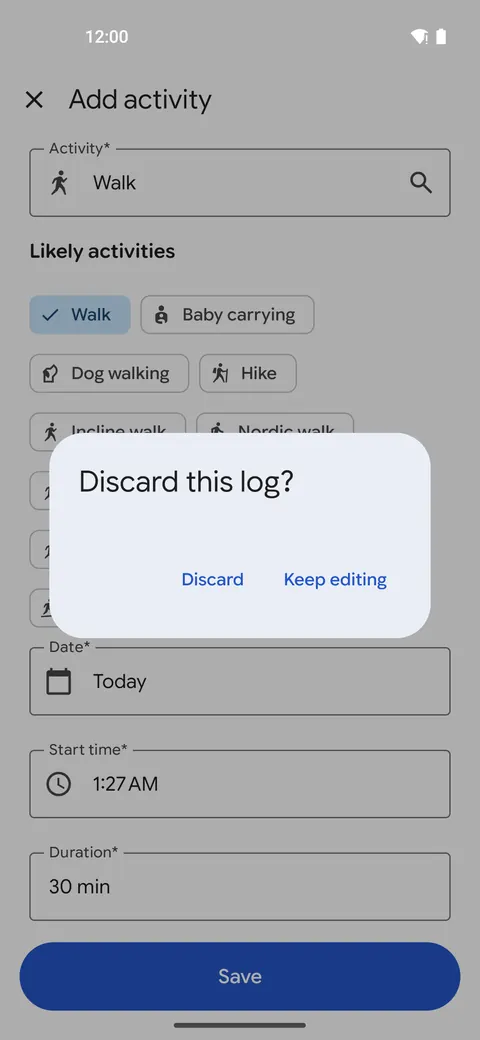
Screenshots: © Google LLC, shown for commentary.
See all 18 screens — create a free accountSee every screen
The full map has all 18 screens, every feature and where each one lives. It is free with an account.
What could be better
Our read of the map, the store listing and recent reviews.
Keep wearable sync resumable so a late sync never discards the night's sleep datalarge
Users report sync stalls, lost sleep and devices that stop connecting. Queue device data locally, retry in the background, and merge without dropping sessions already received.
Show how sleep is scored and let users mark awake time that should not countmedium
Users say awake time is counted against them and scores look wrong. Show the stage breakdown behind each score and let users correct awake periods they chose to be awake for.
Let users reach the first dashboard value before the full consent sequencemedium
New users face about a dozen onboarding screens before any value. Show a first metric or manual log earlier and ask for research opt-ins and emails after the user has seen the dashboard.
Explain why the Agree button is disabled and show scroll progress on consent textsmall fix
The Agree button stays disabled with no hint to scroll. Show a progress bar or a line such as Scroll to the end to enable Agree, and keep the disabled state readable.
Put steps and key metrics first on the dashboard and let users reorder tilesmedium
Users find the screen busy and cluttered and want steps before cardio load. Offer a simple default order with reorderable metric tiles and a compact view for the main daily numbers.
Count steps and distance only from confirmed movement and show data source per valuemedium
Users report steps counted before they happen, overcounts and GPS distance errors. Count only recorded movement, label the device or phone source of each value, and let users compare them.
Add custom food entries with direct calories and a reliable food searchmedium
Users cannot enter calories for foods missing from the database and say food search fails. Add a manual food entry with calories and macros and make search return results from the database.
Keep core metrics free and show the premium upsell only after an explicit tapsmall fix
Users say features are forced on them or hidden unless they pay. Keep existing metrics in the free tier and show the premium offer as a separate, dismissible screen with its price range.
Want an app like this, but better?
Tell us the idea. We research it, and build it for you.
Submit your idea