
How Houzz - Home Design & Remodel works
Houzz Inc. · House & Home
Android
What it does
Houzz is a home design inspiration and professional marketplace: browse photos, save them to ideabooks, find local pros, read stories.
Who it is for: People planning home design or remodeling who want to browse photos, save ideas to ideabooks, find local professionals, and read stories.
Key features
Ideabooks
Save photos to ideabooks, create private ones, invite collaborators
Account and privacy
Email or Google sign-up, profile, settings, privacy
Photo browsing and filters
Browse millions of home photos by room, style and area
Find professionals
Local pro marketplace and stories
The main user flow
- Sign up with email or Google, introduce yourself
- Browse photos by room and filters, save to ideabook
- Create private ideabooks, invite collaborators
- Find pros and read stories
- Navigation
- Bottom bar Home / Notifications / Ideabooks / Profile, home shortcuts to Ideas, Pros, Stories, Discussions, persistent search.
- Onboarding
- Cookie consent, sign-in (email/Google), password, name+postcode+user type, notification permission.
- How it makes money
- Free with ads; marketplace revenue from professionals.
Screenshots
10 of 33 screens, captured on a real phone with sample data.
Home Ideas hub Enter email Search Area filter Settings Google account chooser Notifications and Messages Ideabook share intro Welcome / sign-in options - +23 more screensFree with an account
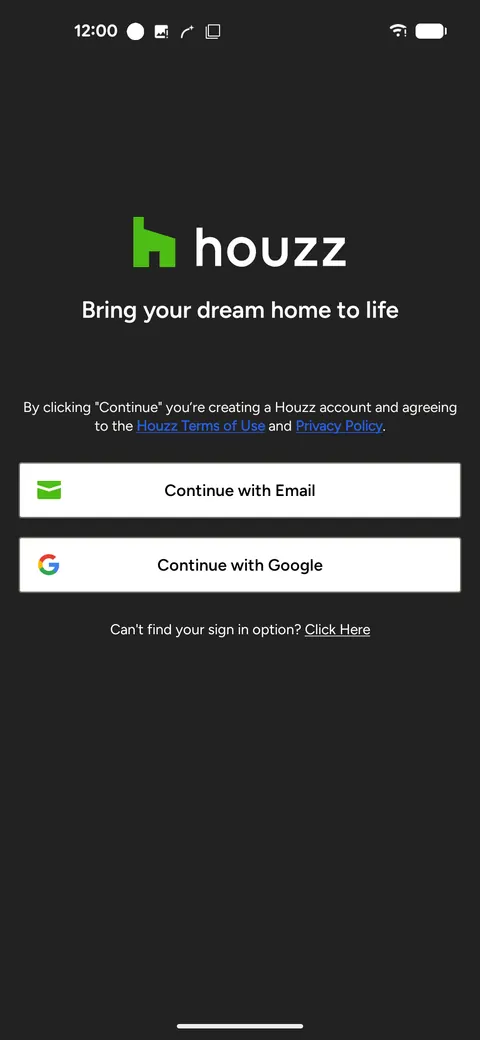
Screenshots: © Houzz Inc., shown for commentary.
See all 33 screens — create a free accountSee every screen
The full map has all 33 screens, every feature and where each one lives. It is free with an account.
What could be better
Our read of the map, the store listing and recent reviews.
Let users browse photos before any sign-up or location promptmedium
Sign-up asks for email, password, name, postcode and user type before any content is shown. Instead, allow browsing with no account and ask for details only when the user first saves or contacts a pro.
Make subscription cancellation and charges clear, with an in-app cancel pathmedium
Users report trial charges after cancelling and no way to cancel or delete the account. Instead, show billing terms before purchase, cancel in one tap in-app, and give a refund route that does not depend on the bank.
Show the cookie consent screen reliably and let users continue offlinemedium
Some users cannot get past the cookie message or the login screen, and others see false no-connection errors. Instead, load consent as a local screen, cache it, and test startup on older Android devices.
Restore saved ideabooks and photos on a new device or after reinstallmedium
Users lost years of saved boards after changing phones, and one user could not access ideas after an email conflict. Instead, sync ideabooks to the account and provide a restore check and an export option.
Keep filter chips and search working on the photo gridsmall fix
Users report filters disappearing and search breaking after an update, which leaves only endless scrolling. Instead, keep filter chips visible on the grid and add a regression check for search before each release.
Verify pro leads and show how awards and rankings are earnedlarge
Users say leads are fake and that recommended contractors are poor fits, and question the awards. Instead, verify leads before listing, show the basis of any award, and let users report a poor match.
Add one master switch for notifications and honour email unsubscribessmall fix
Users say notifications continue after all toggles are off and that emails keep arriving after unsubscribing. Instead, add one master off switch, honour unsubscribes at once, and show which channels are active.
Want an app like this, but better?
Tell us the idea. We research it, and build it for you.
Submit your idea