
How Planta: Plant & Garden Care works
Planta AB · House & Home
Android
What it does
Planta is a freemium plant-care companion: identify plants, build a species-aware watering & care schedule per plant, and get timely reminders. A guided onboarding tailors the plan; a plant doctor (Dr Planta) diagnoses problems. Premium (Superwall) unlocks identification-without-limit, propagation tracking, disease details, custom tasks and more.
Who it is for: People who want to look after houseplants with plant identification, watering and care schedules, and reminders.
Key features
Guided add-plant setup
Step-by-step wizard capturing growing type, site, light, pot, repot/water history, fertilizing, photo and name.
Personalized onboarding quiz
A multi-step questionnaire (locations, goals, plant count, interest, skill) that tailors the care plan.
Plant detail & journal
Per-plant Todo, Care Info, Propagation, History and settings.
Account & settings
Profile, account, notification and plant-care settings, help and about.
Smart watering schedule
Auto-generated watering cadence based on species, pot, light and location, surfaced as reminders.
Care tasks (Today / Upcoming)
Daily and upcoming care tasks with one-tap completion.
The main user flow
- Onboarding quiz → sign-in
- Add a plant (search/scan → growing → site → light → pot → water/repot history → fertilize → name → smart schedule)
- Daily care: Today/Upcoming tasks, complete watering
- Browse plant detail (Care info, watering guide, history)
- Dr Planta diagnose / Explore pests & diseases
- Manage sites, settings, account
- Navigation
- Four-tab bottom bar (Home/Today, My Plants, Dr Planta, Premium 'P') plus top search and notifications bell. My Plants has Sites/Plants/Photos sub-tabs; a FAB speed-dial adds plants, sites, tasks and identification. Settings reached from the My Plants gear.
- Onboarding
- Long personalized questionnaire (7 steps) with location and notification permission pre-prompts, ending in a mandatory Apple/Google/email sign-in wall and an immediate paywall.
- How it makes money
- Freemium. Superwall paywalls appear post-signup, on the 'P' tab, and when touching premium features (propagation, disease details, custom tasks, grow light, mist reminders, Quick Add). Subscription IAP $7.99–$69.99; referral grants free Premium months. Contains no ads.
Screenshots
10 of 55 screens, captured on a real phone with sample data.
Home — tasks due Plant detail — Todo Add plant — place (empty) Add first plant — search Edit profile Premium paywall (features) Settings Welcome / intro Add speed-dial menu Notifications inbox (empty) - +45 more screensFree with an account
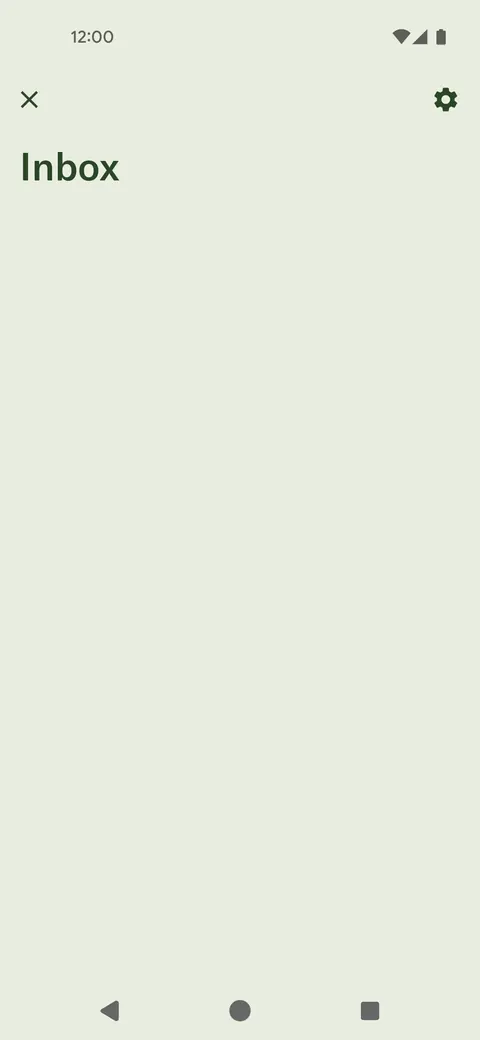
Screenshots: © Planta AB, shown for commentary.
See all 55 screens — create a free accountSee every screen
The full map has all 55 screens, every feature and where each one lives. It is free with an account.
What could be better
Our read of the map, the store listing and recent reviews.
Make cancel and renewal visible in-app, with a notice before each chargemedium
Reviews say the cancel button does nothing and users are charged after cancelling. Ship a working in-app cancel with confirmation, a notice before trial end and renewal, and card-change handling that does not retry other cards.
Keep plant ID and adding your own plant free; show the paywall after a first winmedium
Reviews say identification and own-photo adding are locked, and the paywall fires right after signup. Keep identification and adding a plant by photo free, and show one paywall after the user has a working plant.
Stop the app hanging on launch and at sign-inmedium
Reviews report the app stuck on loading, taking minutes to open, crashing, or failing to log in even after clearing storage. Show cached plants and tasks at launch and retry sign-in without requiring a data wipe.
Let users set indoor temperature and review schedule changes before they applymedium
Reviews say indoor temperature is fixed at 18-25 and watering cadence shifts without explanation. Expose temperature and light inputs, and show why a cadence changed before applying it.
Add a reminder time setting, lead-time notice and a delivery checksmall fix
Reminders fire at a fixed time for some users and stop arriving for others. Add a reminder-time and lead-notice setting, and an in-app check that notification permission and delivery are working.
Let users add a plant before the quiz, sign-in and paywallmedium
Users report a long quiz, then location and notification prompts, then an account and a paywall before any value. Let users add one plant first and defer sign-in and permission prompts until the feature needs them.
Add metric units, temperature units and manual location entrymedium
Users outside the US find measurements fixed to US units and cannot enter a location manually. Offer metric and Celsius options and a manual location field alongside the device city.
Make Dr Planta work for in-ground plants and shorten the problem-check flowlarge
Users say the Dr Planta check only works for potted plants and takes too long. Accept in-ground plants with site and local weather inputs, and cut the check to fewer steps.
Want an app like this, but better?
Tell us the idea. We research it, and build it for you.
Submit your idea