How Kids360: Parental Control App works
Parenting
Android
This map is still small; more screens are coming.
What it does
Parental control: the parent app pairs with the Alli360 child app by a 6-digit code and can instantly block the child's entertainment apps; per-app daily limits are paid.
Who it is for: Parents who want to pair with their child's device by code and limit or block the child's entertainment apps.
The main user flow
- Install parent and child apps
- Pair the child phone
- Set app limits or block apps
- Navigation
- Parent dashboard plus a separate child app/mode.
- Onboarding
- Paired parent + child setup mapped on two Pixels on 2026-11-22.
- How it makes money
- Instant Block is free and verified on a paired phone; daily limits paid ($4.49/mo or $19.99/yr), no trial.
Screenshots
10 of 41 screens, captured on a real phone with sample data.
Parent dashboard Play listing Onboarding Alli360 search Signup Child perms Blocked Parent home Dashboard Dashboard clean - +31 more screensFree with an account
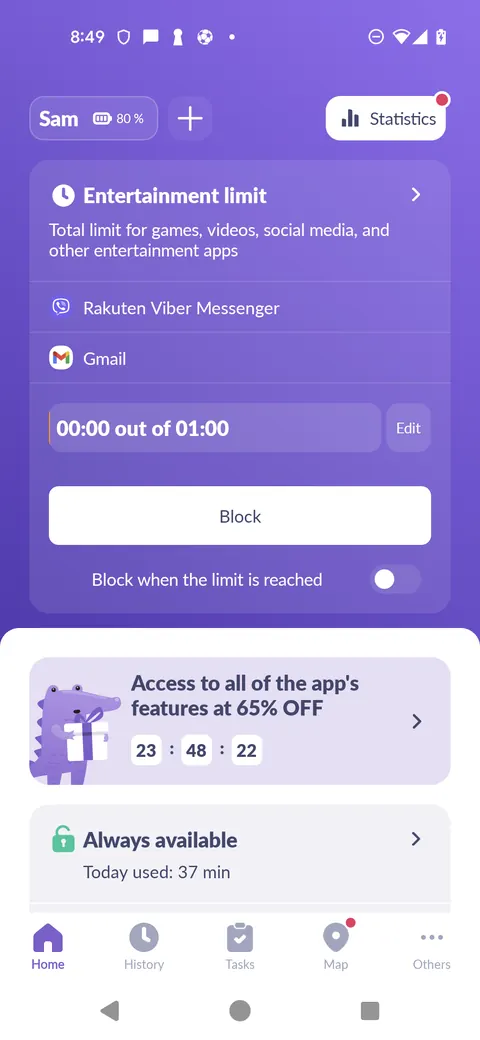
Screenshots: © Kids360: Parental Control App, shown for commentary.
See all 41 screens — create a free accountSee every screen
The full map has all 41 screens, every feature and where each one lives. It is free with an account.
Want an app like this, but better?
Tell us the idea. We research it, and build it for you.
Submit your idea