
How Pregnancy and Due Date Tracker works
Wachanga LTD · Parenting
Android
What it does
A pregnancy companion that calculates due date and term, gives week-by-week baby and body information, and offers trackers and checklists for weight, blood pressure, tummy measurements, exercises and prenatal care. It covers pre-conception planning as well as pregnancy.
Who it is for: For people who are pregnant or planning pregnancy and want due date tracking, weekly baby and body information, and trackers and checklists.
Key features
Onboarding flow
Multi-step setup covering pregnancy status, goals, privacy and term.
Profile and baby details
User name, baby name and gender.
Reminders
Scheduled reminders for tips, measurements and exercises.
Checklists
Medical checklists by stage: before conception and each trimester.
Cycle tracking
Records cycle length and first day of last period.
Edit pregnancy data
Change cycle length, due date and term.
The main user flow
- Onboarding: choose pregnancy status and goals, then set cycle length and term
- Confirm pregnancy, then customise due date
- Browse weekly content and articles from the home dashboard
- Use counters, exercises and checklists by trimester
- Set reminders for measurements and routine care
- Navigation
- Bottom or side menu with Weeks, Calendar, Counters, Checklists and Settings; home shows the current week.
- Onboarding
- Lengthy multi-step onboarding with goal questions, a privacy notice, term setting, IVF question and paywall before the main app.
- How it makes money
- Paywall shown during onboarding and at the calendar and counters, with a yearly plan at a discount and a 3-day free trial, a monthly plan, a premium-content promotion, and an option to disable ads.
Screenshots
10 of 46 screens, captured on a real phone with sample data.
Home dashboard (current week) Counters and tools list Most favourable conception days Obstetric term setting Calendar (month view) Plan selection paywall (intro) Settings (extended) How can we support you? (goal selection) Navigation menu (open) Favourites (empty state) - +36 more screensFree with an account
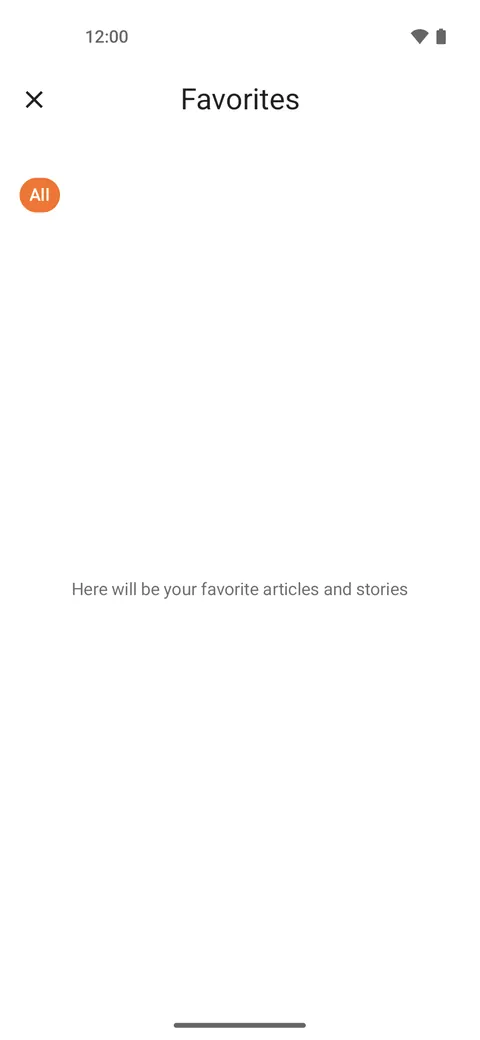
Screenshots: © Wachanga LTD, shown for commentary.
See all 46 screens — create a free accountSee every screen
The full map has all 46 screens, every feature and where each one lives. It is free with an account.
What could be better
Our read of the map, the store listing and recent reviews.
Let users reach the free core before any paywall appearsmedium
Users hit a paywall during onboarding and find no free plan until after answering many questions. Show the due date result and weekly content free, and offer the paid plans after the first useful screen.
Cut onboarding to the due date and term, and defer the restmedium
Onboarding is a long multi-step flow of goal, IVF, privacy and term questions before reaching value. Ask only for cycle data or due date, and move goals, IVF and profile questions into optional steps after the first screen.
Allow any due date and keep term figures consistent after updatessmall fix
The date picker blocks future dates, so users cannot start, and term weeks changed after an update. Allow future due dates and keep the term calculation identical across app versions.
Offer a free tier with limited ads and a clear ad-removal pricemedium
Users report heavy ads on a free app that also charges. Show ads only on non-core screens, cap their frequency, and show the ad-removal price before any purchase step.
Make trial terms, cancellation and restore purchase work in-appmedium
Users report charges after cancelling or after a free trial, and restore purchase errors. Send a reminder before trial conversion, offer in-app cancellation and a support contact for refunds, and fix restore so purchased access unlocks.
State plainly how health data is stored and let users delete itmedium
Users question data storage and sharing and cannot find a way to delete their data. Add a plain-language data notice, an in-app delete option, and no third-party sharing of cycle or pregnancy data.
Move exercises out of Counters into a separate Exercises sectionsmall fix
The Counters label contains exercises and a workout video, which makes the navigation unclear. Give exercises their own menu entry and keep Counters for measurements only.
Show one promotional offer per session instead of repeating bannerssmall fix
Promotional banners and upsell prompts repeat across the home dashboard, tools list and checklists. Limit promotional offers to one placement per session and keep the main content free of banners.
Want an app like this, but better?
Tell us the idea. We research it, and build it for you.
Submit your idea