How BoneBox™ - Dental Lite works
ISO-FORM LLC · Medical
Android
What it does
Free 3D dental anatomy viewer: tap a tooth on a full-jaw model, rotate it, read its name in three notation systems, and test yourself with a 32-question quiz.
Who it is for: Students and anyone learning dental anatomy who want to explore tooth names and notation systems in a 3D viewer with a quiz.
Key features
Single tooth 3D view
Tap a tooth to isolate and rotate it, names shown
Naming conventions
Universal, FDI and Palmer notation
Tooth identification quiz
32 multiple-choice questions with score
3D jaw model
Full-mouth 3D model rotatable by drag
Remove Ads IAP
One-time $4.99 purchase
The main user flow
- Rotate jaw, tap tooth, inspect in 3D
- Switch naming convention
- Take 32-question tooth quiz
- Remove ads via $4.99 IAP
- Navigation
- Single Unity 3D screen; (?) opens an overlay with settings; bottom bar shows selected tooth and a quiz button; back arrow returns to the jaw.
- Onboarding
- None: opens straight on the jaw model.
- How it makes money
- Free with interstitial ads (shown on quiz start and returning from a tooth); $4.99 one-time Remove Ads; Lite of a paid full app.
Screenshots
10 of 20 screens, captured on a real phone with sample data.
Home: full jaw model Tooth 3D view: upper central incisor Remove Ads paywall (scrolled) Naming convention: FDI selected Help and settings panel Full-screen interstitial ad Tooth rotated by one-finger drag Jaw rotated to side view Tooth view: upper lateral incisor Tooth rotated vertically - +10 more screensFree with an account
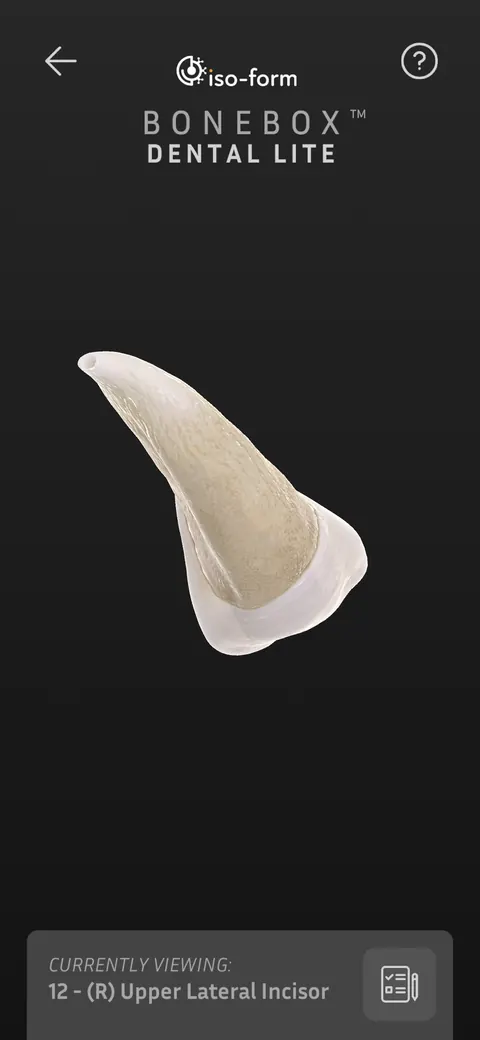
Screenshots: © ISO-FORM LLC, shown for commentary.
See all 20 screens — create a free accountSee every screen
The full map has all 20 screens, every feature and where each one lives. It is free with an account.
What could be better
Our read of the map, the store listing and recent reviews.
Show ads only between study sessions and offer a paid ad-free option up frontmedium
Full-screen interstitials appear on quiz start and when returning from a tooth, breaking study flow. Show ads only at natural session breaks, and offer the one-time ad removal on the first launch screen.
Test on current Android versions and new devices before each releasemedium
Reviews report the app crashing or not opening on newer phones and Android versions. Add a device test matrix covering recent Android releases and new hardware, and fix launch crashes before shipping.
Cut load time and smooth 3D rotation on mid-range phonesmedium
Reviewers say the app is slow and laggy, which hurts the core jaw and tooth rotation. Profile the Unity scene on low-end devices, reduce model polygon counts and lazy-load tooth meshes when a tooth is selected.
Add structure labels and a tooth-anatomy info panel to the free versionlarge
Reviewers expect information about teeth, but the Lite version only draws cusps and fossae with no text labels. Add labelled structures (cusps, grooves, fossae, roots) and a short info panel for each selected tooth.
Make 3D views accessible and show gesture controls on screenmedium
The 3D canvas has no accessibility tree, and pinch zoom and three-finger mouth open/close are hidden gestures. Add on-screen zoom and open/close buttons, plus screen-reader labels for the selected tooth name.
Save quiz scores and show a review of missed teethmedium
The quiz shows only a final score (for example 9/32), with no record of progress and no review of mistakes. Store attempt history and let users retry only the teeth they got wrong.
Refresh the dated UI and add a light theme with regular updatesmedium
Reviewers call the UI and UX outdated and note the app has not kept pace with modern tooth libraries. Redesign the overlay and bottom bar, and offer a light theme alongside the dark-only one.
Want an app like this, but better?
Tell us the idea. We research it, and build it for you.
Submit your idea