
How MyTherapy Pill Reminder & Medication Tracker works
smartpatient GmbH · Medical
Android
What it does
MyTherapy is a free pill reminder and medication tracker that also logs health measurements (weight, blood pressure, blood sugar), activities and symptoms, shows adherence progress, and lets users share progress with family or export a PDF health report.
Who it is for: People who take medications or track health measurements and want reminders, logs, and progress sharing with family.
Key features
Medication reminders
Adding medications (name, unit, frequency, advanced schedule, time, dose, inventory/refill) and taking/confirming doses.
Onboarding & setup
First-run welcome, consent, profile questions, reminder-tone/permission setup and the category setup hub.
Daily plan (Today)
The Today screen's daily plan, resolved tasks, streaks, daily picture, calendar and quick-add.
Reminder sounds & notifications
Notification sound selection, system permission and critical-reminder settings.
Appearance & dark mode
Display mode (light/dark/system) and MyTherapy visual theme.
Health measurements
Tracking measurements such as weight, blood pressure and blood sugar, with entry and history.
The main user flow
- Onboard (consent, nickname, gender, birth year, reminder tone, permissions)
- Add a medication (name, unit, frequency/advanced schedule, time, dose, inventory refill, condition)
- Add a measurement (e.g. weight) with reminder
- Confirm/skip/snooze a due dose from Today or its detail sheet
- Log a measurement value
- Review adherence in Progress (charts + list) and the calendar
- Manage items in Treatment (edit schedule, reminder settings, delete)
- Upgrade to MyTherapy Plus to remove ads
- Navigation
- Five-tab bottom bar (Today, Progress, Community, Support, Treatment) with a persistent Add FAB; Today carries a week strip, calendar sheet, streak and messages inbox; Treatment holds a settings gear into the full Settings tree.
- Onboarding
- Long guided onboarding: value carousel, GDPR consent with granular analytics toggle, profile questions (nickname/gender/birth year), reminder-tone pick, notification + battery-optimization permissions, then a category setup hub that walks the user into adding a first medication and measurement, ending with a get-started checklist and a MyTherapy Plus pitch.
- How it makes money
- Freemium: free with interstitial ads (Unity Ads observed) and a MyTherapy Plus subscription (Monthly $1.19 after a 7-day trial, Yearly $11.99/$1-per-month after a 1-month trial, Lifetime $59.99) that removes ads and unlocks future calendar days and PDF reports.
Screenshots
10 of 58 screens, captured on a real phone with sample data.
Today — dose confirmed Notification sound list Dose action detail Weight entry Pick reminder tone Measurement search Progress — charts MyTherapy Plus intro Appearance Privacy consent - +48 more screensFree with an account
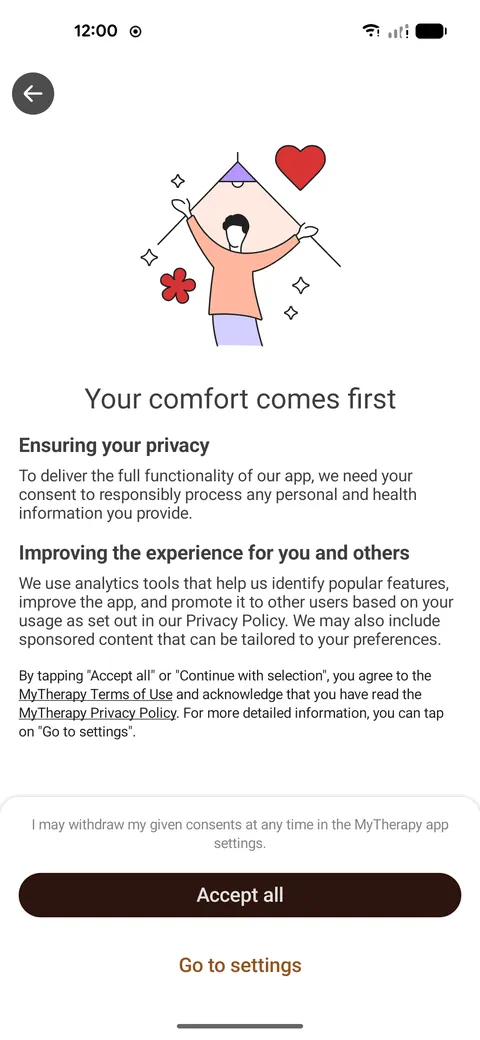
Screenshots: © smartpatient GmbH, shown for commentary.
See all 58 screens — create a free accountSee every screen
The full map has all 58 screens, every feature and where each one lives. It is free with an account.
What could be better
Our read of the map, the store listing and recent reviews.
Make dose alarms ring with sound, not silent pop-upsmedium
Reviews say alarms stay silent and reminders only appear as notifications. Ship alarm-grade delivery for due doses, test it on each Android version, and warn users when system settings would block the sound.
Keep ads out of reminders, lock screens and navigationmedium
Ads play sound from notifications and interrupt navigation with full-screen or unclosable video. Instead, keep ads to a quiet banner on non-reminder screens, never with audio, and never on the lock screen or in reminder flows.
Recover data and sessions reliably across app updatesmedium
Users report crashes after opening, a grey loading screen, and medication data lost after updates. Ship a backup that restores medications and reminders, keep sign-in optional, and run a launch check before each release.
Make community an opt-in tab with its own notification switchsmall fix
Users say a social tab appeared without opt-in and that its notifications cannot be disabled. Ship the community feed hidden by default, with an explicit opt-in and a separate notification toggle.
Cut background traffic, battery drain and third-party trackersmedium
Reviews report heavy monthly data use, high battery drain while idle, and many trackers with broad permissions. Ship a release that limits background sync, lists every SDK, and asks only for permissions the reminders need.
Let users mark several doses done from the notificationmedium
Marking a dose as taken from the notification no longer works and users must open the app. Lists also allow only one dose at a time. Add a notification action for Confirm and Snooze, and multi-select on Today.
Set up a repeating dose schedule on one screenmedium
Setting up a rotating schedule takes many taps across several screens. Ship a single schedule form that covers frequency, rotation, start and end dates, and times.
Offer one clear ad-free price instead of stacked optionssmall fix
Users see ads, a subscription, or a lifetime fee and leave. Show a single ad-free price with the range stated up front, and show it after the first saved dose instead of during onboarding.
Want an app like this, but better?
Tell us the idea. We research it, and build it for you.
Submit your idea