
How WebMD: Symptom Checker works
WebMD, LLC · Medical
Android
What it does
WebMD: Symptom Checker is a medical reference and care-finding app. It offers a symptom checker, drug and pill lookups, interaction checks, medication reminders, health news, and a doctor finder that searches physicians and dentists by specialty or condition and location, with online booking and video visit options.
Who it is for: People who want medical reference information, symptom checks, medication reminders, and help finding doctors or dentists near them.
Key features
Doctor Finder
Search doctors and specialists by specialty, condition or procedure near a location, with profiles and reviews.
Medication reminders
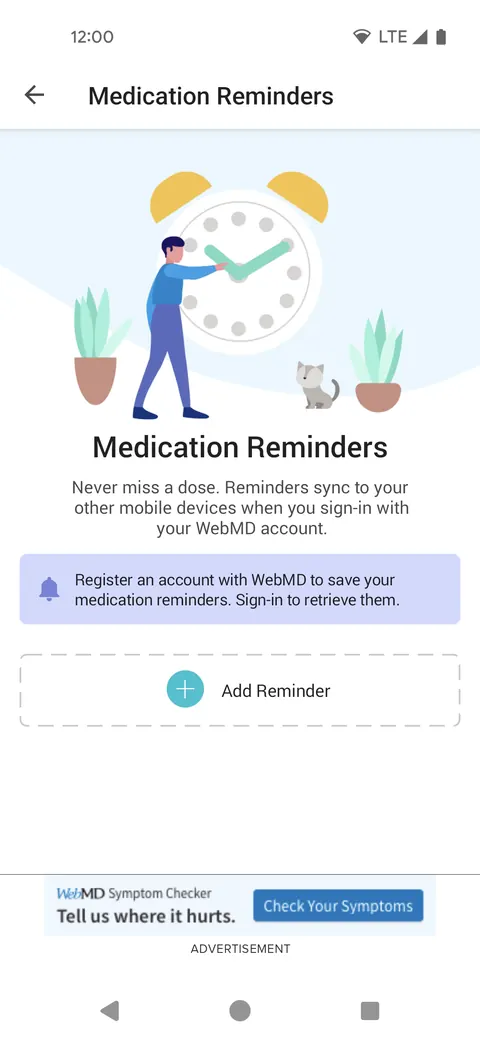
Create reminders to take medications on schedule; syncs when signed in.
User account
Create an account or sign in to save age, sex and reminders across devices.
My Medical Team
Save doctor contact details for quick access.
Appointment request and booking
Request an appointment with a provider, including online booking and video visits.
Sort and filter results
Sort doctor results by best match, distance or ratings and filter by rating or accepting patients.
The main user flow
- Search for doctors by specialty or condition, filter and sort results, view a profile, and request an appointment
- Create a medication reminder by searching for a drug and saving it
- Create an account to save age, sex, reminders and a medical team across devices
- Share a doctor profile link
- Navigation
- Bottom tab bar with Home, Doctors and Profile, plus a side navigation drawer with tools, account, content and app settings.
- Onboarding
- No dedicated walkthrough seen; users are prompted to create an account or sign in from the Profile and reminder screens, with optional social sign-in and a date-of-birth field.
- How it makes money
- Advertisement banner seen on the medication reminders screen; Rx Coupons and prescription discounts for pharmacy savings are promoted as a feature. No paywall or prices seen.
Screenshots
10 of 31 screens, captured on a real phone with sample data.
Home - search and top news Add reminder - drug search Profile - signed out, create account prompt Navigation drawer - full menu Profile - saved items empty state Location permission request Location not enabled - dialog Register - create account form Doctor search - no match error Medication reminders - list with ad - +21 more screensFree with an account
Screenshots: © WebMD, LLC, shown for commentary.
See all 31 screens — create a free accountSee every screen
The full map has all 31 screens, every feature and where each one lives. It is free with an account.
What could be better
Our read of the map, the store listing and recent reviews.
Add a sign-in page that recognises existing accounts and usernamesmedium
Users with accounts are sent to a register page, see no login page, or get rejected with valid credentials. Ship one sign-in path that accepts email or username, with a working password reset.
Let symptom checking run without an account and make age entry optionalmedium
Symptom checking asks for sign-in or a date of birth before any result, and reviewers say they cannot reach it or enter their correct date. Let users check symptoms first and add age and sex optionally.
Keep the symptom checker Next button clear of the system back gesturesmall fix
On some Android phones the Next button sits under the system back button, so users cannot move to the next step. Pin the primary action above the system navigation inset and test with gesture navigation.
Offer finer symptom terms and a fallback when no option fitsmedium
Users cannot narrow symptoms such as finger cramps or postpartum conditions, and get an add more prompt with nothing to add. Add body-part and life-stage options, plain-language synonyms, and a free-text fallback.
Keep ads out of article reading and reminder setupsmall fix
Ads pop up during article reading and reminder setup, and users must restart from the beginning. Place ads only on browse screens, never mid-task, and cap how often they appear.
Show sync status and retry for profile edits and saved remindersmedium
Profile changes are reported as not saving, and users cannot tell whether data synced. Show a visible sync state, confirm each save, and queue edits offline until they upload.
Offer inline location entry when device location is deniedsmall fix
Denying location shows an error dialog with no in-place fallback. Show the city, state or ZIP field directly on the doctor search screen whenever location is off.
Want an app like this, but better?
Tell us the idea. We research it, and build it for you.
Submit your idea