
How Expedia works
Expedia Group, Inc. · Travel & Local
Android
What it does
Travel booking app for hotels, flights, cars, packages and activities across Expedia, Hotels.com and Vrbo.
Who it is for: Travel booking app for people planning hotel, flight, car, package and activity bookings across Expedia, Hotels.com and Vrbo.
Key features
Stay search
Destination, dates, travelers, results, filters.
Property and booking flow
Property page to payment options, stopped before booking.
Other products and account
Flights, search hub, trips, settings.
Sign in
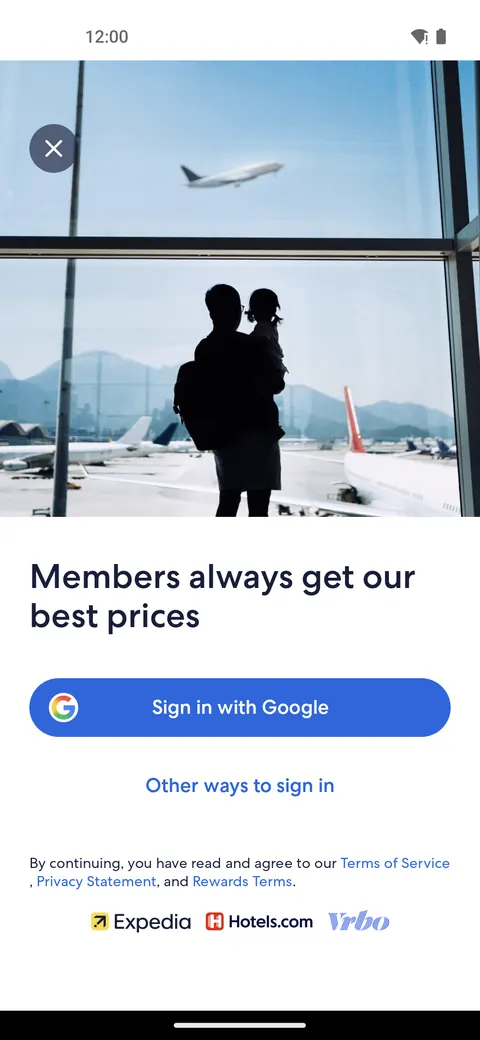
Google, Facebook or email sign-in.
The main user flow
- Search stays
- Compare rooms
- Reserve with pay later
- Search flights
- Navigation
- Five-tab bottom bar (Home, Search, Trips, Inbox, Account) with product tabs on Home.
- Onboarding
- Sign-in wall with hero image, then notification and location pre-prompts; sign-in can be dismissed.
- How it makes money
- Booking commission, sponsored ad listings, member prices, Black Friday banners.
Screenshots
10 of 24 screens, captured on a real phone with sample data.
Home: Stays search Stay results Property page Stays form filled Where to? Search tab App settings Sort and filter Trips (signed out) Sign in prompt - +14 more screensFree with an account
Screenshots: © Expedia Group, Inc., shown for commentary.
See all 24 screens — create a free accountSee every screen
The full map has all 24 screens, every feature and where each one lives. It is free with an account.
What could be better
Our read of the map, the store listing and recent reviews.
Show a clear charge breakdown and confirm the amount before paymentmedium
Reviews report being charged more than the quoted price, charged twice, or charged before a booking was issued. Mapped payment step offers pay at property vs pay now. Show each charge line and total, require an explicit confirm, and send a receipt for every charge before any authorisation.
Give a live human agent path from the in-app help screenmedium
Users say support is only an AI assistant with no way to reach a person. The help screen lists chat and a help center, but reviewers report loops and dead ends. Offer a direct route to a human agent after one failed bot answer, and show the wait time.
Show a booking summary with dates and status before and after confirmingsmall fix
Users report dates changed after booking and reservations cancelled without notice. The date picker offers exact dates and flexible chips, so the final dates must be shown again before payment. After confirmation, send a change notice and require the user to accept any date change.
Add a one-step cancel option on each booking with fee shown firstmedium
Users say cancelling is hard, and some cancelled by mistake. Users also report fees charged after cancelling. Put Cancel on each trip with the refund and fee shown before the user confirms, and an undo option for a short time after cancelling.
Separate sponsored listings from organic results with a visible labelsmall fix
Ad badges are mixed into stay results, and users call the ads intrusive. Show sponsored items in a separate labelled block or with a clear label on each card, and cap promotional notifications with an opt-in per type.
Show clear feedback when email sign-in is submittedsmall fix
Email sign-in gave no feedback on the test phone, and a reviewer says nothing happens after entering an email. Show a loading state, a field error, or a next step within a second, and offer Google or email code as fallback.
Want an app like this, but better?
Tell us the idea. We research it, and build it for you.
Submit your idea