
How Airbnb works
Airbnb, Inc. · Travel & Local
Android
What it does
Marketplace for booking stays, experiences and services from hosts.
Who it is for: Travelers who book stays, experiences, and services from hosts through this online marketplace.
Key features
Tab hubs
Wishlists, trips, messages, profile.
Destination search
Where/When/Who stepper search with map and list results.
Listing and booking
Listing detail and reserve flow up to payment choice.
Sign-up
Google sign-in and account creation form.
The main user flow
- Search by place, dates and guests, browse map/list
- Open a listing and start a reservation
- Sign up with Google
- Review wishlists, trips, messages, profile
- Navigation
- Bottom tabs Explore, Wishlists, Trips, Messages, Log in/Profile; modal stepper for search.
- Onboarding
- Browsing works logged-out; account is required at Reserve; Google signup asks for legal name, birth date and community commitment.
- How it makes money
- Commission on bookings; all-in price display; no in-app purchases.
Screenshots
10 of 26 screens, captured on a real phone with sample data.
Explore Search results map Listing detail Search: When Search: Where Profile menu Wishlists Log in or sign up Location permission Community commitment - +16 more screensFree with an account
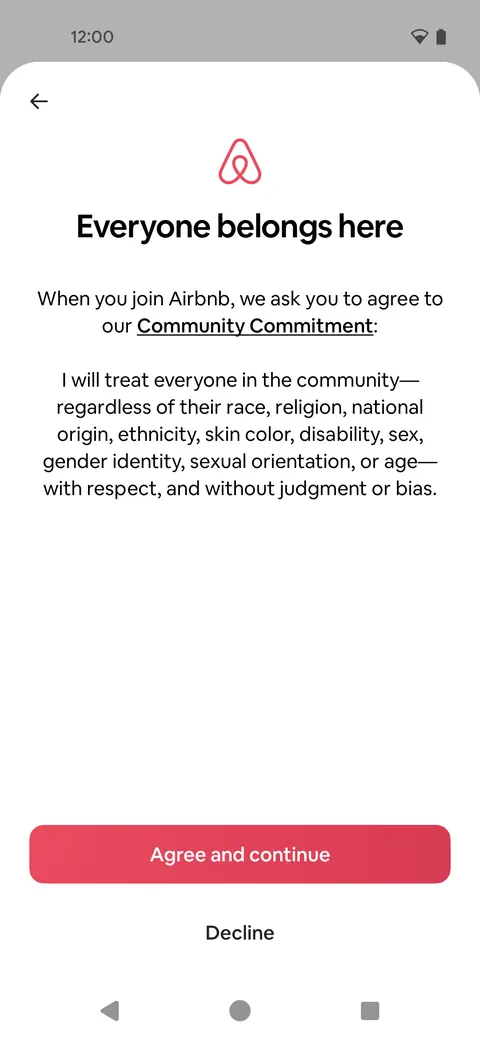
Screenshots: © Airbnb, Inc., shown for commentary.
See all 26 screens — create a free accountSee every screen
The full map has all 26 screens, every feature and where each one lives. It is free with an account.
What could be better
Our read of the map, the store listing and recent reviews.
Move account and phone verification ahead of payment, with a retry pathmedium
Account is required only at Reserve, and SMS and photo checks can block a booking after payment. Verify identity before any charge and offer an alternate phone or photo retry.
Label the Reserve button with whether a charge happens nowsmall fix
Users tap Reserve expecting no charge, then land on a payment screen. Show the charge outcome on the button and keep payment as its own clearly labelled step.
Show refund timing and status on each reservation as a tracked requestmedium
Refunds after cancellation are slow and hard to follow. Show the expected refund date and status on the reservation, with a tracked request the user can follow.
Send a cancellation-deadline reminder and show the cutoff in the booking barsmall fix
Free cancellation can lapse without warning, and a user who books the wrong dates may miss the deadline. Remind users before the cutoff and show the date in the booking bar.
Auto-expire unconfirmed requests with a refund and a rebook offermedium
Requests can sit unanswered or be declined after 24 hours, forcing users to start over. Expire unconfirmed requests on a set schedule, refund them and offer similar listings.
Lock house rules and the all-in total before payment; flag later changesmedium
Hosts can add rules after booking and fees can exceed the listed price. Show the full rules and total before payment and alert users to any later change.
Add a case tracker with a named owner and escalation path in Get helplarge
Support complaints recur as scripted replies and long back-and-forth. Give each case a tracker, a named owner and a visible escalation step inside the Get help flow.
Add a square-area filter and price sort to search resultsmedium
Results cannot be narrowed by area size or sorted by price, which users need when comparing stays. Add both controls to the results list and map.
Want an app like this, but better?
Tell us the idea. We research it, and build it for you.
Submit your idea