
How Joom: Shopping for every day works
JOOM SIA · Shopping
Android
What it does
Global marketplace app selling low-cost goods from third-party stores with flash sales, Joom Select badges and a points balance.
Who it is for: Shoppers who want low-cost goods from third-party sellers on a global online marketplace.
Key features
Account and profile
Email/Google/Facebook/Apple sign-in, balance, orders, addresses, cards, data requests.
Cart and checkout
Variant sheet, cart with VAT, address-first checkout.
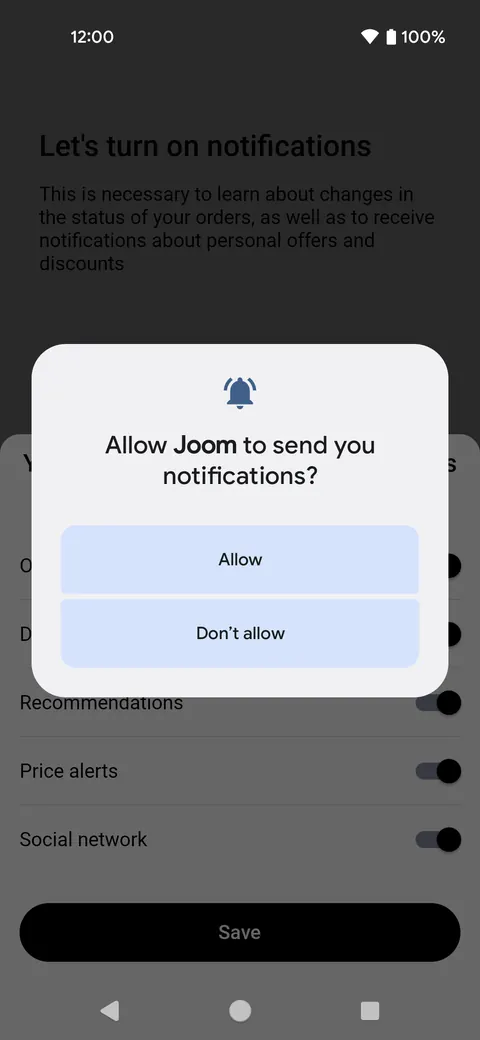
Notification prompts
Pre-prompt, category sheet, system permission, inbox.
Search and filters
Autocomplete, sort, filters and a two-column results grid.
Browse feed and categories
Best/Sale/Bestsellers/New in tabs, categories grid.
Settings
Currency, theme, language, accessibility.
The main user flow
- Browse feed and categories
- Search and filter products
- View product, choose variant, add to cart
- Sign up and manage profile
- Navigation
- Five bottom tabs: Home, Categories, Cart, Favourites, Profile; search bar at top.
- Onboarding
- Notification pre-prompt then a promo modal; browsing works without login, login is asked at checkout/profile.
- How it makes money
- Marketplace commissions and promoted (AD) listings; flash-sale timers; $5.46 referral credit; VAT collected on delivery.
Screenshots
10 of 41 screens, captured on a real phone with sample data.
Home Home feed (scrolled) Cart with item Enter your address Search suggestions Settings Notification pre-prompt Choose notifications My orders Notification permission - +31 more screensFree with an account
Screenshots: © JOOM SIA, shown for commentary.
See all 41 screens — create a free accountSee every screen
The full map has all 41 screens, every feature and where each one lives. It is free with an account.
What could be better
Our read of the map, the store listing and recent reviews.
Put refund and return requests in one visible flow with status and deadlineslarge
Reviews repeatedly say refunds and returns are hard to find or fail. Show a return button on each order, a step-by-step request, clear deadlines and status, and a written reason for any decline.
Send push and in-app alerts for every delivery date change and tracking gapmedium
Users report dates moving without notice and no tracking updates. Notify on each date change, when tracking stalls, and when the parcel is marked for return, with the reason shown.
Require buyer confirmation before any order cancellation, with a cancel button while unshippedmedium
Users say orders were cancelled by the system or seller and that they could not cancel their own unshipped order. Let buyers cancel before dispatch and show the cancel reason and refund path.
Give every support conversation a human handoff and a saved case numberlarge
Reviews describe bot-only chat, slow replies and repeated restarts. Offer a human handoff after one bot step, a case number, and a full history visible to any agent. Send typed text only on submit.
Show a product's real condition and listing accuracy before purchaselarge
Buyers say items differ from listing photos, are counterfeit, or have the wrong colour or size. Add verified-seller badges, real-photo reviews and a visible return policy on the product page.
Lock the cart price and show the all-in total with delivery and return costsmedium
Users report prices changing after adding to cart and delivery or return fees appearing at checkout. Lock the price for a set time and show delivery and possible return costs before payment.
Ask for currency and delivery country at first launch, before any price appearssmall fix
Prices default to the local currency and users must change it by hand. Ask for currency and country once at first launch and keep the choice in settings.
Want an app like this, but better?
Tell us the idea. We research it, and build it for you.
Submit your idea