
How Sleep as Android: Smart alarm works
Petr Nálevka · Health & Fitness
Android
What it does
Sleep as Android is a smart alarm clock and sleep tracker: it tracks sleep cycles with the phone's sensors, wakes you in a light-sleep window, enforces wake-up with CAPTCHAs, plays lullabies, records snoring, and reports sleep score, graphs and long-term charts, with goals, advice and achievements to improve sleep.
Who it is for: People who want to track their sleep and wake up with a smart alarm clock.
Key features
Alarms & smart wake up
Alarm list, per-alarm editor with repeat, time picker and global default alarm.
Sleep tracking
Accelerometer/sonar sleep tracking session, night clock, live actigraph and settings.
Onboarding & setup
First-run preview carousel, goal questionnaires, terms/privacy and permission prompts.
Wake-up CAPTCHA
Tasks (math, sheep, QR, NFC, shake...) you must solve to dismiss the alarm.
Personalization & theme
Themes (incl. dark Night owl), home layout and appearance.
Statistics
Sleep score, duration/regularity/efficiency, community comparison and manual records.
The main user flow
- First-run onboarding (goals, terms, permissions, trial offer)
- Create/edit an alarm with smart period and CAPTCHA
- Start a sleep-tracking session and stop/save it
- Add or review a night's sleep record, graph and detail
- Review stats, charts, advice and achievements
- Set a sleep goal
- Personalize theme and configure settings
- Navigation
- Dashboard home with a hamburger navigation drawer (Alarms, Stats, Graphs, Charts, Noise, Goal, Advice, Achievements, Sleep assistant, Shortcuts, Lullabies, Backup), a Settings gear, in-app search, and a bottom FAB to start tracking. An optional 'Tabs' home layout exists.
- Onboarding
- A multi-page preview carousel with goal/improvement questionnaires, a skip-tutorial guard, terms/privacy and analytics consent, a premium comparison with a 4-day free trial, then the system notification permission; coach-marks highlight the home.
- How it makes money
- Freemium: ads plus in-app purchases. A premium comparison paywall and a 4-day no-card free trial; several features (charts, sleep assistant, extra lullabies/CAPTCHAs) are premium-gated with unlock dialogs.
Screenshots
10 of 56 screens, captured on a real phone with sample data.
Home dashboard (populated) Sleep night detail Alarm editor Add sleep record Settings search Premium upgrade Default alarm settings Welcome intro Navigation drawer (scrolled) Backup sheet - +46 more screensFree with an account
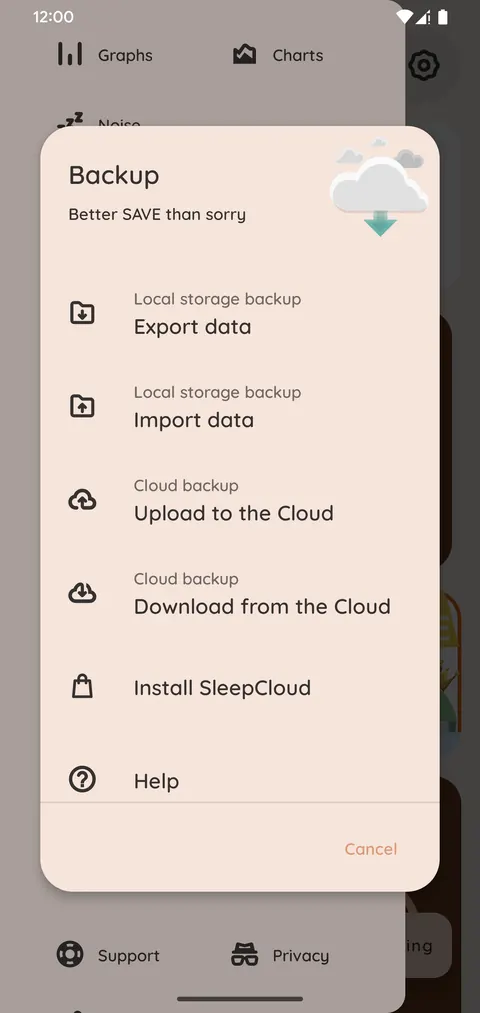
Screenshots: © Petr Nálevka, shown for commentary.
See all 56 screens — create a free accountSee every screen
The full map has all 56 screens, every feature and where each one lives. It is free with an account.
What could be better
Our read of the map, the store listing and recent reviews.
Make alarms fire and dismiss reliably in every smart-period and watch statemedium
Users report alarms that never sounded, dismiss that does not stop the alarm, and smart periods that fire at the start of the window. Ship a fallback alarm time and a visible stop path that works offline and on paired watches.
Keep ads silent and off the alarm and sleep screenssmall fix
Several reviewers left over audio ads that autoplay on app open and after alarms, which disturb partners and sleep. Ship a rule that ads never play sound, never show on alarm ring or tracking screens, and stay off the bedtime path.
Keep purchased features unlocked and offer one clear, honest pricemedium
Reviewers say features they bought became premium-only, and some report price increases or a subscription where they expected a one-time purchase. Ship a clear one-time or subscription price, keep previously sold features unlocked, and show the price before any unlock dialog.
Show sleep-phase detection confidence and let users correct a nightmedium
Users say the app shows light sleep all night and misses getting up. Ship a per-night confidence flag, a manual wake or bathroom marker, and an editable hypnogram so the data can be corrected instead of trusted blindly.
Offer a short default home and settings path for new usersmedium
Reviewers call the redesign harder to navigate and say they only needed a simple alarm. Ship a default layout with alarm, start tracking and one stats view, and move advanced settings behind a single expandable section.
Reduce battery drain during tracking sessionsmedium
Users report heavy battery use and phone heat after updates. Ship a tracking mode with the screen dimmed by default, no animated actigraph, and a battery-use readout so the cost is visible before a night starts.
Make the CAPTCHA preview run the real alarm sound and volumesmall fix
A reviewer says the CAPTCHA preview does not show that the alarm keeps ringing until solved. Ship a preview that plays the real alarm audio and volume ramp, and labels what happens if the task is failed.
Want an app like this, but better?
Tell us the idea. We research it, and build it for you.
Submit your idea