How Flo Period & Ovulation Tracker works
Flo Health, Inc. · Health & Fitness
Android
What it does
Flo is the world's most-installed period and cycle tracker: it logs periods, symptoms, moods, discharge and sex, predicts the next period, fertile window and ovulation, and layers on a gamified well-being battery, an AI Health Assistant, an expert content library, an anonymous community and a partner-sharing mode.
Who it is for: People who want to track their periods, cycles, symptoms and fertility window using a period and ovulation tracker app.
Key features
Cycle & period tracking
Log periods, predict next period, fertile window and ovulation on a calendar.
Accounts & privacy
Anonymous-first; optional account via Google/Apple/email through web auth; privacy-forward consent.
Flo Premium
Subscription unlocking premium content and deeper insights; heavy paywall funnel.
Symptom & activity logging
Log moods, discharge, symptoms, sex and activities each day across rich categories.
Well-being battery
Gamified daily charge reflecting cycle, symptoms, steps and sleep.
Flo Health Assistant
Chat assistant giving proactive, in-the-moment cycle guidance.
The main user flow
- Consent + long onboarding funnel (goals, birth year, last-period date, surveys)
- Log last period and daily symptoms
- View predictions on Today + calendar
- Read insights / chat with the Health Assistant
- Upgrade to Flo Premium
- Navigation
- Five bottom tabs (Today, Insights, Secret Chats, Messages, Partner) plus a top profile/settings and calendar; quick-log action row on Today.
- Onboarding
- Exceptionally long (30+ screens): consent, goal/health surveys interleaved with social-proof and feature interstitials, a tap-and-hold commitment, then a heavy paywall funnel (main paywall, win-back trial, shake-the-tree offer) before the app opens. Usable fully anonymously.
- How it makes money
- Freemium subscription (Flo Premium, $7.99/mo or $39.99/yr, 14-day trial); aggressive repeated paywalls on tab switches and locked content; contains in-app purchases, no ads.
Screenshots
10 of 34 screens, captured on a real phone with sample data.
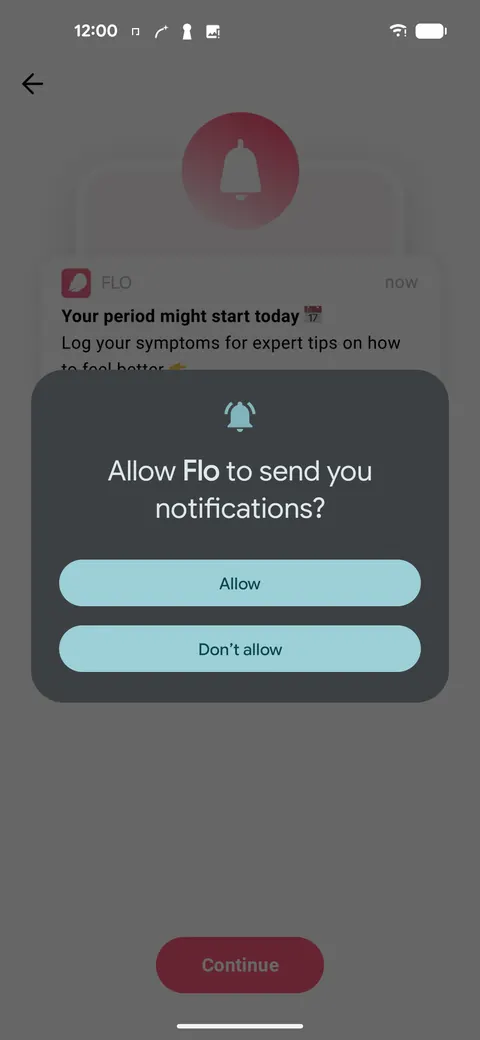
Today Insights library Health Assistant chat Daily log — feelings Well-being check-in Settings & profile Privacy-first consent Cycle calendar Register / Log in Notification pre-prompt - +24 more screensFree with an account
Screenshots: © Flo Health, Inc., shown for commentary.
See all 34 screens — create a free accountSee every screen
The full map has all 34 screens, every feature and where each one lives. It is free with an account.
What could be better
Our read of the map, the store listing and recent reviews.
Back up cycle data to the user's account so it survives a phone changemedium
Users who switch phones lose years of logged cycles and cannot sign back in. Store entries under a signed-in account from the start, restore them on a new device, and make the sign-in method clear.
Make cancelling a subscription one tap and show the renewal charge before it happensmedium
Users report unexpected charges and cancellation that takes several taps or fails. Show the price and renewal date on the trial screen, send a reminder before the trial ends, and cancel in one step from the account screen.
Keep the calendar and basic logging free, and show one paywall after the first winmedium
Users say the calendar and basic logging sit behind upgrade screens, so the app feels locked. Keep the calendar and daily logging free, then show a single offer after the user has logged something useful, not on every tab switch.
Make predictions load reliably and show a clear message when they cannotmedium
Users report predictions that never load or show an unavailable error, even after refresh. Cache the last prediction, keep the calendar working offline, and tell the user what to do when the prediction cannot be shown.
Let users correct any logged period date and prediction without a dead endsmall fix
Users say a logged start date moved to the wrong day and could not be fixed. Let users edit any logged period day directly from the calendar and recalculate predictions after each change.
Cut the onboarding to a short setup and move the survey after first usesmall fix
Onboarding runs 30 or more screens with surveys and interstitials before the app opens. Ask only for what predictions need, let users finish setup later, and drop the hold-to-commit gate.
Limit notifications to reminders the user enables and keep partner content usefulsmall fix
Users complain about excessive notifications that push purchases, and partner mode offers little beyond quizzes. Send only the reminders the user switched on, with no purchase prompts, and give partners cycle guidance they can act on.
Want an app like this, but better?
Tell us the idea. We research it, and build it for you.
Submit your idea