
How United Airlines works
United Airlines, Inc. · Travel & Local
Android
What it does
United Airlines app to book flights, check in, track status and use MileagePlus.
Who it is for: Travelers who want to book United Airlines flights, check in, track flight status, and use MileagePlus.
Key features
Flight search and booking
Search, results, fares, traveler info, cart.
Launch prompts
Sign in, notification prefs, location.
Trips, status and menu
Travel tab, trips, flight status, drawer.
MileagePlus join
Enrollment form needs phone.
The main user flow
- Search flights
- Pick fare
- Traveler info
- Cart (stopped)
- Flight status
- Navigation
- Bottom tabs Home, Book flight, Travel, My trips, Flight status; hamburger drawer.
- Onboarding
- Sign-in sheet, notification toggles, location rationale and system prompts.
- How it makes money
- Fares, checked bag fees, Economy Plus, credit card promotions in cart.
Screenshots
10 of 27 screens, captured on a real phone with sample data.
Home Departure flights Fare options Join MileagePlus Select departure Travel More menu Sign in prompt Sign in Notification permission - +17 more screensFree with an account
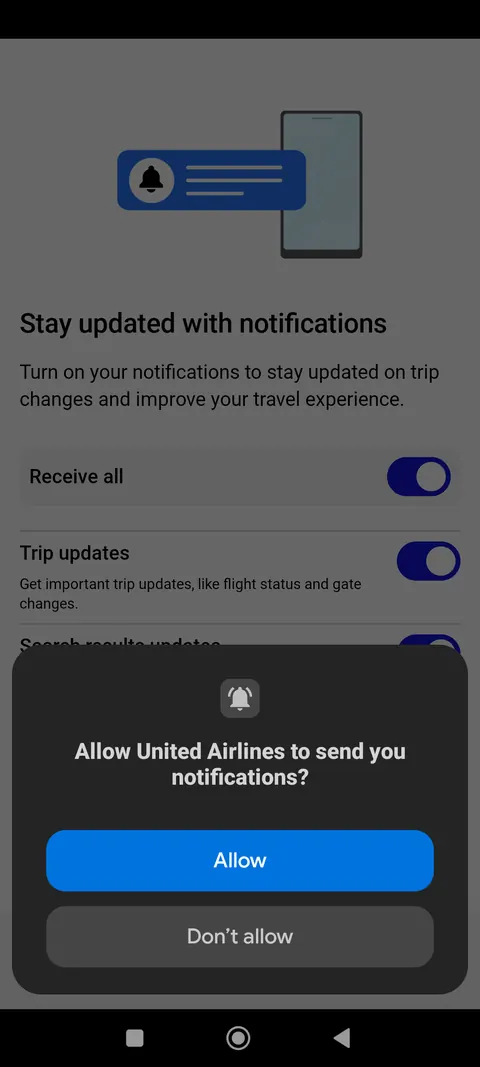
Screenshots: © United Airlines, Inc., shown for commentary.
See all 27 screens — create a free accountSee every screen
The full map has all 27 screens, every feature and where each one lives. It is free with an account.
What could be better
Our read of the map, the store listing and recent reviews.
Fix crashes and endless loading on check-in and boarding pass screenslarge
Reviews say the app crashes or stalls exactly when travelers need boarding passes and check-in. Make boarding pass and check-in screens load from cache, recover after a crash, and show an error with retry instead of a spinner.
Let check-in finish without requiring a stored credit cardmedium
Reviewers say a card on file is forced before check-in or boarding pass view, even without bags. Offer a no-card check-in path and ask for payment only when a paid item is chosen, with a clear explanation.
Keep seats and traveler details when moving between sign-in, cart and bookingmedium
Users lose selections when signing in or when the flow restarts, and must redo them. Keep seats, traveler fields and the cart in one saved draft that survives sign-in and app restarts.
Store passport and TSA PreCheck details once and reuse themmedium
Document upload and ID scans fail, and TSA PreCheck details do not stay saved. Save traveler documents to the profile, validate uploads on-device with a clear retry, and pre-fill them in every booking.
Replace web-view style screens with native flows for check-in and menuslarge
Users say parts of the app feel like bundled web pages, and some menu items open stacked error modals. Build check-in, baggage and menu items as native screens with consistent back behavior and error handling.
Keep promotions and upsells off the checkout pathsmall fix
The cart carries heavy promotions, and reviewers say they must push past marketing to finish. Limit promos to a single optional card below the total and keep payment and confirmation free of extra offers.
Show bag and carry-on fees before fare selectionsmall fix
Bag fees appear late, behind a link, and reviewers say they feel surprised by charges. Show the bag and carry-on cost for the chosen route on the fare screen, with a total that updates as add-ons change.
Limit first-run prompts to one ordered sequencesmall fix
New users face several prompts in a row before they can use the app. Combine sign-in, notification and location choices into one screen with a skip option, and ask system permissions only when a feature needs them.
Want an app like this, but better?
Tell us the idea. We research it, and build it for you.
Submit your idea