
How Annie Baby Monitor: Nanny Cam works
MasterDC s.r.o. · Parenting
Android
What it does
Two-device baby monitor: baby station streams video/audio, parent unit watches, talks back, plays lullabies, logs sleep and gets noise/motion/disconnect alerts. Works without an account.
Who it is for: Parents who want to turn two phones into a video and audio baby monitor with sleep logs and alerts.
Key features
Guided tour
Tooltip tour of all monitor controls.
Pairing by code or QR
5-digit code, QR, accept on parent.
Alerts
Noise threshold, motion, disconnect notifications.
Live monitor
Live video, night mode, speaker, mic, lullabies, sleep history.
Trial and paywall
Paywall at first launch, 20-minute monitor trial countdown, subscription tab.
Multiple children
Add another child.
The main user flow
- Intro carousel
- Pick role Parent or Baby
- Pair by 5-digit code (parent shows, baby types)
- Parent monitor with tooltip tour
- Settings: threshold and notifications
- Navigation
- Bottom tabs: Home, Baby tracker, Subscription, Explore, Settings.
- Onboarding
- 5-card carousel, survey, paywall, role choice, notifications permission.
- How it makes money
- Freemium: monitor trial countdown (20 min), All-in-One Pack 26.87 USD/year with 3-day trial, many upsell banners.
Screenshots
10 of 42 screens, captured on a real phone with sample data.
Parent monitor Baby station: enter code Paywall: All-in-One Pack Settings Welcome Tutorial: add another child Parent: baby disconnected Baby: notifications permission Pair request Role choice - +32 more screensFree with an account
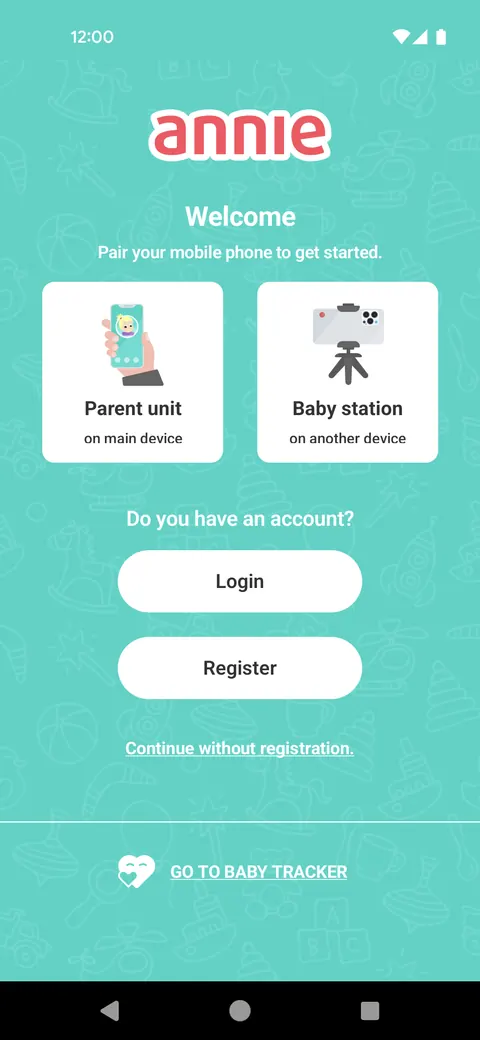
Screenshots: © MasterDC s.r.o., shown for commentary.
See all 42 screens — create a free accountSee every screen
The full map has all 42 screens, every feature and where each one lives. It is free with an account.
What could be better
Our read of the map, the store listing and recent reviews.
Show the paywall after the first successful pairing, not at first launchmedium
The paywall appears right after first launch and the monitor trial is 20 minutes, before the user has seen the product work. Show the paywall after a live pairing and let users reach the live view first.
Retry failed pairing in place instead of forcing an app restartmedium
Users type the 5-digit code and wait on a spinner; failures send them back to restart the app. Show the error on the code screen with a retry and a QR option.
Keep the monitor stream connected and report drops with a clear reasonlarge
The monitor drops and shows only 'Disconnected' under the timer, and users must reconnect by hand. Add automatic reconnect with a visible reason and retry state, and check Wi-Fi status before monitoring starts.
Unlock paid plans reliably and verify entitlements on every devicemedium
Users report paid plans that do not unlock the monitor or still show the upgrade pop-up. Verify the purchase on launch and on each paired device, and show the active plan name.
Add in-app cancel, refund request and a reachable support contactsmall fix
Users say cancelling is hard, refunds are routed to a bot and support does not answer. Add a cancel link in settings and a refund form that shows status to the user.
Fix Android audio routing and the generic error on install and startlarge
On Android, users hear audio through the headset instead of the speaker, see generic 'unexpected error' messages and lose volume control. Test audio routing on common Android phones and show a specific message for each failure.
Show one tip at a time and let users skip the tutorial and upsellssmall fix
The tutorial has 14 tooltip steps and several upsell banners overlay the monitor. Show one tip at a time, make it skippable, and keep upsell banners off the live view.
Want an app like this, but better?
Tell us the idea. We research it, and build it for you.
Submit your idea