
How Brave Private Web Browser works
Brave Software, Inc. · Communication
Android
What it does
Brave is a privacy-focused mobile web browser with built-in ad and tracker blocking, a private new tab page showing blocking stats, and the Leo AI assistant. It also offers a private Brave Search widget, QR and voice search, screenshots and sharing.
Who it is for: Brave is a privacy-focused mobile web browser for people who want built-in ad and tracker blocking and private search.
Key features
Leo AI chat
Built-in private AI assistant for conversations.
Address bar search
Type a URL or search query with suggestions.
Clipboard link suggestion
Suggests a copied link in the address bar and lets it be hidden or removed.
Share page
Share a page link, screenshot or QR code to other apps.
Downloads
Download files and open them from a notice.
Long screenshot
Capture and save a long scrolling screenshot of a page.
The main user flow
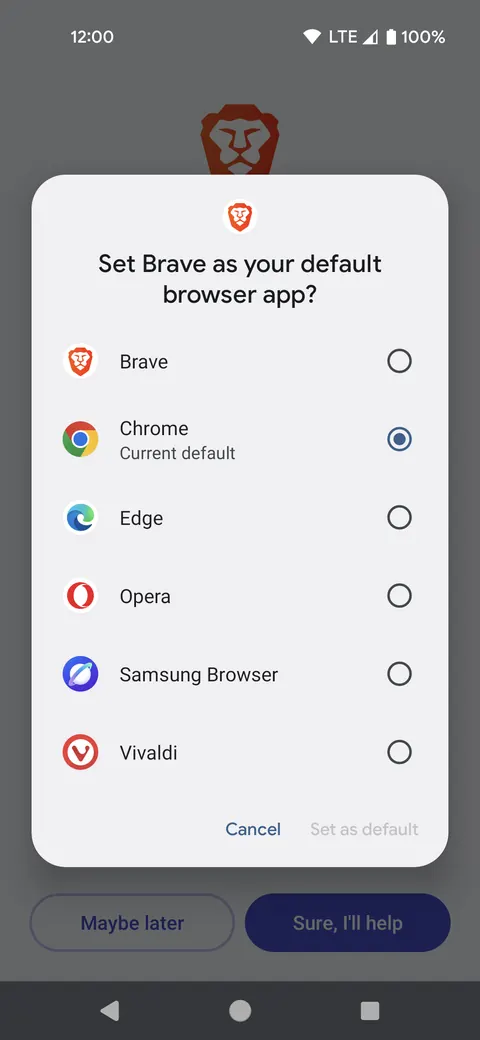
- Complete onboarding and set as default browser
- Browse via address bar search or new tab shortcuts
- Chat with Leo AI from the address bar or Leo page
- Capture a long screenshot and share it
- Scan a QR code or use a copied link from the clipboard
- Navigation
- Bottom toolbar with home, bookmark, search, and a menu button; the address bar at the top of the new tab and web views; share and action sheets from the menu.
- Onboarding
- Four steps: default browser prompt, Web Discovery opt-in for Brave Search, streaming interruption blocking explanation, and toggles for crash and product insight reporting, ending with Start browsing; then an optional search widget prompt.
- How it makes money
- none seen
Screenshots
10 of 29 screens, captured on a real phone with sample data.
New tab with privacy stats Leo AI web page view Long screenshot capture New tab with address bar focused Privacy stats visibility with clipboard Introducing Leo AI Share sheet for screenshot Android share chooser Leo AI help and privacy notice Set default browser sheet - +19 more screensFree with an account
Screenshots: © Brave Software, Inc., shown for commentary.
See all 29 screens — create a free accountSee every screen
The full map has all 29 screens, every feature and where each one lives. It is free with an account.
What could be better
Our read of the map, the store listing and recent reviews.
Make new-tab shortcuts visible and editable after updatesmedium
Saved shortcuts often never appear on the new tab page, and pinned links vanish, so re-adding them is blocked by a duplicate error. Show every saved shortcut and let users edit or remove it.
Keep privacy and AI toggles off across restarts and page loadsmedium
Users switch off privacy or AI options and they flip back on later. Store the user's choice, apply it on every page load, and tell the user when the app changes a setting.
Turn stronger ad blocking on by default and report what was blockedmedium
Reviewers say ads still play on YouTube and that aggressive mode is off by default. Ship stronger blocking on by default and show users which ad types were stopped on each page.
Restore the open tab session when the app returns from backgroundlarge
After switching apps, users report a 5-second input freeze, black tabs, and a session wiped after an hour. Resume the saved tab state on return and keep existing tabs when a new tab opens.
Keep YouTube playback running in background and fix playlist skippinglarge
Users report Skip failing in playlists, playback stopping in background, and videos resuming at the last second. Fix media state so background audio and video continue and resume positions are kept.
Add a no-history option and an auto-fill off switch for URL searchmedium
Users cannot stop history saving while keeping cookies, and cannot turn off auto-fill in URL search, so they must delete history before closing. Offer a no-history mode and an auto-fill toggle.
Give Leo AI one entry point and state how long chats are keptlarge
Leo is reached from several address bar and share paths, and reviewers say chats expire within 24 hours and replies get cut off. Use one entry point, show the retention period, and keep chat history.
Show the full renewal price before a free trial and the cancel routesmall fix
A reviewer says a free trial turned into a $99.99 yearly charge with no trial. Show the recurring price, trial end date, and cancel steps at the paywall before the user commits.
Want an app like this, but better?
Tell us the idea. We research it, and build it for you.
Submit your idea