
How eBoox: ePub PDF e-book Reader works
REDIT, OOO · Books & Reference
Android
What it does
eBoox is an ebook reader that organises a personal library of books in many formats and lets you group them into shelves. It can also add books from online catalogues and sync reading data to Google Drive.
Who it is for: For readers who want to organise a personal library of ebooks in many formats, group them into shelves, and optionally sync reading data.
Key features
Shelves
Group books into named shelves and show or hide them.
Cloud sync
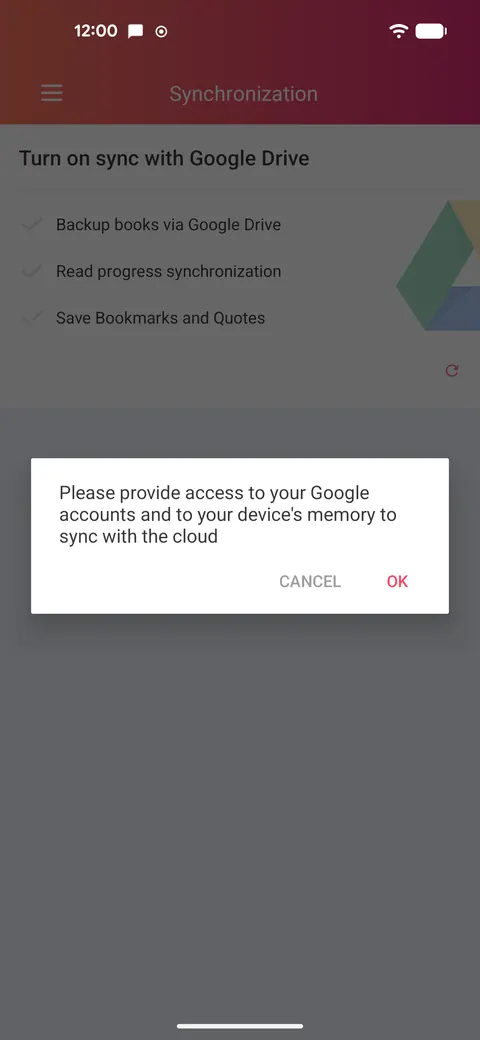
Back up books, read progress, bookmarks and quotes to Google Drive, with account and storage permissions.
Online book catalogues
Browse free and paid online book catalogues in a built-in browser, by language.
Add books and shelves
Entry point to add books, create shelves or import from the network.
Library search
Search books in the library or within a shelf by text.
Sorting books
Sort the library or shelves by date, name or author.
The main user flow
- Browse library, sort and search books
- Create and manage shelves, including folder-linked shelves
- Add books from online catalogues via built-in browser
- Turn on Google Drive sync for books, progress and bookmarks
- Change interface language
- Navigation
- Side menu (drawer) from the top-left opens Library, Shelves and Synchronization; a floating button adds books and shelves; the overflow menu offers shelf options.
- Onboarding
- No onboarding screens were captured; the app opens straight into the library, which includes a sample guide book.
- How it makes money
- none seen (store listing says free with no advertising)
Screenshots
10 of 30 screens, captured on a real phone with sample data.
Library - books list Shelves list Shelf - Guides and gifts Add from network - enter link Empty shelf with search Synchronization - Google Drive Shelf options menu Side menu with new shelf Add books and shelves menu Account and storage access request - +20 more screensFree with an account
Screenshots: © REDIT, OOO, shown for commentary.
See all 30 screens — create a free accountSee every screen
The full map has all 30 screens, every feature and where each one lives. It is free with an account.
What could be better
Our read of the map, the store listing and recent reviews.
Make Google Drive sync report what it uploaded and surface errors in the librarymedium
Users report sync that never finishes, fails silently, or does not copy books to Drive; the sync explanation is hidden in the side menu. Show per-book upload status, errors and a visible progress bar, and introduce sync at first run.
Keep the library usable after updates and background activity without requiring app restartsmedium
Reviewers say the app needs restarting, stalls on launch, or stops loading books after an update or after switching to another app. Add crash-safe state restore and a check that confirms the library and settings load on every start.
Request access only to chosen folders or single files instead of all device filesmedium
Reviewers object to whole-device file permission and a loss of control over what is scanned. Let users pick specific folders or open single files through the system picker without granting access to all files.
Add a one-step Add Book flow that opens a file picker and shows the resultmedium
Users cannot find how to add a book and call the process slow. Show one Add Book action with a system file picker on the empty library, and confirm the imported title right away.
Let users choose which folders to scan and keep linked books availablelarge
Users cannot limit scanning to one folder, cannot find their folder, and linked files disappear. Let users pick scan folders, search them, and mark a file missing without deleting it from the shelf.
Add undo, precise text selection and non-destructive highlight editingmedium
Reviewers say whole pages get highlighted, highlights are deleted, and selection jumps to the next word. Add undo and redo for annotations, character-level selection and a confirmation before deleting highlights.
Expose core reader settings such as font size lock, zoom and marginsmedium
Users ask for a locked font size, numeric line height, adjustable margins and a reader brightness that follows the phone. Add these as settings in one reader settings panel, reachable from the reading view.
Give empty shelves and search results clear guidance and a next actionsmall fix
Empty shelves show only 'No books on the shelf' and an unrelated 'Finished books' shelf with no link to reading status. Show an add-book action and explain how a shelf fills up.
Want an app like this, but better?
Tell us the idea. We research it, and build it for you.
Submit your idea