
How ReadEra – book reader pdf epub works
READERA EOOD · Books & Reference
Android
What it does
ReadEra is an offline book and document reader that scans the device for ebooks and documents in many formats (PDF, EPUB, Word, MOBI, DJVU, CHM, RTF, ODT, FB2, TXT and comics) and organises them in a library. Users can browse by author, series, format or folder, and sort, filter, favourite or mark books as read or to read.
Who it is for: People who want to read and organise their ebooks and documents in many formats offline on their device.
Key features
Browse by format
Lists books by supported file format and shows counts per format.
Storage access permission
Requests all-files access so the app can scan the device for books; can be granted or postponed.
Search books and documents
Search field to find books, authors or series, with search history.
Browse by author
Authors list built from scanned books, with search, sort and edit.
Library sections
Navigation drawer sections: Reading Now, Favorites, To Read, Have Read, Authors, Series, Collections, Formats, Folders, Downloads, Trash.
Open single file
Open one book or document directly without a full scan.
The main user flow
- Grant storage access, then scan the device for books
- Browse the library by author, series, format or folder
- Search for a book or document
- Open a single file directly without a full scan
- Organise books into Favorites, To Read, Have Read or custom Collections
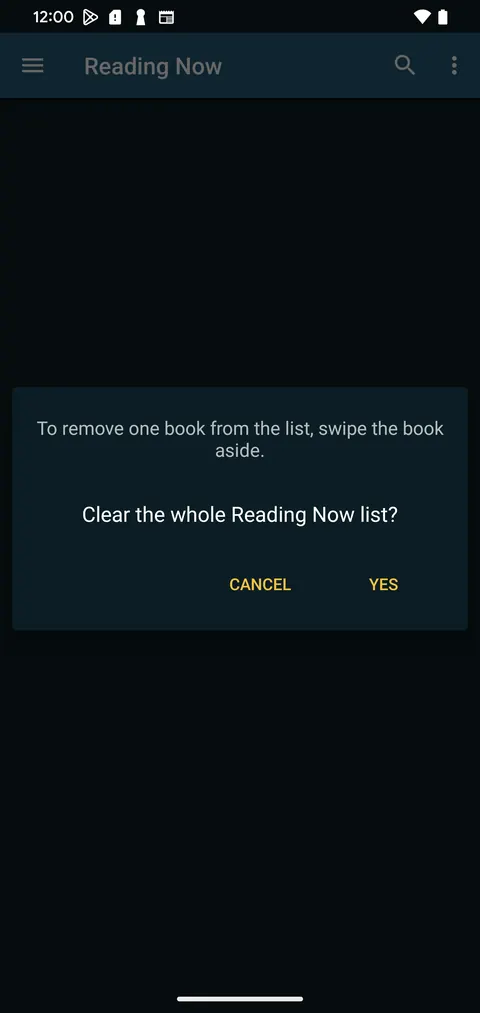
- Sort, filter and clear the Reading Now list
- Navigation
- A hamburger menu opens a navigation drawer with library sections and Settings, and a More options overflow menu sits in each top bar. A search field is at the top of most screens.
- Onboarding
- On first launch a dialog asks for all-files access to search for books, with NOT NOW or GRANT ACCESS. Declining leaves the library empty with a prompt to configure permission.
- How it makes money
- A Go to Premium entry appears in the More options menu on several screens. No ads or banners are visible in the captured screens, and the store listing says there are no ads and no in-app purchases. Premium details are not shown in the captured text.
Screenshots
10 of 37 screens, captured on a real phone with sample data.
Home - Books & documents Folders - storage root Search books & documents input Search documents - scan area settings More options menu Navigation drawer Clear history sheet Authors - empty, scan disabled Storage access permission dialog Clear Reading Now list confirmation - +27 more screensFree with an account
Screenshots: © READERA EOOD, shown for commentary.
See all 37 screens — create a free accountSee every screen
The full map has all 37 screens, every feature and where each one lives. It is free with an account.
What could be better
Our read of the map, the store listing and recent reviews.
Ask for narrower file access and let users pick scan folders during setupmedium
First launch asks for all-files access with no narrower option shown first, and users fear the app reaches private folders. Ask only for folders the user chooses, offer that choice on the permission dialog, and keep the scan-area choice visible.
Add a continuous scroll reading mode for EPUB and PDF without page-break gapslarge
Users find page flipping uncomfortable on long pages and report that the scroll option breaks sentences with large gaps. Offer a continuous text flow that keeps paragraphs intact and does not insert blank space mid-sentence.
Restore the saved reading position and add a chapter-start-on-new-page optionmedium
Reopened EPUBs sometimes land before the last position, night mode can jump a page, and chapters can start mid-page. Save position reliably across theme changes and add an option to start each chapter on a fresh page.
Let users customise EPUB theme colours, margins and zoommedium
The app overwrites colours embedded in books, theme colours cannot be changed, margins are fixed, zoom is missing and SVG images are not shown. Let users keep book colours or pick their own, adjust margins, zoom and render SVG.
Keep background read-aloud in the free tier and show Premium only on requestsmall fix
Users say read-aloud stops at each sentence to show a paid-version notice and that background listening requires payment. Keep background playback free and place any upsell behind an explicit user action.
Show scan status and a one-tap path to enable scanning on empty screenssmall fix
Empty library sections do not say why they are empty or how to turn scanning on, so users must go through Settings. Show scan state on each empty screen with a Start scan button that opens the permission step.
Profile background activity to cut battery drain after updatesmedium
After an update one user reports the app used most of the phone's charge in battery stats. Add a battery-use check in each release and stop background work when the reader is closed.
Want an app like this, but better?
Tell us the idea. We research it, and build it for you.
Submit your idea