
How Wikipedia works
Wikimedia Foundation, Inc. · Books & Reference
Android iOS
What it does
Wikipedia is the official Android client for the free online encyclopedia, letting users search and read articles in many languages, browse a daily featured feed, and save articles. It also supports editing articles and image captions and creating an account.
Who it is for: Readers and editors who want to search, read, save, and edit articles from the free online encyclopedia in many languages.
Key features
Article editing
Edit article descriptions and introductions, visual or source mode, with a short tutorial.
Media viewing
View article images with licence, source and file page links.
Reading languages
Add, remove and switch between Wikipedia language editions, including detection of device languages.
Article search
Search articles across languages, filter by namespace, and see disambiguation results.
Image captions
Add or edit image descriptions and captions on Commons, with voice input.
Onboarding flow
Multi-page introduction covering the encyclopedia, data and privacy, and languages.
The main user flow
- Onboarding: learn about Wikipedia, set privacy preference, pick reading languages, choose interests
- Search for articles, filter by namespace, view disambiguation results and recent searches
- Read articles, switch language, find in article, change theme, save to reading list
- Edit article description or introduction via visual or source editor, with tutorial and preview before publishing
- Create an account or log in to edit under a named identity
- View and caption article images, share or download them
- Navigation
- Bottom tab bar with Home (Community/For you feed), Saved, Search, Activity and More; article screens use a top toolbar with save, language, find, theme, contents, search and tabs; editing and images open as separate screens or sheets.
- Onboarding
- Several pages: welcome, data and privacy, detected device languages with add/edit, and interest topic selection that can be skipped. Editing has a separate three-page tutorial.
- How it makes money
- None seen. The store description says the app is ad-free and free of charge; no ads, paywall, prices or pro features appear in the captured screens.
Screenshots
10 of 40 screens, captured on a real phone with sample data.
Home - Community feed, featured article Topic picker - What are you interested in? Form - Create an account Search - Recent searches Settings - Wikipedia languages Onboarding - Read in more than 300 languages Dialog - Not logged in (edit prompt) Add language - All languages list Home feed scrolled Saved: All articles - +30 more screensFree with an account
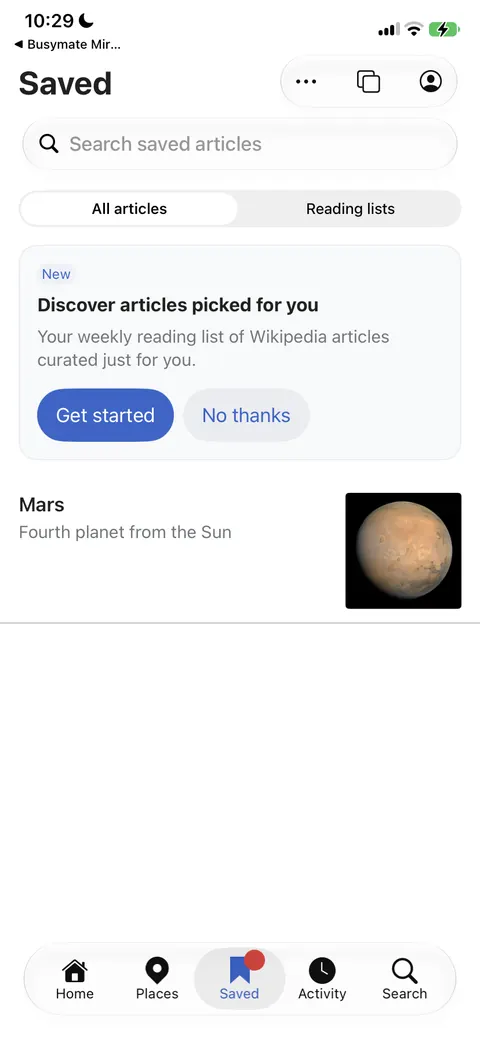
Screenshots: © Wikimedia Foundation, Inc., shown for commentary.
See all 40 screens — create a free accountSee every screen
The full map has all 40 screens, every feature and where each one lives. It is free with an account.
What could be better
Our read of the map, the store listing and recent reviews.
Put a search box on the home screen, not behind the bottom tabsmall fix
Search sits behind a bottom tab and the home feed has no search field, so users tap several times before typing. Show a focused search field at the top of the home screen.
Fix login so valid credentials do not fail with a CSRF errormedium
Users with correct credentials get an invalid token error, so they cannot log in to edit. Validate the session token and show a clear retry path when login fails.
Keep article images displaying and saving reliably after updatesmedium
Images fail to show or save after recent updates, and downloaded pictures disappear. Make image display and saving reliable and test them before each release.
Keep saved lists sortable and let users move articles between collectionssmall fix
Recent changes removed alphabetical sorting and the steps to add or move an article between collections. Restore sorting and per-article collection moves in the Saved tab.
Show one dismissible prompt at a time, with no donation or subscription pop-upssmall fix
First use and app opens stack dialogs, donation requests and account nudges before any content. Allow one prompt per session and remember dismissals.
Give articles a web-style layout with quick facts and collapsible sectionslarge
Readers say long articles read like an essay and sections cannot be folded. Show key facts near the top and let each section collapse and expand.
Let search and reading languages cover every Wikipedia editionmedium
Search only finds articles in languages on the user's list, and some languages are not translated. Let users search any edition and add languages from the full list.
Want an app like this, but better?
Tell us the idea. We research it, and build it for you.
Submit your idea