How Everand (Scribd): Ebooks and Audiobooks works
Scribd, Inc. · Books & Reference
Android
What it does
Everand (formerly Scribd) app: subscription library of ebooks, audiobooks, podcasts and documents.
Who it is for: A subscription library of ebooks, audiobooks, podcasts, and documents for readers and listeners who want digital books on demand.
Key features
Saved and lists
Save, lists
Account and plans
Account and trial paywall
Discovery and search
Browse and search
The main user flow
- Browse as guest
- Sign in with Google
- Search and open a title
- Save a title and add to a list
- See subscription plans
- Navigation
- Bottom tabs Home, Discover, Saved, Account.
- Onboarding
- Intro carousel with Create an account / Sign in / Skip; guest browsing allowed; sign-in via browser tab with Google, Facebook, Apple or email.
- How it makes money
- Subscription; free 7-day trial paywall with Standard and Plus plans shown, not started.
Screenshots
10 of 14 screens, captured on a real phone with sample data.
Home Search results Title detail Discover guest Saved filled Account signed in Plans Account guest Intro Saved guest - +4 more screensFree with an account
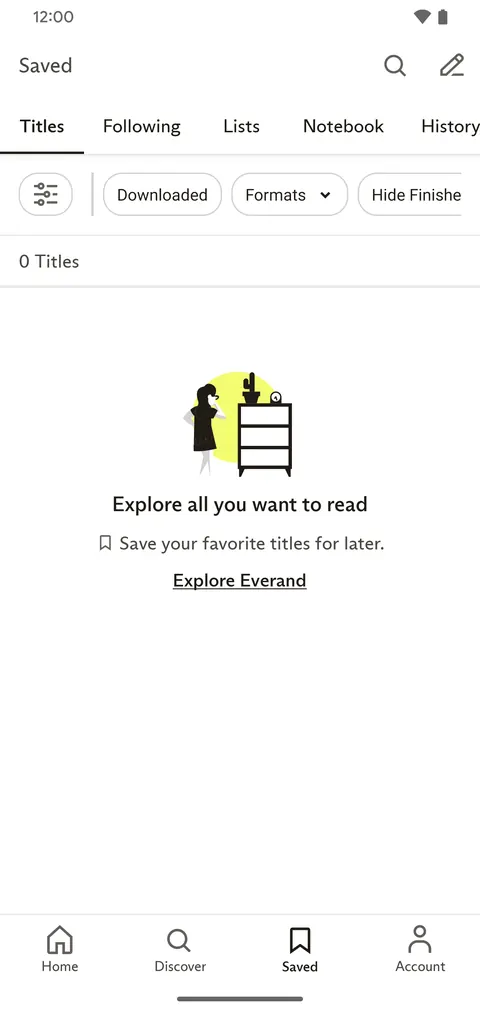
Screenshots: © Scribd, Inc., shown for commentary.
See all 14 screens — create a free accountSee every screen
The full map has all 14 screens, every feature and where each one lives. It is free with an account.
What could be better
Our read of the map, the store listing and recent reviews.
Show playback resume position and speed-aware remaining time reliablymedium
Reviews say playback loses place or jumps back 20+ minutes and total time is scaled by speed. Ship resume-from-last-position sync and an option to show real or speed-adjusted remaining time.
Make downloaded titles open offline and show clear download statemedium
Downloaded books stay in loading in airplane mode and show network errors. Verify local files before opening and show a clear offline state with a retry, not an endless spinner.
Explain unlock credits and what happens to them on cancel or roll-overmedium
Users lose unused credits at period end and lose unlocked titles on cancel. Show a credit balance, expiry date and access-after-cancel rule before purchase, and let owned titles stay readable.
Add a one-tap cancel path and a clear subscription status screensmall fix
Users report no clear way to cancel and error messages when trying. Put cancel and pause in the account screen with a plain status line and confirmation of the end date.
Show ebook and audiobook labels and owned-status on every title cardsmall fix
Users buy unlocks for titles they already own or chose the wrong format. Label format and whether the title is already unlocked or in the library on search and detail screens.
Show one paywall after the first win, not on sign-inmedium
Trial plans appear right after account screens and the sign-in path opens an external browser with bot checks. Let guests reach the library and offer the trial after first save or first play.
Replace the trial and plan copy with one consistent offer shown everywheresmall fix
Web offers 30 days free while the app offers 7 days, which users call misleading. Use one trial length and one plan description across web, store listing and the in-app plans screen.
Want an app like this, but better?
Tell us the idea. We research it, and build it for you.
Submit your idea