
How Audible: Audiobooks & Podcasts works
Audible, Inc. · Books & Reference
Android
What it does
Audible is Amazon's audiobook and podcast app: browse and preview titles, buy with credits or cash, and listen with a full player.
Who it is for: Audiobook and podcast listeners who browse, preview, buy, and play audio titles in the Audible app.
Key features
Settings and theme
Accessibility, data, language, player, theme (light/dark), marketplace
Membership plans
Free-trial offer on home, Membership tab and plan comparison (Standard, Premium Plus, Annual); closed without subscribing
Discover and charts
Browse by category, charts, new releases, duration filters
Free audiobook preview
Tap a cover to play a free sample with mini-player and full player
Library
Listen/Audiobooks/Lists tabs: downloads, wish list, series, authors, genres
Search
Search with library filters and AI 'Ask Maven' prompts
The main user flow
- Sign in with Amazon, then browse Home/Discover
- Preview a title and open its detail page
- Start a free trial or choose a plan
- Search and add to wish list
- Navigation
- Bottom tabs: Home, Library, Discover, Profile; search and Rewards in the top bar
- Onboarding
- Promo splash with limited-time offer, then Amazon sign-in, then notification permission
- How it makes money
- Subscription with 30-day free trial (Standard 1 credit/month, Premium Plus, Annual) plus a-la-carte purchase; Audible Rewards upsell
Screenshots
10 of 26 screens, captured on a real phone with sample data.
Sample preview playing Audible charts Title details Search results Discover Profile Free trial offer Settings Player overflow menu Full player (sample) - +16 more screensFree with an account
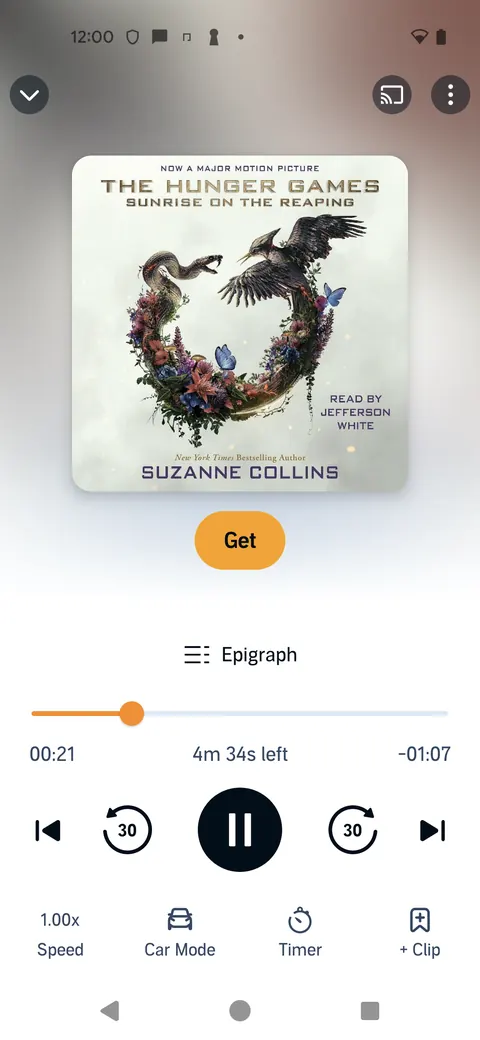
Screenshots: © Audible, Inc., shown for commentary.
See all 26 screens — create a free accountSee every screen
The full map has all 26 screens, every feature and where each one lives. It is free with an account.
What could be better
Our read of the map, the store listing and recent reviews.
Keep purchased titles visible and recoverable when sign-in or sync failslarge
Several low reviews say the library and purchase history went empty after errors and reinstalls, with no restore path in the app. Show cached purchases offline and offer a self-serve restore instead of support-only recovery.
Keep playback running when the screen locks or the app is backgroundedmedium
Reviewers report books stopping as soon as the screen locks or the app leaves the foreground, while podcasts are unaffected in one report. Hold audio focus and a media session so playback continues with the screen off.
Resume each title at the last synced position across devices and downloadsmedium
Users report the saved position jumping back to earlier chapters or ahead many chapters. Store one position per title with a timestamp and reconcile across devices and offline downloads before resuming.
Show cancellation in the app and disclose credit and access effects before cancelmedium
Reviewers say cancelling could not be done in the app and that unused credits or access to selected titles were not explained. Add an in-app cancel path with a plain statement of what is lost before confirming.
Show catalogue region availability on the title page before any purchasesmall fix
A reviewer paid for a membership before finding the title was missing from their regional catalogue, and another says the books seem reduced. Show availability per marketplace on the product page and before checkout.
Remove promotional overlays from Home and other top-level screenssmall fix
The free-trial overlay appears on Home, and reviewers say the app constantly pushes products and offers. Limit promos to one dismissible card per session and let users reach Home directly.
Keep the same navigation and back behaviour across player and library screenssmall fix
Users report extra buttons added to the player, layouts changing often, and back buttons that close the app. Keep stable controls and make back return to the previous screen before exiting.
Want an app like this, but better?
Tell us the idea. We research it, and build it for you.
Submit your idea