
How Find My Stuff: Home Organizer works
Miquel Martínez Comas · House & Home
Android
What it does
Offline home inventory organiser: nested containers and items, configurable fields, warranty expiration, optional Drive backup, no account.
Who it is for: People who want an offline app to record and organize household items, containers, and warranty dates.
Key features
Containers and items
Nested containers (rooms, boxes) with items.
Starting profiles
Insurance, pantry, moving, storage profiles choose the fields.
Warranty and dates
Purchase date and warranty expiration with add to calendar.
Field customisation
Toggle which fields exist.
Google Drive backup
Optional backup to Drive.
The main user flow
- Choose a profile
- Add containers and items
- Set warranty expiration
- Switch list/grid/tree view
- Search
- Navigation
- Single list screen with breadcrumb and FAB; menu sheet for settings.
- Onboarding
- Profile pager, extra settings, no account.
- How it makes money
- Free with premium features (attachments, import, sync) unlocked via paid full version.
Screenshots
10 of 30 screens, captured on a real phone with sample data.
Home with one container Item detail New container Customize inventory fields Profile: Basic Home Inventory Selection toolbar View type Share fields sheet What is new Home empty - +20 more screensFree with an account
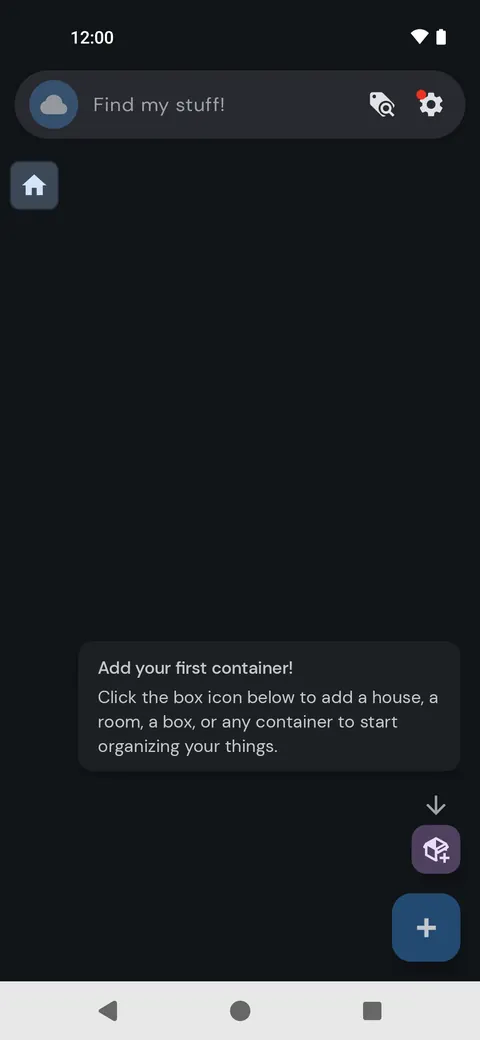
Screenshots: © Miquel Martínez Comas, shown for commentary.
See all 30 screens — create a free accountSee every screen
The full map has all 30 screens, every feature and where each one lives. It is free with an account.
What could be better
Our read of the map, the store listing and recent reviews.
Make Drive backup restore and cross-device transfer reliable and show restore statuslarge
Users report data vanishing after reinstalling and reconnecting Drive, and transfers need manual re-entry. Show a restore check, confirm item counts, and offer a cloud-based device transfer.
Add a search-first guide that explains how to find items on first launchsmall fix
Reviews say the app does not help find things and has no manual. Show a short guided tour that teaches search, breadcrumbs and tree view after the first container is added.
Make photo and video capture opt-in with clear media access explanationssmall fix
One reviewer objects to the app taking pictures and recording videos of their home. Ask for camera and media permission only when a photo is added, and explain what is stored.
Allow several photos per item in the item form and detail viewmedium
A reviewer will leave because only one picture can be attached. Let users add multiple photos per item, with a gallery in the detail screen.
Save entries immediately and show chosen fields in the list viewsmall fix
A reviewer says saved data is not visible unless each item is opened. Show the chosen fields in the list and grid, and confirm saves at once.
Add per-item quantity tracking with a quantity field in the default inventory profilesmall fix
A reviewer rejects the app because quantities cannot be recorded. Make quantity a standard field in the inventory profile and show it in list rows.
Add warranty reminders and maintenance tasks tied to each itemmedium
Warranty is stored only as a date with no reminder schedule, and there are no maintenance tasks. Let users set a reminder before expiry and recurring service tasks per item.
Want an app like this, but better?
Tell us the idea. We research it, and build it for you.
Submit your idea