
How Itemtopia: Home Inventory works
Itemtopia Inc. · House & Home
Android
What it does
Home and work inventory app: items with category fields, locations, people, warranties, reminders, receipts, valuation/insurance reports; Premium subscription unlocks customisation, AI and reports.
Who it is for: Home and work inventory app for households and businesses to track items, locations, warranties, receipts, and valuation reports.
Key features
Inventory items
Items with category-specific fields, photos, views.
Locations
Rooms, properties, boxes.
Reminders
Per-item dated reminders with repeat.
Reports and export
Valuation PDF, insurance claim, export.
Warranties
Per-item warranty with duration and expiry.
Premium subscription
Annual/monthly Premium gating categories, AI, reports.
The main user flow
- Sign up by email code, quick set-up
- Add item (full/fast/AI)
- Set reminder and warranty on an item
- Create rooms/locations
- Export valuation PDF
- Navigation
- Hamburger drawer with installed modules; dashboard tiles; per-item action tiles.
- Onboarding
- Email+password (code) or Google, intent pick, 12-step marketing tour, pre-loaded sample data.
- How it makes money
- Freemium; Premium annual $47.99 or monthly $5.99 gates category editing, AI, reports.
Screenshots
10 of 58 screens, captured on a real phone with sample data.
Dashboard All items Item detail Add item form Account settings Premium paywall Reports / export / data Choose what to track Navigation drawer Select a category - +48 more screensFree with an account
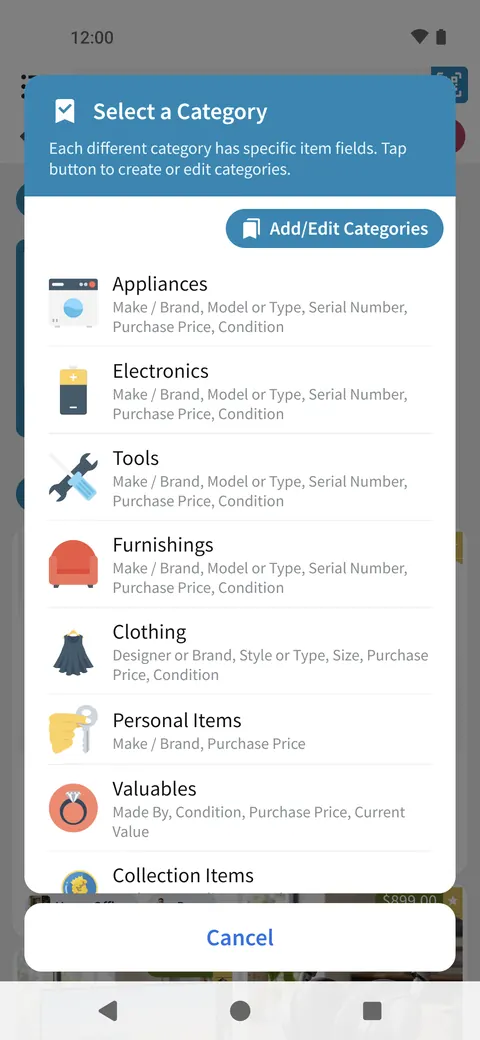
Screenshots: © Itemtopia Inc., shown for commentary.
See all 58 screens — create a free accountSee every screen
The full map has all 58 screens, every feature and where each one lives. It is free with an account.
What could be better
Our read of the map, the store listing and recent reviews.
Keep the free tier usable past the first items and show the paywall after a first winmedium
Free users hit the paywall when adding a category and report caps of 5 to 40 items. Let free users finish a first inventory, and show Premium only at the category step, not as repeated redirects.
Offer a lower-priced or one-time Premium option and show prices before installmedium
Reviewers call the annual subscription too high and say cost is hidden until install. Offer a one-time or cheaper plan and list the price and free limits on the store page and before sign-up.
Let people try the app locally before creating an accountmedium
Users are asked for an account before using the app and want local-only use. Let the app start with on-device data and offer sign-up later, only when sync or backup is wanted.
Make save and category buttons respond reliably and keep typed input on screen changesmedium
Users report saves reverting to the prior screen, a save button hidden under the status bar, and category taps doing nothing. Keep the layout stable with the keyboard and make save one tap.
Keep records intact across app updates and provide a full local backup exportmedium
Users lost items after an upgrade and reported photos changed after an update. Verify records after each migration and give a full backup export that the user can restore from.
Add a home-wide maintenance schedule that spans all itemsmedium
Reminders and maintenance exist only per item, so a household cannot see every due task in one place. Add a single calendar or list of dated tasks across items, rooms and warranties.
Read model and serial numbers from a label photo accuratelymedium
The AI photo flow failed to read model and serial from a product label after repeated tries. Add a label-focused capture step that shows the read text for review before saving.
Want an app like this, but better?
Tell us the idea. We research it, and build it for you.
Submit your idea