How Google Maps works
Google LLC · Travel & Local
Android
What it does
Global map, place search, reviews and turn-by-turn navigation for car, transit, walking and cycling.
Who it is for: People who want maps, place search, reviews and turn-by-turn navigation for driving, transit, walking or cycling.
Key features
You, Contribute and settings
Saved places, Local Guide contributions, deep settings.
Directions
Drive, transit, walk and cycle routes with options.
Place search
Autocomplete place search and rich place cards.
Map and layers
Interactive map with satellite, terrain, transit, traffic, bike, air quality layers.
The main user flow
- Search a place and open its card
- Get directions in four modes
- Save places to lists
- Contribute photos and reviews
- Navigation
- Three-tab bottom bar (Explore, You, Contribute) over a full-screen map with draggable bottom sheets and a top search bar.
- Onboarding
- No tour: straight to the map after a location permission prompt.
- How it makes money
- Free with ads in search and place cards; sponsored pins and business advertising.
Screenshots
10 of 20 screens, captured on a real phone with sample data.
Map home Directions: public transport Place card Search suggestions You tab Settings Map type and details Share sheet Location permission Place details expanded - +10 more screensFree with an account
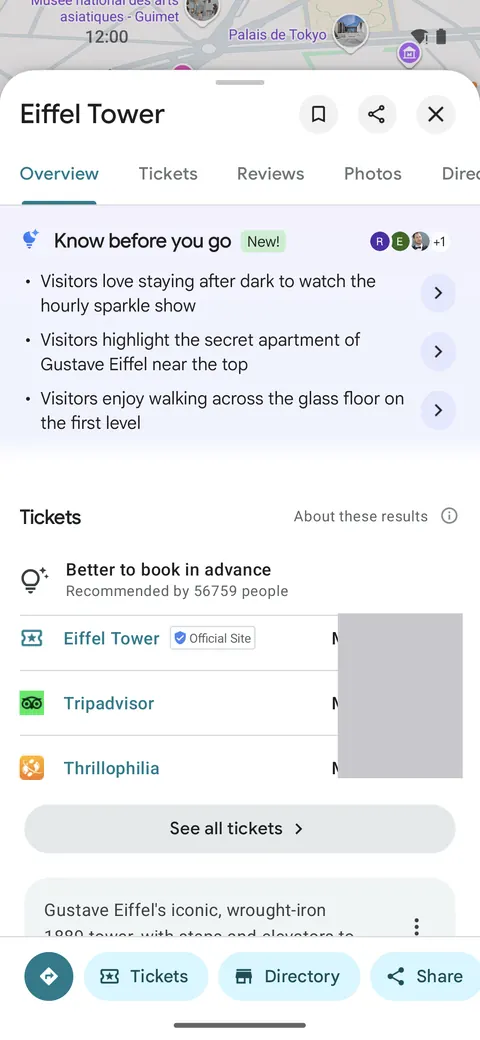
Screenshots: © Google LLC, shown for commentary.
See all 20 screens — create a free accountSee every screen
The full map has all 20 screens, every feature and where each one lives. It is free with an account.
What could be better
Our read of the map, the store listing and recent reviews.
Offer a voice pack that keeps street names and lane guidancemedium
Reviews say the new voice is hard to listen to, and the old voice drops street names. Offer several voices that all read street names, lanes and exits, and keep full guidance in every voice.
Keep the chosen route steady and explain reroutes before changingmedium
Users say the route changes mid-journey, re-routes every second, and sometimes shows a faster route but guides onto the slower one. Hold the route unless traffic is clearly worse, and say why it changed.
Rank the closest match first and label sponsored results in searchmedium
Searches return unrelated businesses first, and results mention the word without matching the place. Rank exact name and category matches first, and mark paid placements apart from search results.
Show GPS signal state and let users retry location without a restartmedium
Users see 'Searching for GPS' and an inaccurate location, and say their position is not consistent. Show signal state, offer a retry, and label location as approximate when accuracy is low.
Make timeline and backup changes explicit, with consent and capped retriessmall fix
Users report the timeline setting changed without asking, and backup accepted password entries without limit. Require consent for setting changes, and cap retries with a clear message.
Cut map lag and keep the map drawn during navigationlarge
Reviews report a sluggish app, a map that disappears so only turn steps show, and no response to input after a route is set. Keep the map drawn and test input response on mid-range devices.
Want an app like this, but better?
Tell us the idea. We research it, and build it for you.
Submit your idea