
How MAPS.ME: Offline maps GPS Nav works
Convexity Holdings AG · Travel & Local
Android
What it does
MAPS.ME is an offline map and navigation app offering maps, search, route planning and turn-by-turn guidance worldwide. It works without internet once maps are downloaded.
Who it is for: People who travel and want offline maps, place search, route planning and turn-by-turn navigation.
Key features
Route planning
Set start and destination points and build a route.
Place search
Search for places by text or category, works offline with downloaded maps.
Map layers
Toggle overlays such as isolines, 3D buildings, subway, transport, bike and hillshading.
Map types
Switch between default, satellite and topographic maps.
Location permission
Requests device location to show position, nearby places and routes.
My places
Save and manage personal places, newly added.
The main user flow
- Grant location access
- Search places by text or category
- Plan a route between two points
- Change map type and layers
- Subscribe to Pro for hiking routes
- Navigation
- A bottom bar provides Search, Route, Hub, Favorites and More, with the map as the main home screen and layers opened from a top button.
- Onboarding
- A short location permission intro with Continue or Skip, followed by a notifications promo for navigation alerts.
- How it makes money
- A Pro subscription paywall is visible with $7.99 per month or $44.99 per year, a 3-day free trial and restore purchases; no ads seen.
Screenshots
10 of 22 screens, captured on a real phone with sample data.
Map home screen Route planner Search with empty history Pro subscription paywall Map settings - scrolled Notifications promo - turn-by-turn info Search - no results found Looking for you - location intro Satellite and topo maps beta promo Route - select point on map - +12 more screensFree with an account
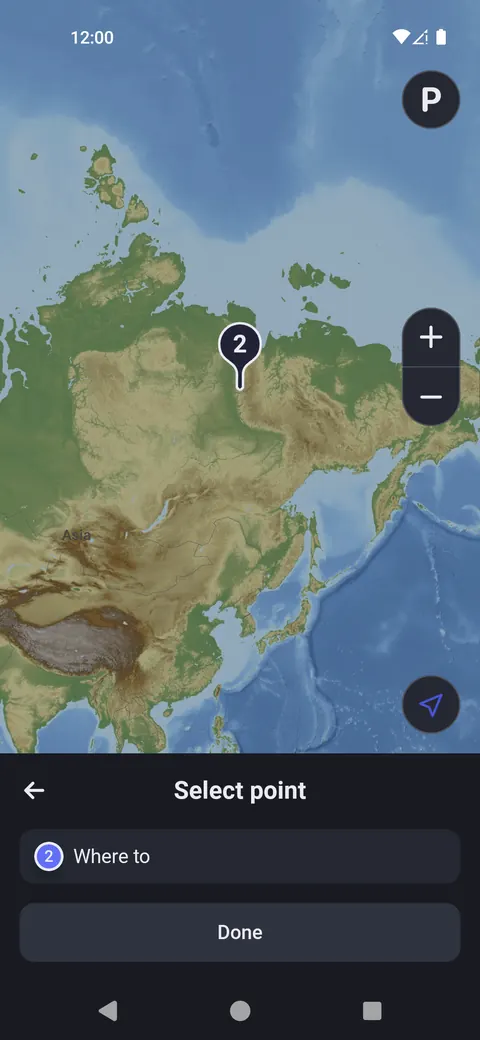
Screenshots: © Convexity Holdings AG, shown for commentary.
See all 22 screens — create a free accountSee every screen
The full map has all 22 screens, every feature and where each one lives. It is free with an account.
What could be better
Our read of the map, the store listing and recent reviews.
Keep core offline maps free and show a clear, one-time Pro offermedium
Reviews say offline map downloads now need Pro and free map allowances are small. Keep basic map downloads free, cap Pro to clearly stated extras, and show Pro once after a first successful route.
Make offline map downloads resumable, verified and auto-installedlarge
Users report downloads freezing, maps downloaded but not installed, and updates failing. Verify each download, show progress and retry, and install maps automatically after download completes.
Explain missing offline coverage in search and offer a one-tap downloadmedium
Search returns nothing when the needed map is absent, with weak guidance. Show which regions are covered, state the missing map, and offer a one-tap download from the no-results screen.
Make routing and GPS startup stable with a crash-free launch pathlarge
Reviews report crashes on open, stale location and routing that never starts. Add crash monitoring, a startup health check and a visible GPS status so users know why routing stopped.
Start routing without forcing notification permissionsmall fix
Users are asked to enable notifications before routing starts and cannot proceed without it. Make alerts an optional toggle on a later screen and let routing begin without the permission.
Add a visible voice-guidance toggle and offline turn infomedium
Users cannot find voice instructions and see no street names or remaining distance in offline navigation. Place a voice toggle on the map and show street names, next turn and distance left.
Import GPX, KMZ and saved tracks with clear error messagessmall fix
Users report that valid GPX and KMZ files and logged tracks no longer open. Support both formats, validate files, and show which line or field caused an invalid-format error.
Want an app like this, but better?
Tell us the idea. We research it, and build it for you.
Submit your idea