How Google Nest works
Google LLC · Lifestyle
Android
What it does
Companion app for Google Nest thermostats, cameras and doorbells; being retired in favour of Google Home.
Who it is for: People who use Google Nest thermostats, cameras and doorbells and are moving them to the Google Home app.
Key features
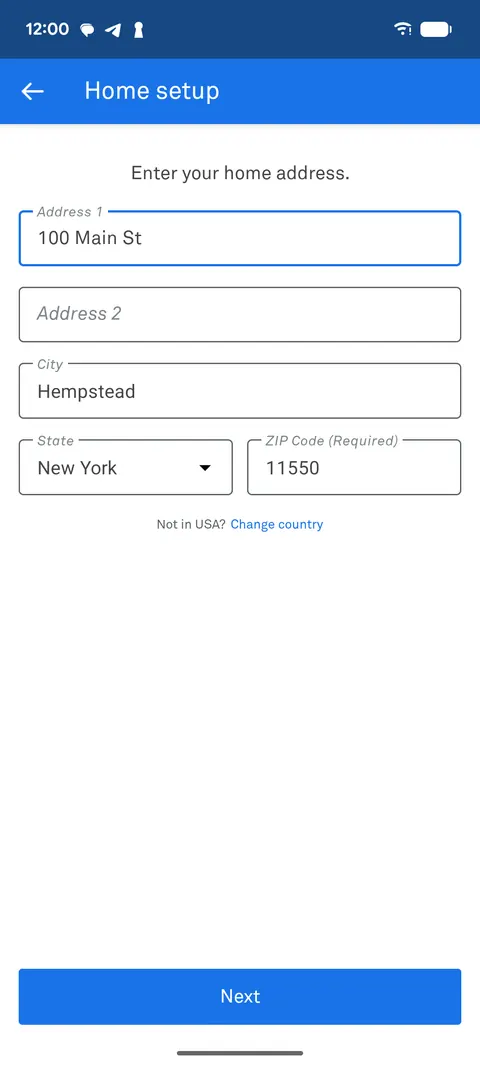
Home setup
Name and address your home, email options, Home/Away location.
Google sign-in
Google account consent incl. access to Home data.
App retirement
The app announces it will be retired and pushes users to Google Home.
The main user flow
- Sign in with Google
- Create and address a home
- Retirement notice then Google Home in Play
- Navigation
- Not reached: the signed-in device dashboard (no devices; backend answered service problem).
- Onboarding
- Consent, legacy-account question, home name/address wizard, email options, Home/Away.
- How it makes money
- Free app; Nest Aware subscription sold elsewhere.
Screenshots
10 of 13 screens, captured on a real phone with sample data.
Name your home Email options Home setup intro Nest app retirement notice Welcome home sign-in Permission needed Service problem Name your home (filled) Home address (empty) Home address (filled) - +3 more screensFree with an account
Screenshots: © Google LLC, shown for commentary.
See all 13 screens — create a free accountSee every screen
The full map has all 13 screens, every feature and where each one lives. It is free with an account.
What could be better
Our read of the map, the store listing and recent reviews.
Announce the retirement and a Google Home handoff on first launchmedium
Users learn of the Jan 2027 retirement only after a failed setup, then find controls gone. Show the date and a one-tap move path before sign-in, and keep core thermostat controls reachable in the replacement app.
Show cached devices instantly and load live status in the backgroundmedium
Users wait 20 to 30 seconds for the app to connect, and the backend returns a generic error with no detail. Render the last known state at once, load live data behind it, and show a specific reason when a connection fails.
Keep full event video clips in alerts and playbacklarge
Alerts drop to a still image and clips fail to load, so users miss visitors. Send a short video clip with each alert and make playback retry on slow links.
Make set temperatures persist and simplify the schedule editormedium
Users report set temperatures not holding and a hard-to-use schedule. Confirm each setpoint with a device acknowledgement and offer a plain schedule view that shows the Home/Away effect before saving.
Remove prompts for notifications and app ratings from routine openssmall fix
The app asks for notifications on every open and nags for ratings. Ask once, after a user action that needs alerts, and never prompt for a rating in the same session.
Show outdoor temperature on the home screen and add an Android widgetmedium
Outdoor temperature disappeared after an update, and there are no widgets, so every check needs a full app launch. Restore the outdoor reading and offer a home-screen widget showing temperature and mode.
Offer sign-in choices beyond Google-only accountsmedium
Sign-in is Google-only and a legacy-account question appears mid-flow. Users who want a quick change are pushed into account setup. Offer a path with fewer account steps for basic local control.
Want an app like this, but better?
Tell us the idea. We research it, and build it for you.
Submit your idea