
How Pinterest works
Pinterest, Inc. · Lifestyle
Android
What it does
Visual discovery and bookmarking: users browse a personalised feed of pins, save them to boards and search for ideas.
Who it is for: People who browse a personalised feed of pins, save them to boards and search for ideas on Pinterest.
Key features
Saving and boards
Save pins and organise them into boards.
Sign-up onboarding
Birthdate, gender, country and interest picks after Google sign-in.
Home feed and pins
Masonry feed, pin detail, reactions, comments.
Settings and privacy
Account, visibility, notifications, ads personalisation.
Search and filters
Typed and visual search with guide chips and filters.
Sharing
Share a pin via link or apps.
The main user flow
- Sign in with Google and answer age, gender, country and interests
- Browse the feed and open a pin
- Save a pin and create a board from saved pins
- Search with filters
- Adjust privacy and notifications
- Navigation
- Floating bottom pill tabs Home, Search, Saved; create (+) and inbox icons on the home header; settings behind the Saved profile.
- Onboarding
- Google continue, birthdate (required), gender, country, pick 3+ interests, notifications permission.
- How it makes money
- Free with promoted pins/ads and ads-personalisation settings; shopping surfaces; no paywall observed. In-app purchases listed on Play ($5.88-$329.41).
Screenshots
10 of 35 screens, captured on a real phone with sample data.
Home feed Country or region picker Pin detail Birthdate step Search landing Your account menu Pin overflow sheet Comment guidelines Share pin Saved: Boards (empty) - +25 more screensFree with an account
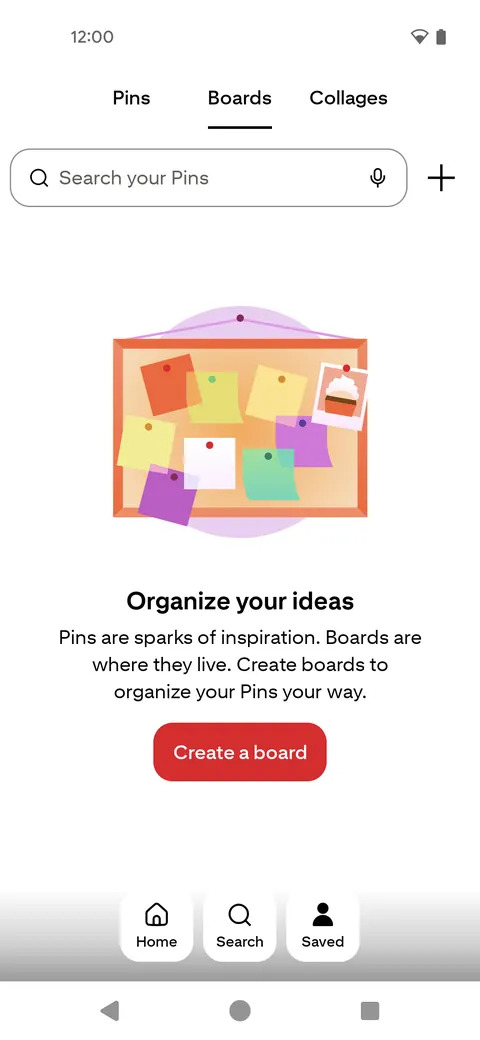
Screenshots: © Pinterest, Inc., shown for commentary.
See all 35 screens — create a free accountSee every screen
The full map has all 35 screens, every feature and where each one lives. It is free with an account.
What could be better
Our read of the map, the store listing and recent reviews.
Load every pin in a board with stable scrolling and no snap-backmedium
Boards show only about 5-6 pins and scrolling snaps back to the top, so saved pins become unreachable. Load board contents in pages as the user scrolls, keep scroll position, and show a count of total pins.
Cap ad density in the feed and show the ad share to usersmedium
Reviewers say ads fill most of the feed and block most of the screen. Set a hard limit on consecutive ads and full-screen units, and offer a feed setting that shows the ad share, so users can pick a lower density.
Add a working AI-content filter that users can verifymedium
The AI filter is reported as slow, mislabelling, or not working. Add a feed filter with clear categories, apply it to ads and pins, and show the active setting so users can confirm it applies.
Add hide and report with a reason on every ad from its menusmall fix
Ads cannot be dismissed or reported in a useful way, and one ad menu opened the Play Store page. Put Hide, Report with reason, and Why this ad options in the ad menu, and make ad menu actions work for every ad type.
Turn off ads personalisation by default and state the choice on first runsmall fix
Ads personalisation toggles are on by default, and users ask for a chance to opt out. Ship with personalisation off, ask for an explicit choice during sign-up, and keep the setting on the privacy screen.
Ask for a board before saving, and let users skip itmedium
Saves go straight to a default Profile folder with no board choice, and users cannot find the board step. Show a board picker on save with a create-board option, and let users change the board later.
Want an app like this, but better?
Tell us the idea. We research it, and build it for you.
Submit your idea