
How HERE WeGo: Maps & Navigation works
HERE Europe B.V. · Maps & Navigation
Android
What it does
Navigation and public-transport app with offline maps and traffic.
Who it is for: For people who need driving, walking, or public-transport directions, with offline maps and traffic information.
Key features
Search and multimodal routing
Search a place, route by car, transit, taxi.
Settings and themes
Units, voice, navigation appearance, dark theme.
Permission opt-ins
Location and two data-sharing opt-ins.
Offline maps
Download regions, online/offline toggle.
HERE account
Sign in or register (web).
The main user flow
- Search a place
- Plan route by car/transit
- Download offline maps
- Navigation
- Map with a draggable bottom sheet holding search, collections, connection mode and settings.
- Onboarding
- Three opt-in screens (location, traffic data, improvement data).
- How it makes money
- Free; HERE account optional.
Screenshots
10 of 25 screens, captured on a real phone with sample data.
Home sheet expanded Search (empty) Route preferences Welcome: location Route preview (no location) Download regions Location permission Sign in / register Account and settings Route preferences scrolled - +15 more screensFree with an account
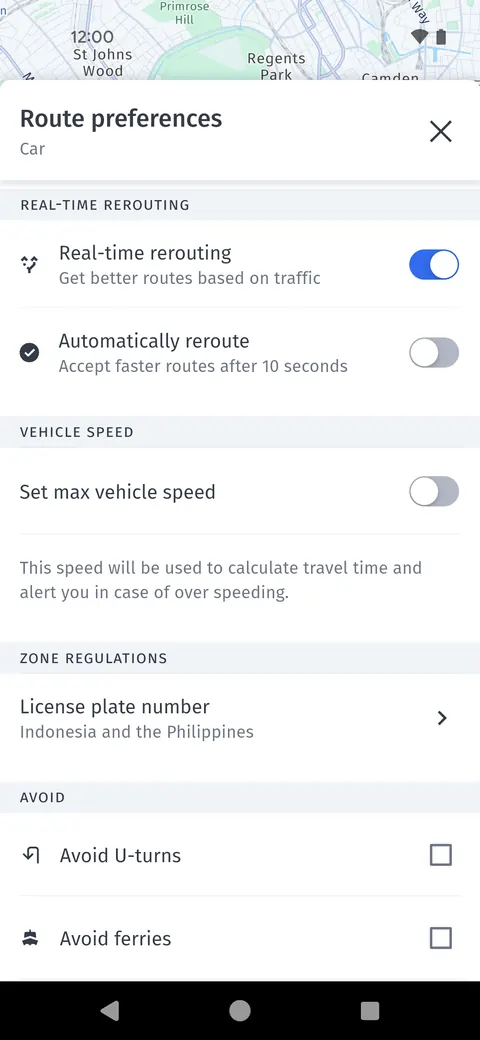
Screenshots: © HERE Europe B.V., shown for commentary.
See all 25 screens — create a free accountSee every screen
The full map has all 25 screens, every feature and where each one lives. It is free with an account.
What could be better
Our read of the map, the store listing and recent reviews.
Accept destination entry by voice while driving on Android Automedium
Voice destination entry is refused while driving, and Android Auto users hear the feature cannot be used. Allow voice search, destination entry and adding stops during a drive, with on-screen fallback.
Make offline map downloads resumable and show the failing regionmedium
Offline region downloads fail with a generic error and some regions never download. Retry failed tiles, resume after interruption and name the region that failed.
Show live transit times only when the feed is verifiedmedium
Transit arrival times are wrong or delayed, and users miss buses and wrong stops are suggested. Flag estimates that are not live and show the scheduled time as the fallback.
Re-route promptly and match turn prompts to the road signslarge
Turn prompts arrive late and exit signs do not match the spoken guidance on motorways. Recalculate faster after a missed turn and show lane and exit cues that match the road.
Hide the bottom sheet and map overlays during active guidancesmall fix
The expanded sheet covers part of the map while driving and hides the next turn. Offer a guidance mode that collapses the sheet and keeps the turn panel off the route line.
Keep business and place data current with a visible update datelarge
Places show outdated shops, wrong opening hours and out-of-date roads. Show when each place and road was last verified and let users report errors from the place sheet.
Publish a naming rule for disputed place names and show it in-appsmall fix
Users leave over renamed geographic features and treat it as a data-trust problem. Publish the naming source and the rule used, and show it in the About screen.
Want an app like this, but better?
Tell us the idea. We research it, and build it for you.
Submit your idea