
How Citymapper works
CITYMAPPER LIMITED · Maps & Navigation
Android
What it does
Citymapper is a city transit and navigation app that plans routes across public transport, walking, cycling and shared mobility. Users pick a city, set start and end points, choose a departure time and get directions.
Who it is for: Citymapper is for people who want to plan city trips using public transport, walking, cycling and shared mobility.
Key features
Route planning
Set start and end points and get directions across transport modes.
Place search
Search for addresses and places as start or destination.
Save places
Save favourite locations and set Home and Work.
Departure time
Choose to leave now or at a later time for the trip.
City selection
Choose the city to plan transit in from a searchable list.
First-run onboarding
Intro screens explaining the app, legal links and location purpose before use.
The main user flow
- Onboarding: accept terms, allow location, pick city, set notification preferences
- Plan a route: search start and end, pick departure time, get directions
- Browse nearby departures and filter by transport mode on the map
- Save Home and Work places and reuse them in route planning
- Share a trip or location link with others
- Navigation
- Map-centric home screen with a bottom sheet for search and menus; route planning uses start/end fields with a sheet for confirmation and departure time.
- Onboarding
- Multi-step: terms and privacy links, location explanation, city selection, then two notification opt-in prompts.
- How it makes money
- Visible 'REMOVE ADS' option on the home sheet, suggesting ads for free users and a paid ad-free upgrade; no prices or paywall seen.
Screenshots
10 of 34 screens, captured on a real phone with sample data.
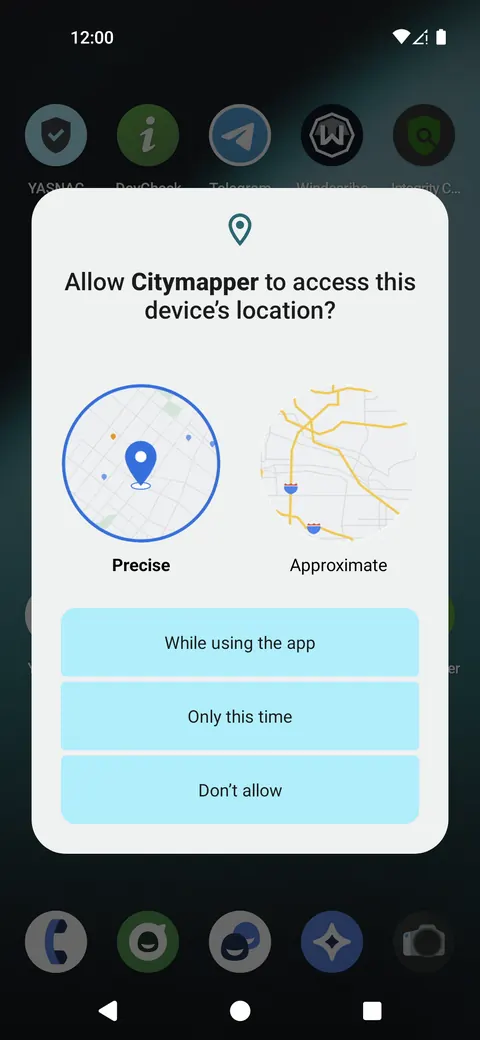
Home after relaunch Confirm home location on map Set Home search Route search with start and end fields Allow location explanation Home map with bottom sheet menu Share trip link sheet Route search no results Terms of Service web page Location permission request - +24 more screensFree with an account
Screenshots: © CITYMAPPER LIMITED, shown for commentary.
See all 34 screens — create a free accountSee every screen
The full map has all 34 screens, every feature and where each one lives. It is free with an account.
What could be better
Our read of the map, the store listing and recent reviews.
Show live departure times with a data-freshness indicator and fallback when feeds are stalelarge
Reviews repeatedly say times are wrong or unreliable. Show when each departure was last updated, flag stale feeds per line, and fall back to scheduled times with a clear label instead of presenting them as live.
Show platform numbers and arrival times on multi-leg train routesmedium
Users miss or take the wrong train when changing lines and cannot see when a bus reaches the destination. Add platform numbers, per-leg arrival times and a clear transfer step for rail routes.
Keep an in-progress trip working offline and after the app is closedlarge
Users report the app shows no connection when online and loses their journey when closed. Cache the route and last known position, and resume the active trip on relaunch instead of forcing a restart.
Add a unit setting for metric and imperial distancessmall fix
Users cannot switch between miles, feet, yards and kilometres. Add a unit preference in settings that applies to walking instructions, distances and route summaries.
Require an explicit Go action before a route startssmall fix
One user reports a trip started without pressing GO after a search. Keep planning and starting as separate steps, and only begin navigation after a confirm tap on the route sheet.
Merge repeated route search and sheet steps into one planning screenmedium
Many sheets and similar search screens make routing feel repetitive. Combine start, end, time and confirm into one screen with inline editing and a single Get directions action.
Ask for notification permission once with a single clear choicesmall fix
Notifications are requested twice in onboarding, once for trip alerts and once for marketing. Combine both into one prompt that separates trip alerts from marketing and asks only once.
Want an app like this, but better?
Tell us the idea. We research it, and build it for you.
Submit your idea