
How Kobo Books: Ebooks and Audiobooks works
Rakuten Kobo Inc · Books & Reference
Android
What it does
Rakuten Kobo app: store and reader for ebooks and audiobooks, with Kobo Plus subscription.
Who it is for: People who read ebooks and listen to audiobooks, buying from the Kobo store with an optional Kobo Plus subscription.
Key features
Search and titles
Search and detail
Account
Settings
Library and wishlist
My Books, wishlist
The main user flow
- Continue as guest or Google sign-in
- Search the store
- Open a title, add to wishlist
- Library, wishlist and account settings
- Navigation
- Bottom tabs Home, Search, My Books, Wishlist, Account.
- Onboarding
- Sign-in options (Kobo, Google, Facebook, guest), updated terms prompt, notification permission.
- How it makes money
- Free app; books purchased individually (Add to Cart, Buy Now) or via Kobo Plus; no purchase made.
Screenshots
10 of 14 screens, captured on a real phone with sample data.
Home Search results Book detail Search recent My Books Account more Sign-in options Terms update Notification permission Home scrolled - +4 more screensFree with an account
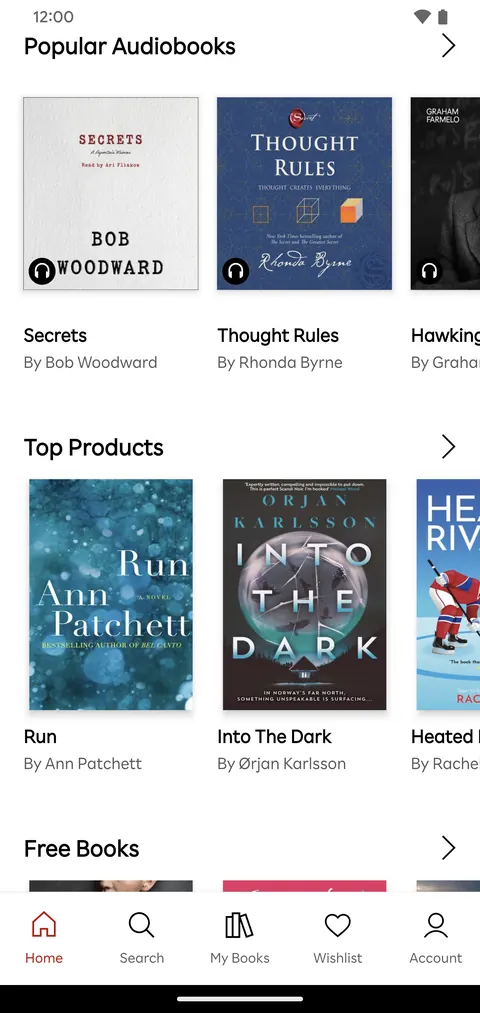
Screenshots: © Rakuten Kobo Inc, shown for commentary.
See all 14 screens — create a free accountSee every screen
The full map has all 14 screens, every feature and where each one lives. It is free with an account.
What could be better
Our read of the map, the store listing and recent reviews.
Save audiobook position and restore it on reopenmedium
Reviewers say audiobooks restart or lose their place after closing the app. Save the playback position on every pause and close, and resume from it on open. Add bookmarks for audiobooks.
Fix crashes, freezes and offline loading of downloadslarge
Reviewers report freezes, crashes and downloaded books failing to load without internet. Test downloads offline, keep local copies readable, and make the app close and relaunch cleanly.
Return to the same list position after opening a titlemedium
Opening a title from search results returns users to the home screen, and the list scroll resets. Return to the exact list and scroll position, and keep the query in the search box when going back.
Add a format filter that limits search to audiobooks or ebookssmall fix
Search returns ebooks even when audiobooks are selected, and filters are not applied to results. Make the format chip a hard filter that applies to every result and stays on across searches.
Show Kobo Plus inclusion on each title before purchasemedium
Users find it hard to tell which titles are in Kobo Plus and say the tiers are confusing. Label each title as included or purchase-only on the detail page and offer one plan that covers the included catalogue.
Show purchase and preorder status with a receiptmedium
Users paid but did not receive titles, and preorders never appeared. Show each order and preorder status in the library, and send a receipt for each purchase with a clear failure message.
Hide the account email from the top of the Account pagesmall fix
The Account page shows the user's email at the top, which exposes it to anyone looking at the screen. Show only the display name there and move the email into a details screen behind a tap.
Want an app like this, but better?
Tell us the idea. We research it, and build it for you.
Submit your idea