
How Libby, by OverDrive works
OverDrive, Inc. · Books & Reference
Android
What it does
Libby app by OverDrive: borrow ebooks and audiobooks from public libraries with a library card.
Who it is for: People who want to borrow ebooks and audiobooks for free from their public library using a library card.
Key features
Library discovery
Find and select a library
Shelf and tags
Shelf, tags, menu
Titles and borrowing
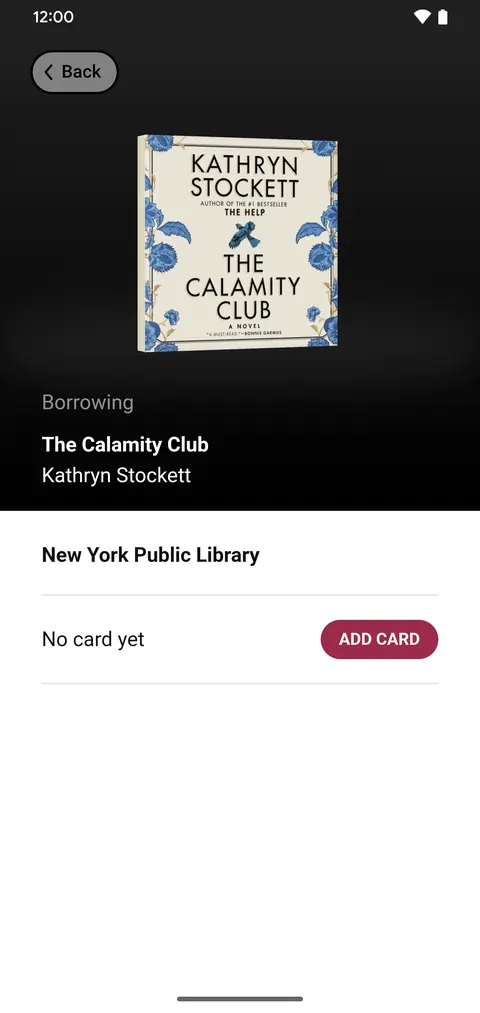
Browse and borrow
The main user flow
- Find a library by search or map
- Browse a library catalogue
- Open a title and try to borrow
- Shelf, tags and settings
- Navigation
- Bottom icon bar Search, Library, Libby menu, Shelf, Tags; chat-style onboarding.
- Onboarding
- Conversational onboarding asking whether the person has a library card, then find libraries nearby, then library welcome.
- How it makes money
- Free app; borrowing needs a library card; no card was added.
Screenshots
10 of 14 screens, captured on a real phone with sample data.
Library welcome Library results Title detail Library search Shelf Libby menu Welcome Library map Card number Borrow needs card - +4 more screensFree with an account
Screenshots: © OverDrive, Inc., shown for commentary.
See all 14 screens — create a free accountSee every screen
The full map has all 14 screens, every feature and where each one lives. It is free with an account.
What could be better
Our read of the map, the store listing and recent reviews.
Verify a library card once and stop re-prompting for the PIN on every borrowmedium
Users hit a loop: verification completes, then borrow asks for the card again, repeating endlessly. Verification also fires at night when partner libraries are closed. Instead, keep the verified state in the account, retry offline-safe, and show a clear state when a library is closed.
Let downloaded titles open and play or read with no network connectionlarge
Reviewers say downloaded books and audiobooks will not open or play offline, and the app itself will not start offline. Make the local library and downloaded files fully usable offline, and sync progress when the connection returns.
Make skip-back and resume position reliable across chapters and sessionsmedium
Reviewers report rewind that stops at chapter boundaries or jumps to the start, playback that forgets the chapter after a force close, and controls that fail while driving. Make skip-back a fixed interval that crosses chapters and save position on every pause.
Show accurate hold queue position and notify when a hold is readymedium
Users report hold position jumping from first to a lower place, estimated waits that never shrink, and no notice when a book becomes available. Show live queue position, update the estimate from actual checkouts, and send a ready notification.
Cut time to first screen and title open with a lightweight cold startmedium
Reviewers describe waits of a minute to boot, long fetches before books open, and sluggish launches even for downloaded books. Load the shelf from local cache first, defer catalogue fetches, and measure cold start time as a release gate.
Add text labels to the bottom navigation bar and simplify the menu treesmall fix
The bottom bar is icon-only with no labels, and reviewers call the buttons and menus clunky and non-intuitive. Add short text labels under each tab and move rarely used settings out of the Libby menu into one screen.
Give every support report a visible status and a path to a human replymedium
Reviewers say reports go unanswered, get repeated requests for information already given, and get automated replies. Show a ticket status with an expected reply time and let users add details to the same ticket.
Want an app like this, but better?
Tell us the idea. We research it, and build it for you.
Submit your idea