
How Medium: Read & Write Stories works
A Medium Corporation · News & Magazines
Android
What it does
Medium is a long-form reading and publishing platform: stories from writers and publications, topic-based personalisation, a members-only tier and a built-in editor.
Who it is for: Readers and writers who want long-form stories from writers and publications, topic-based reading, and a built-in editor for publishing.
Key features
Settings and stats
Account, privacy, notifications, theme, downloads, app icon, writer stats and partner earnings.
Library and lists
Your lists (create, edit, private, reorder, delete), saved lists, digest, highlights, reading history.
Explore and search
Topic chips, trending stories, search across stories, people, publications, topics and lists.
Profile
Own profile with stats, edit name, pronouns and short bio, activity, lists and about tabs.
Sign-up and onboarding
Google sign-up, topic picker (3+ topics), starter packs, notification prompt.
Home feed
For you, Featured and Following feeds of stories, with claps and response counts.
The main user flow
- Sign up (Google or email), pick 3+ topics, follow starter packs, read the For you feed
- Search and browse Explore topics; open a story and read it (member-only stories are metered)
- Build reading lists in Library; review reading history, highlights and digest
- Write a story in the editor and manage the profile and writer stats
- Navigation
- Bottom bar: Home, Following, Explore, Library, Profile, plus a Write button. Profile opens Settings from the gear icon; Settings groups Account, Configure Medium and Social.
- Onboarding
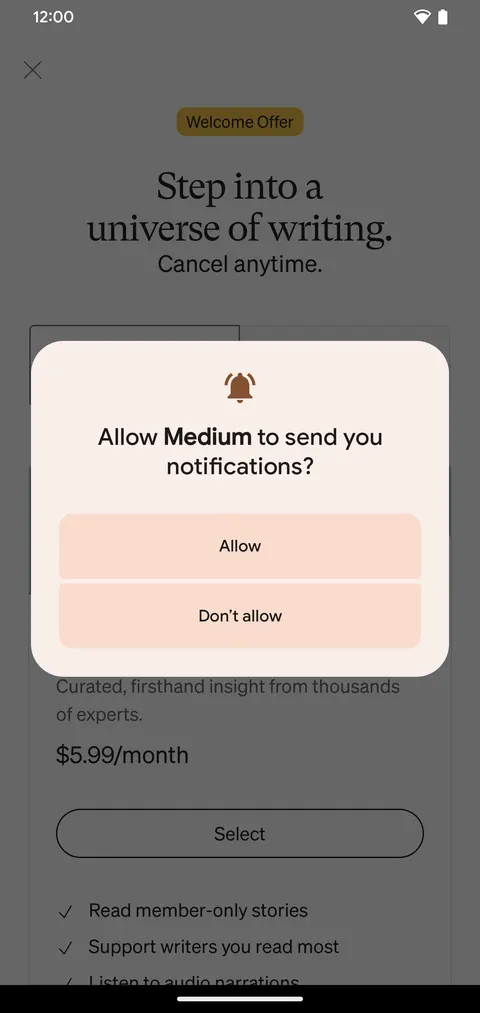
- Topic picker needs 3 or more topics before Continue; then starter packs and a system notification prompt; a membership offer sheet appears right after.
- How it makes money
- Medium Membership (freemium): metered member-only stories, a top offer banner (30% off) and membership sheets. Subscription offers are shown on the home screen and the paywall; not purchased for this map.
Screenshots
10 of 48 screens, captured on a real phone with sample data.
Following feed Story detail Story editor (empty) Create list form Member-only paywall Settings Welcome Story overflow menu Create account Notification permission - +38 more screensFree with an account
Screenshots: © A Medium Corporation, shown for commentary.
See all 48 screens — create a free accountSee every screen
The full map has all 48 screens, every feature and where each one lives. It is free with an account.
What could be better
Our read of the map, the store listing and recent reviews.
Add a feed filter that hides member-only storiesmedium
Member-only stories fill the For you feed, and metering starts on the first story a new reader opens. Offer a toggle to show only free-to-read stories and hide locked ones.
Keep the editor toolbar and text field above the keyboardmedium
The toolbar sticks to the bottom and the typing field disappears when the keyboard opens, so writers cannot see or edit text. Pin the toolbar above the keyboard and keep the caret in view.
Show a clear error and stop repeating the sign-in promptmedium
New users hit an endless loading screen at sign-up, and readers are asked to sign in again after creating an account. Add a timeout with retry and remember the signed-in state.
Keep reading position and offline reading across app resumemedium
Returning from the background or a lost connection can reset the reader to home or show an error, losing the article. Restore the last position and let readers continue cached stories offline.
Make list moves and story reports complete without errorssmall fix
Moving a saved article to another list and reporting a story both return errors, so readers cannot file reports. Retry these actions safely and confirm the result in the list.
Defer notification prompts while readers are writingsmall fix
Notification prompts appear in the middle of a draft and return after readers turned them off. Hold prompts during editing and stop re-asking once a prompt has been declined.
Show an AI-authorship label on stories and let readers filter itlarge
Readers say feeds are flooded with AI-written stories and cannot tell them apart. Add a disclosed authorship label on story cards and a feed filter that hides labelled stories.
Want an app like this, but better?
Tell us the idea. We research it, and build it for you.
Submit your idea