
How Flipboard works
Flipboard, Inc. · News & Magazines
Android
What it does
Flipboard is a news and magazine reader: stories are arranged into magazines and topic feeds, with a Following tab and a profile for building your own magazines.
Who it is for: People who want to read news and magazine-style stories by topic, follow curators, and build their own magazines.
Key features
Settings
Account options, manage notifications, browsing mode, theme (Automatic, Light, Dark), widgets, muted sources.
Explore and search
Explore categories (News, Watch, Tech & Science, Business), region, search with recent and trending, results by Top, Social, Topics, Magazines, Profiles.
Onboarding and sign-up
Topic picker (hashtag rows, pick 2+), sign-up prompt (Email, Google, Facebook, or skip), profile setup.
Magazine feed
For you cover-style feed of stories with topic tags and publisher attribution; Following tab of topics.
Notifications
Activity, Replies and News tabs and the per-topic notification settings.
Profile and magazines
Profile with counts, history, share, find friends, and the create-magazine form.
The main user flow
- Start with 2+ topics, skip or sign up, fill in the profile, read the For you feed
- Explore categories and search topics, magazines and profiles
- Open a story (opens in an in-app Chrome Custom Tab)
- Manage notifications and settings, including theme and browsing mode
- Create a magazine from the profile (form only, nothing published)
- Navigation
- Bottom bar: Home, Following, Explore, Notifications, Profile. Settings from the gear on the profile page.
- Onboarding
- Topic picker requires choosing 2 or more topics (Continue shows 'Choose at least 2 to continue'), then a sign-up prompt with Skip for Now.
- How it makes money
- Free with ads (contains ads on the Play listing). No purchase flow was reached.
Screenshots
9 of 23 screens, captured on a real phone with sample data.
Notifications Following Notification settings Pick topics Widget settings Welcome Sign up Browsing mode Search (recent and trending) - +14 more screensFree with an account
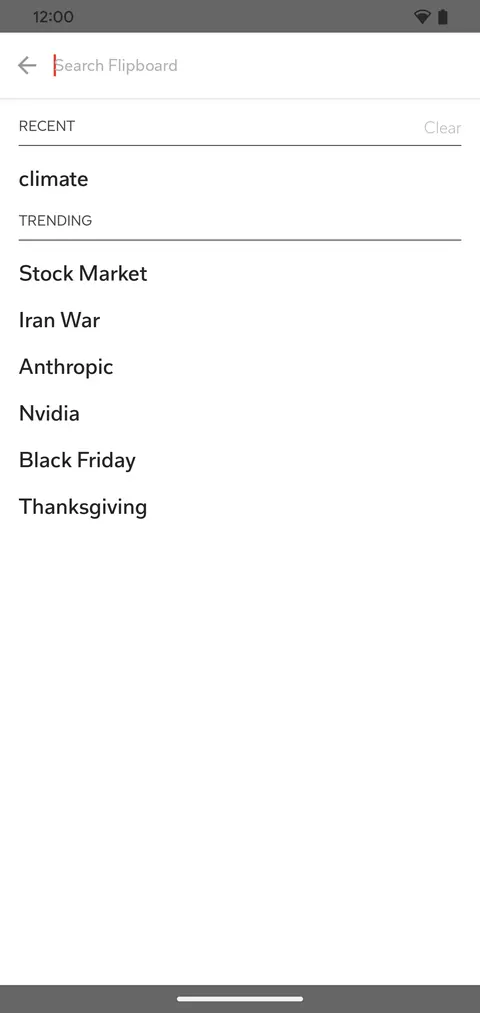
Screenshots: © Flipboard, Inc., shown for commentary.
See all 23 screens — create a free accountSee every screen
The full map has all 23 screens, every feature and where each one lives. It is free with an account.
What could be better
Our read of the map, the store listing and recent reviews.
Load comments in a separate screen that does not crash, with a retry optionmedium
Reviews report the app crashing when comments are opened, and some say they cannot comment at all. Build comments as an isolated screen that fails soft, showing an error and retry instead of closing the app.
Cap ad frequency per session and make reported ads leave the feedlarge
Reviews complain about ads placed over stories, video ads in article lists, and ads that cannot be shut down after reporting. Set a per-session ad cap and remove reported ads from the feed right away.
Keep share, Flip and save working after each update with pre-release testsmedium
Reviews report share, Flip and like failing after updates, with crashes when sharing links from other apps. Add a regression test run for share, Flip into Magazine and like before each release.
Open articles in an in-app reader with a fallback when the page fails to loadlarge
Stories open in an external Custom Tab, and reviews report a blank page or no browser opening, pushing users to other sites. Render articles in an in-app reader with a fallback to the external browser.
Add a one-tap quiet mode and a frequency cap to push notificationssmall fix
A reviewer still got many notifications after turning them off. Provide a single quiet-hours switch and a per-day cap on notifications, alongside the existing per-topic switches.
Put account deletion in settings with a single confirmed stepsmall fix
A reviewer found deleting the account difficult. Add an account deletion option in settings with a clear confirmation and a visible data-removal summary.
Apply mute to every feed section and show a list of what is mutedsmall fix
A reviewer found mute works only on the For you feed and not elsewhere. Apply mutes across Following, Explore and Notifications and show the active list where mutes are set.
Ask for the user's region during Explore setup instead of defaulting to USsmall fix
Explore defaults to United States (English) with no location prompt, so local news is hidden for other users. Ask for region during onboarding and let users change it from Explore.
Want an app like this, but better?
Tell us the idea. We research it, and build it for you.
Submit your idea