
How Baby Monitor Saby - 3G Babycam works
Tapnetic LLC · Parenting
Android
What it does
Two-phone baby monitor: one phone is the Baby camera, the other the Parent viewer with sound/cry detection, history and push events. Pairing by QR, 4-digit code or link.
Who it is for: Parents who want to watch and hear their baby, using one phone as the baby camera and another as the parent viewer.
Key features
Pairing by QR or code
QR scan, 4-digit code, shared link, confirmation on the baby phone.
Subscription gate
Parent view needs subscription or trial; paywall in onboarding, on tapping Parents, and in the Subscriptions tab.
Settings
Sound, video, dim, history.
Offline push alert
Offline: Never / when app not active / Always.
Multiple devices
Devices list and Add device.
The main user flow
- Onboarding with child age and subscription notice
- Pick role Baby or Parents
- Pair by code/QR with confirm on the baby phone
- Baby station streams; parent view needs subscription
- Settings, history, push events
- Navigation
- Bottom tabs: Main, Devices, Subscriptions, Settings.
- Onboarding
- Welcome, install-on-second-device, child age, rating prompt, subscription notice, paywall, then role choice.
- How it makes money
- Parent mode only with subscription or 3-day trial; $15.99 / 3 months, $79.99 / year after trial, welcome offer $19.99 / year; ads in free baby mode.
Screenshots
10 of 31 screens, captured on a real phone with sample data.
Main Devices Pair by code: role Paywall in onboarding Settings Subscription notice Add device Baby device: scan QR Almost ready Camera permission - +21 more screensFree with an account
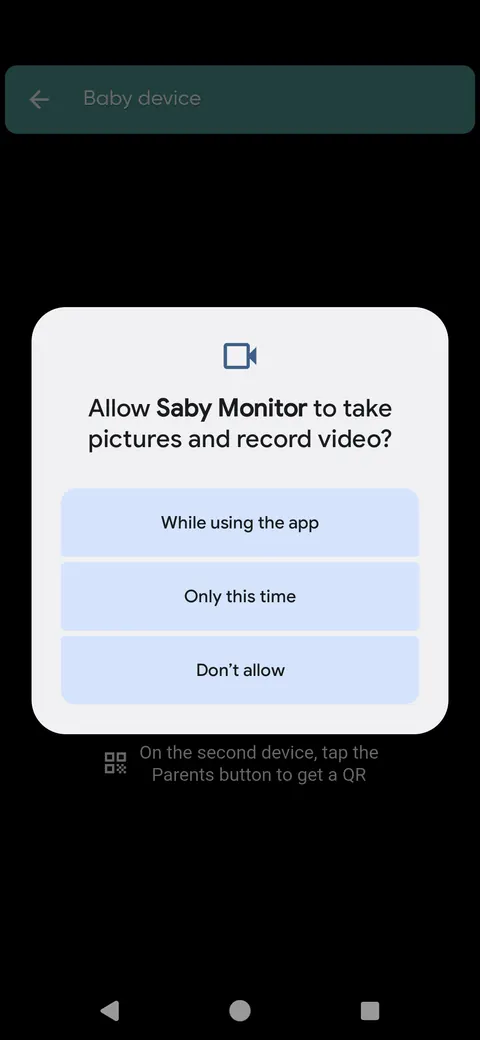
Screenshots: © Tapnetic LLC, shown for commentary.
See all 31 screens — create a free accountSee every screen
The full map has all 31 screens, every feature and where each one lives. It is free with an account.
What could be better
Our read of the map, the store listing and recent reviews.
Let users try parent view before paying and show one paywall after first pairingmedium
Parent view is fully paywalled, so users must pay before they can test pairing or streaming. Reviews say they had to subscribe first. Offer a trial that unlocks the viewer without an upfront purchase.
Show the charge date and amount before billing, and remind users before trial endsmall fix
Users report being charged immediately despite a 3-day trial, with no reminder before renewal. Show the first charge date and amount on the paywall, and send a notice before trial end and before each renewal.
Add an in-app refund request with status tracking and a stated reply timemedium
Refund requests and emails go unanswered, and the only support route is Report a problem in Settings. Add a refund request flow with status tracking and show a response commitment.
Add local-network pairing and automatic reconnect on the baby stationlarge
Connections drop and do not recover after Wi-Fi returns, and the baby station stays on Waiting for parent device. Offer local-network pairing first, retry the connection automatically, and show connection state.
Turn on offline alerts by default and warn parents when the stream dropssmall fix
Offline alerts are off by default, so parents may not learn that the camera disconnected. Default the alert to fire when the app is not active, and show a disconnect banner on the parent screen.
Add a low-light camera mode for the baby stationlarge
Night footage is reported as blurry or black, and the settings offer only 480p video quality and a dim screen. Add a low-light capture option with a clear note on its effect on battery and bandwidth.
Add a battery and heat limit mode for the streaming baby phonemedium
A reviewer reports fast battery drain and a hot phone during use. Offer a low-power mode that lowers video quality below 480p and dims the screen sooner than the fixed 15 s setting.
Want an app like this, but better?
Tell us the idea. We research it, and build it for you.
Submit your idea