
How White Noise Lite works
TMSOFT, LLC · Health & Fitness
Android Android iOS
What it does
White Noise Lite is the free, ad-supported Android build of TMSOFT's long-running White Noise. It plays 50 bundled, crossfade-looped ambient sounds through a native C++ audio engine, and layers a lot of product on top: multi-sound mixes with a spatial Mix Pad and per-layer audio tuning, countdown timers and clock alarms, a bedside Sleep Clock, a Sleep Log, a downloadable Sound Market, News, sound postcards, and your own microphone recordings.
Who it is for: People who want to play bundled ambient background sounds, mixes, timers, and alarms in the free, ad-supported Android White Noise Lite app.
Key features
Mixes & spatial Mix Pad
Create multi-sound mixes, position each layer in stereo on the Mix Pad and tune per-layer volume/pitch/variance/speed/oscillation.
Favorites & playlist
Favorite sounds, build and loop a playlist, and manage the sound/mix/import lists.
Ads & upgrade
Lite is monetised by mediated banner ads and a persistent upgrade prompt to the paid Full version (removes ads); one in-app purchase (Sound Generator) exists on the platform.
Ambient sound player
Full-screen single-sound player with favorite, prev/next, play-pause, info and a volume slider, over the sound's artwork.
Settings
Audio, general, clock, advanced/playback-interruption and about settings.
Help Tips onboarding
8-page swipeable Help Tips carousel shown on first launch and from the overflow/Settings.
The main user flow
- Pick a sound on the home player and play it
- Build a mix: Create > Create Mix > pick sounds > position them on the Mix Pad > tune each layer
- Set a countdown timer or a clock alarm with fade
- Open the Sleep Clock as a bedside display
- Download extra sounds from the White Noise Market
- Record your own sound
- Navigation
- A left navigation drawer (Sounds / Mixes / Favorites / Playlist, plus Actions and More) combined with a persistent bottom action bar (Create, Download, Manage, Timers, Sleep). Sub-screens use a back-arrow toolbar.
- Onboarding
- An 8-page 'Help Tips' carousel on first launch (dismissible, re-openable from the overflow and Settings). No account or sign-in: the app is fully local.
- How it makes money
- Free with mediated banner ads (AppLovin MAX + Meta Audience Network + AdMob) and a persistent 'Upgrade White Noise' prompt that deep-links to Google Play for the paid Full version ($1.19, no ads); a Sound Generator in-app purchase exists on the platform.
Screenshots
10 of 40 screens, captured on a real phone with sample data.
Sounds player (home) Mixes player Mix Pad (spatial) Create Mix — pick sounds Settings — Audio Help Tips — Download Sounds Create menu Navigation drawer Sound / mix details sheet Sound Postcard - +30 more screensFree with an account
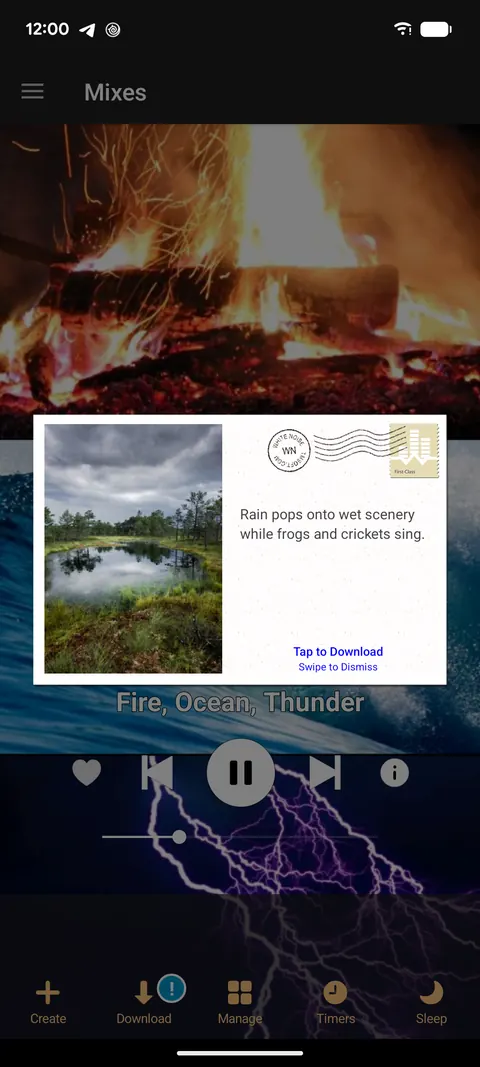
Screenshots: © TMSOFT, LLC, shown for commentary.
See all 40 screens — create a free accountSee every screen
The full map has all 40 screens, every feature and where each one lives. It is free with an account.
What could be better
Our read of the map, the store listing and recent reviews.
Replace the Play Store bounce with an in-app upgrade screenmedium
The upgrade prompt on the home player and settings leaves the app for Google Play. Show an in-app screen that explains the ad-free Full version and completes the purchase or hands off cleanly.
Keep ad banners off the player and mix viewssmall fix
Banners and an upgrade bar take space on most Lite views, including the player and mix player. Limit ads to list and browse screens and keep transport controls and the Mix Pad clear.
Ship a working home-screen widget for play and pausemedium
The widget resource exists but no provider is registered, so it does nothing. Register a provider that starts or stops the last sound and shows its name, so users can control playback without opening the app.
Cut the Help Tips carousel to two pages shown after first playbacksmall fix
The 8-page Help Tips carousel appears on first launch before the user has heard any sound. Keep the core tips, shorten the carousel, and show it after the first sound plays, with the market promo removed from it.
Offer a quick-start path into the Mix Padmedium
Building a mix takes five steps: Create, Create Mix, pick sounds, place them on the Mix Pad, then tune each layer. Let users start from a sound they already play and jump straight to the Mix Pad with one tap.
Record a local listening history from the first sessionlarge
The Sleep Log shows only an empty state until sustained playback builds history. Record local listening activity from the first session and show a short summary so the log has content from day one.
Want an app like this, but better?
Tell us the idea. We research it, and build it for you.
Submit your idea