
How Goodreads: Book Reviews works
Goodreads LLC · Books & Reference
Android
What it does
Goodreads is Amazon's social reading app: shelve books, rate them, follow readers and discover recommendations.
Who it is for: Readers who want to shelve books, rate them, follow other readers and discover book recommendations.
Key features
Taste onboarding
Five-step onboarding: reading goal, favorite genres, rate books, recommendations, readers to follow
Book page and ratings
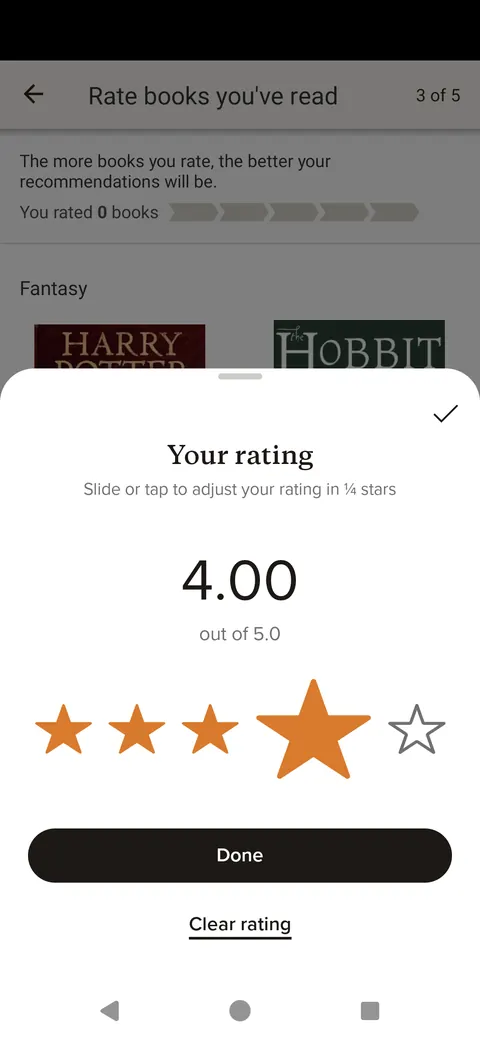
Book detail with quarter-star rating sheet, shelf button, description and rating breakdown
Profile and settings
Profile, friends, groups, challenges, giveaways, scan, settings, theme
Search
Typed search with suggestions and result rows with Want to Read buttons
Shelves
Want to Read, Currently Reading, Read, Did Not Finish shelves
Discover
Genre exploration, news and interviews, featured lists
The main user flow
- Sign in with Amazon, then onboarding
- Shelve a book as Want to Read
- Rate a book
- Search and browse genres
- Navigation
- Bottom tabs: Home, My Books, Discover, Search, More; top search bar with cover scanner
- Onboarding
- Five steps after Amazon sign-in: goal, genres, rating, recommendations, follow suggestions (all skippable)
- How it makes money
- Free with Goodreads-run ads (Choice Awards banner, sponsored placements); no in-app paywall
Screenshots
10 of 21 screens, captured on a real phone with sample data.
Home feed Want to Read shelf Book detail Search My Books My profile Settings Onboarding 1 of 5: reading goal More Rating sheet - +11 more screensFree with an account
Screenshots: © Goodreads LLC, shown for commentary.
See all 21 screens — create a free accountSee every screen
The full map has all 21 screens, every feature and where each one lives. It is free with an account.
What could be better
Our read of the map, the store listing and recent reviews.
Cap ad frequency in browsing and reading screens and offer an ad-free tiermedium
Reviews say ads are constant and some plan to uninstall. Ads run on the home feed and in book pages. Limit ad frequency in reading flows and offer an optional ad-free paid tier.
Cut load times and freezing on the main book and feed screensmedium
Users report slow loading and freezes on core screens. Profile the home feed, book pages and search for load time and freezes, and show cached content first so pages open without waiting.
Keep sign-in and email verification working inside the appmedium
Sign-in leaves the app for a browser and returns, and email verification links fail. Keep sign-in and verification inside one app flow with a return path that works.
Let readers set their own page count and browse all editions of a bookmedium
Progress is wrong when the default edition has a different page count, and edition switching is missing on Android. Add a custom page total and an edition picker on the book page.
Make reading-goal counting consistent with the books users mark as readsmall fix
Goal counts change unpredictably and include books read in earlier years. Count only books finished in the current year, and show the rule and the list of counted books.
Add search that finds books reliably and resolves barcode scansmedium
Search freezes and barcode scans return the wrong book. Improve result matching, show a clear no-match state, and check scanned codes against the edition before showing a book.
Base recommendations on the user's own ratings and refresh them over timelarge
Recommendations follow genre and do not update after ratings change. Weight the user's ratings and shelves in the suggestion model, and refresh the list when new ratings are added.
Let users make shelves private and hide friend activity by typesmall fix
Shelved books are public by default and users cannot hide activity types. Default new shelves to private and add per-type feed controls in privacy settings.
Want an app like this, but better?
Tell us the idea. We research it, and build it for you.
Submit your idea