
How Amazon Kindle works
Amazon.com, Inc. · Books & Reference
Android
What it does
Kindle is Amazon's e-book reader and store: read purchased or sample books, browse a store, and sync progress across devices.
Who it is for: People who want to read e-books, browse the Kindle store, and sync their reading progress across devices.
Key features
Settings and account
Device name, notifications, sync, fonts, sign out
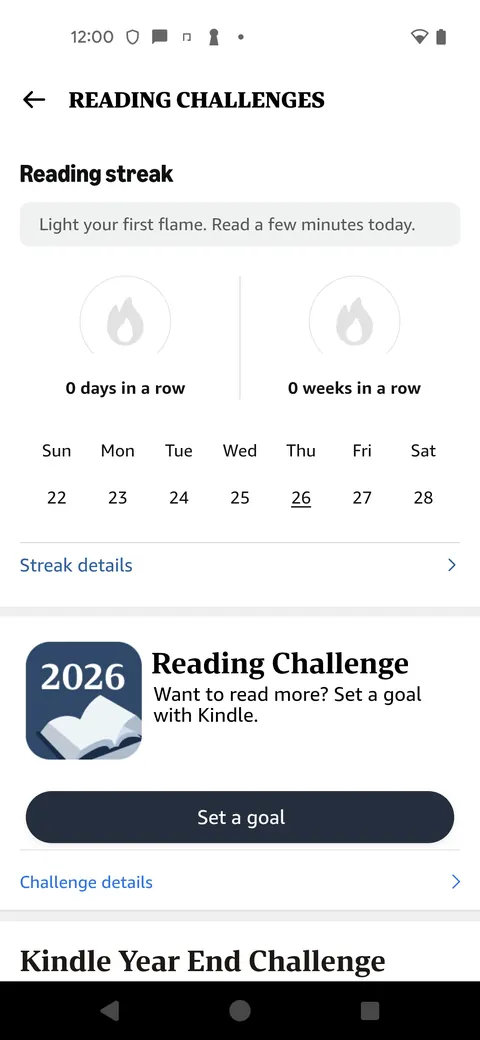
Challenges, lists, notebooks
Reading streak and challenge, lists, notebooks
Home recommendations
Personalised carousels, First Reads and genre shortcuts
Kindle+ membership
Subscription offer pages, viewed and closed without subscribing
Library
Library with filter, view (grid/list/collections) and sort
Search
Search with live suggestions and store results
The main user flow
- Browse Home recommendations
- Open a store page
- Sign in with Amazon
- Read books from the Library
- Navigation
- Bottom tabs Home, Library, More; search bar on every tab
- Onboarding
- Guest Home first; sign in is optional via More
- How it makes money
- Kindle+ subscription plus per-book purchases (1-Click)
Screenshots
10 of 20 screens, captured on a real phone with sample data.
Home, top Your Lists Book detail (store page) Search results Library Kindle+ offer Settings More (signed out) Library filter and view Reading Challenges - +10 more screensFree with an account
Screenshots: © Amazon.com, Inc., shown for commentary.
See all 20 screens — create a free accountSee every screen
The full map has all 20 screens, every feature and where each one lives. It is free with an account.
What could be better
Our read of the map, the store listing and recent reviews.
Show per-device sync status and retry failed library syncsmedium
Users report books vanishing or sync stalling after a new phone or reinstall, and sync running while disabled. Show each device's last sync time, a visible error with retry, and never hide purchased titles during sync.
Fix crash and freeze recovery in the reader and tab screenslarge
Users report the app hanging mid-book, freezing after a few minutes, and crashing on the More tab. Ship crash-free reader sessions, keep reading position on relaunch, and add a crash-report screen with a clear retry.
Offer a sign-in recovery path that does not lock out purchased booksmedium
Users cannot sign in after a plan rename or a new phone, and some lost access to purchased books. Give a recovery flow that works without the old email or phone and keeps the library visible while signed out.
Keep audiobook playback on the same book without switching modesmedium
Users report audio cutting out, reverting to the assisted reader, and audio options vanishing for books they own. Keep one playback mode per book, show clear download state, and resume after interruptions.
Add true-black dark theme, brightness control and bookmarks to the readersmall fix
Dark theme text appears gray, brightness cannot go low enough, and highlight menus stay on after being toggled off. Add a pure white text option, in-reader brightness, a bookmark button, and a persistent setting for the highlight menu.
Add a library file manager with bulk remove and an empty-state guidemedium
Local file access fails and downloaded samples cannot be removed. The empty library only shows store prompts. Add bulk select, remove-download actions, a local file import path, and a first-run guide to reading from the device.
Show the monthly charge and renewal details before any billingsmall fix
Users report duplicate card charges and being pushed to buy books they expect to read with a subscription. Show each charge with its source, confirm before a per-book purchase, and list what the subscription includes.
Want an app like this, but better?
Tell us the idea. We research it, and build it for you.
Submit your idea