How Call Recorder - Cube ACR works
Cube Apps Limited · Tools
Android
What it does
Cube ACR automatically records phone calls (and Telegram VoIP) to local files with a list, player, marks, backup to clouds and premium extras. Has no AI transcript or summary of its own: Transcribe hands off to another vendor's app.
Who it is for: People on Android who want phone and Telegram calls recorded automatically to local files, with playback, marks, and optional cloud backup.
Key features
Automatic call recording
Records cellular and Telegram calls automatically using a selectable audio source; needs a Helper app on Android 10+.
Premium subscription
Trial paywall at onboarding end plus 50% offer; backup, comment, formats, post-call actions gated.
Playback and management
Inline player, star, sort, search, share, delete.
Permissions asked
Microphone, phone, contacts, Bluetooth, notifications, battery exemption, optional location.
Settings
Recording, backup & storage, miscellaneous, dark theme.
Cross-promotion for transcription and caller ID
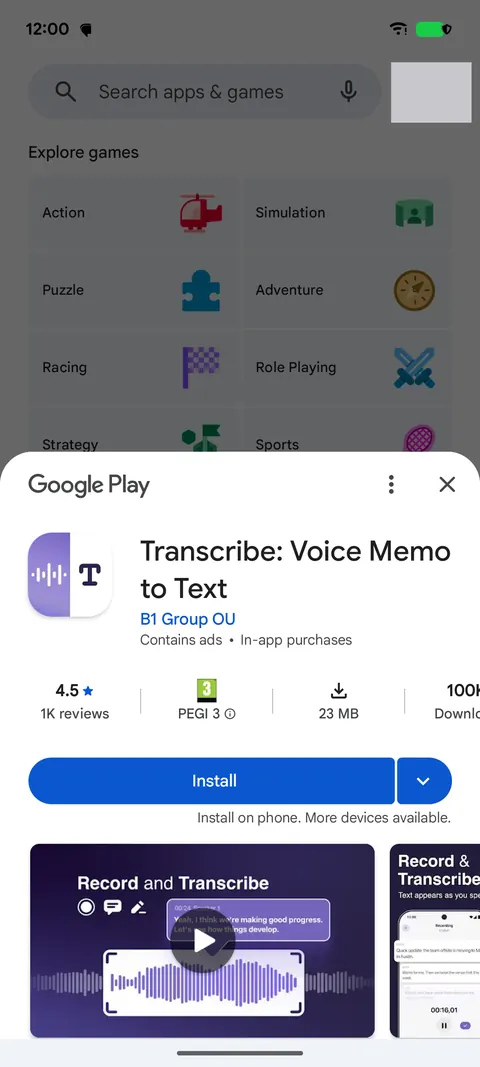
Transcribe and caller ID open other apps' Play pages.
The main user flow
- Onboard and grant permissions
- Calls recorded automatically then listed
- Play, star, share, delete
- Open paywall for backup, comments, formats
- Navigation
- Single main list with a hamburger drawer; settings pages for Recording, Backup & Storage, Miscellaneous.
- Onboarding
- Welcome, permissions (mic, phone, contacts, Bluetooth, notifications), battery exemption, optional geo-tagging, paywall, one-time 50% offer, Helper-app wall.
- How it makes money
- Freemium with ads. Trial paywall right after onboarding (weekly after 3 days, or yearly), exit offer 50% off yearly; backup, comments, formats, shake-to-mark gated. Closed, nothing bought.
Screenshots
10 of 37 screens, captured on a real phone with sample data.
Recordings list Inline playback Premium trial paywall Recording settings Welcome Recording menu Sidebar Share sheet Recordings (empty) Transcribe hand-off - +27 more screensFree with an account
Screenshots: © Cube Apps Limited, shown for commentary.
See all 37 screens — create a free accountSee every screen
The full map has all 37 screens, every feature and where each one lives. It is free with an account.
What could be better
Our read of the map, the store listing and recent reviews.
Verify both call sides are captured after the first recorded callmedium
Many users report only their own voice is captured, and the app gives no check. After the first call, play a short capture test. If one side is missing, guide the audio source fix before the user relies on it.
Check each saved recording has audible audio before listing it as donesmall fix
Several users report silent playback of recordings they expected to hear. Measure audio level on save and flag empty files in the list, instead of showing them as normal rows that play nothing.
Replace the sideloaded helper with an in-app setup check and no APK redirectslarge
Android 10+ needs a separate sideloaded helper. Users are sent outside Google Play, and the helper stops working. Show status in-app with one-tap repair, and state before install what the helper can access.
Show the trial paywall only after a verified recording, with clear refund termssmall fix
The paywall appears right after onboarding, before any recording is confirmed, and a countdown offer shows on close. Paid users report no working recording and refund refusals. Gate the paywall on a first verified recording and state refund rules.
Show the Google policy notice once and move helper status into settingssmall fix
The policy dialog reappears on every launch, and a persistent banner stays until the helper is installed. Show the notice once, then keep helper status in settings where users can check it.
Replace cross-promotion hand-offs with an in-app transcript or caller IDlarge
Transcribe and caller ID open other apps' Play pages, so the user gets no in-app result. Build transcription and caller ID in the app, or hide these entries until they work.
Want an app like this, but better?
Tell us the idea. We research it, and build it for you.
Submit your idea