
How Google Authenticator works
Google LLC · Tools
Android
What it does
Google's two-factor authenticator: generates time-based one-time codes; optional Google-account sync of codes.
Who it is for: People who want time-based one-time codes for two-step sign-in to their online accounts, with optional sync to a Google Account.
Key features
Add a code
Scan QR or enter a setup key with validation.
Onboarding
Intro and optional Google sign-in for sync.
Account
Google account switcher for cloud sync.
The main user flow
- Get started -> sign in or skip -> add code by QR or setup key
- Account avatar -> switch account
- Navigation
- Single list screen with search bar, sync status, account avatar and an expandable Add FAB; drawer for settings.
- Onboarding
- One intro page then express Google sign-in or use without account.
- How it makes money
- Free, no ads.
Screenshots
7 of 8 screens, captured on a real phone with sample data.
Enter code details How the Authenticator works Choose an account Add an authenticator code Validation errors Type of key dropdown Code details filled - +1 more screenFree with an account
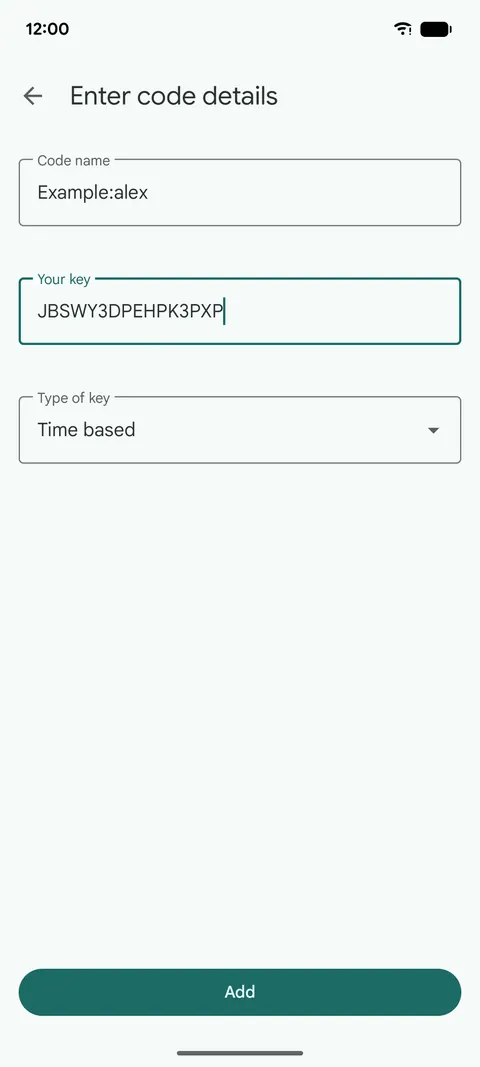
Screenshots: © Google LLC, shown for commentary.
See all 8 screens — create a free accountSee every screen
The full map has all 8 screens, every feature and where each one lives. It is free with an account.
What could be better
Our read of the map, the store listing and recent reviews.
Require a fresh biometric check before any code screen opensmedium
Reviews say the privacy lock can be bypassed with the back button or an edge swipe, exposing all codes. Gate every code view on a new unlock and never let back-navigation skip it.
Add an undo window before deleting a codesmall fix
A swipe during copy deletes a code with no warning or undo, and users say deleted codes cannot be recovered. Move deletions to a trash with a restore window and confirm before removal.
Show per-code sync state and confirm before removing a synced codelarge
Users report cloud backups failing and codes missing from the synced account after deletion, which locked them out. Show sync status per code and require confirmation before any removal.
Offer importing a QR code from a saved image besides live camera scanmedium
Users say the camera scan fails or crashes and that only live scanning is allowed. Add gallery image import and a manual fallback when the camera cannot open.
Let users rename entries and group them into foldersmedium
Reviews say long names run off screen and entries cannot be renamed or grouped, so similar codes are hard to tell apart. Add in-place rename and folders or tags on the list.
Show specific setup-key errors and say which input is wrongsmall fix
Users get generic messages and repeated wrong-code results when entering a key, and cannot tell whether the name or key is at fault. Validate name and key separately and show the exact problem.
Want an app like this, but better?
Tell us the idea. We research it, and build it for you.
Submit your idea