
How Mimo: Learn Python Coding & AI works
Mimo GmbH · Education
Android
What it does
Mimo is a mobile education app for learning to code in short daily lessons, covering Python, JavaScript, HTML, CSS and SQL, with AI and data courses. It guides users through career-oriented learning paths and portfolio projects aimed at a developer job.
Who it is for: A mobile education app for people who want to learn coding in short daily lessons, including Python, JavaScript, HTML, CSS, SQL, AI and data.
Key features
Personalised curriculum setup
Multi-step questionnaire on skills, motivation, career focus, background and prior knowledge to tailor a learning path.
Account sign-up
Create a profile via Google or email to save progress and access social or practice features.
Content language
Choose the language the app content is shown in.
Account login
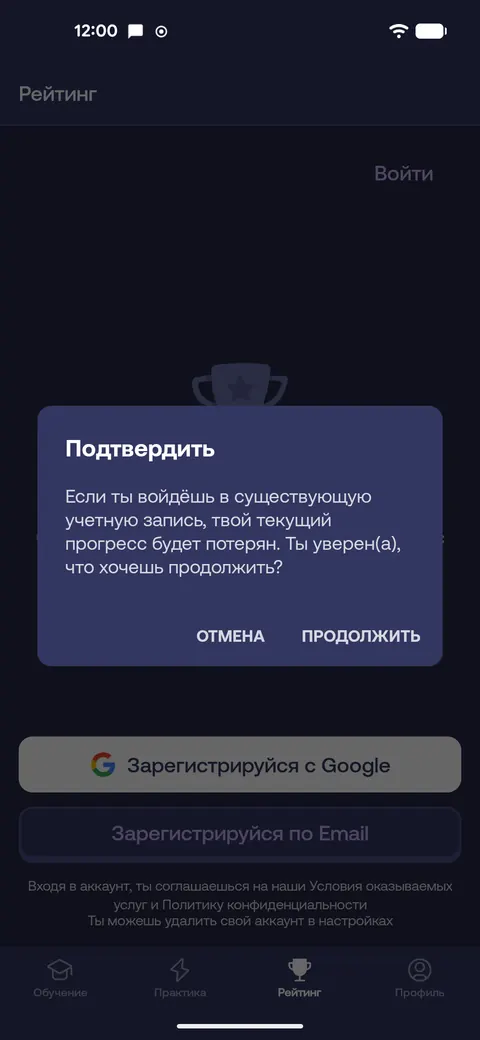
Log in with email or Google to an existing account; warns that current progress is lost.
Bite-sized lessons
Short coding lessons completed in a few minutes a day.
Intro slides
Swipeable introduction screens pitching the app before sign-up.
The main user flow
- Intro slides, then personalised onboarding questionnaire, then recommended learning path
- Learn tab: follow path lessons
- Practice and Leaderboard tabs gated behind sign-up
- Sign up or log in via Google or email, with progress-loss warning on login
- Settings: change content language, daily goal, notifications, Pro and account deletion
- Navigation
- Bottom navigation bar with four tabs: Learn, Practice, Leaderboard, Profile. Settings reached from the Profile tab.
- Onboarding
- Long multi-step questionnaire (skills, motivation, career focus, self-description, path recommendation, prior knowledge, daily goal) before any account requirement; sign-up is only pushed when accessing practice, leaderboard or profile.
- How it makes money
- Visible: a 'Get Pro' item in settings and a 'refresh subscriptions' action. No ads or prices seen in the captured screens.
Screenshots
10 of 30 screens, captured on a real phone with sample data.
Web View Home - Learn path Onboarding - choose first skills Settings - main Intro - change your career Content language menu Profile photo - source sheet Practice - login gate (Russian) Camera permission dialog Login - progress loss warning - +20 more screensFree with an account
Screenshots: © Mimo GmbH, shown for commentary.
See all 30 screens — create a free accountSee every screen
The full map has all 30 screens, every feature and where each one lives. It is free with an account.
What could be better
Our read of the map, the store listing and recent reviews.
Show the Pro offer once per session, never during a lessonmedium
Users report pop-ups that interrupt the first lesson and upsell flows with no skip option. Show one dismissible Pro offer on the Learn home screen and never during a lesson.
Set a free daily lesson allowance and show it before the first lessonmedium
Free users hit a 2-key daily limit mid-lesson and the limit is revealed only after they start. Show the allowance and reset time during onboarding and match it to the chosen daily goal.
Sync lesson progress across devices and retry failed saveslarge
Progress does not sync between phone and PC, and lessons freeze or lose progress. Save each lesson result to the account immediately, retry failed saves, and show a sync status indicator.
Show renewal terms and fixed plan benefits before checkoutmedium
Users report yearly plans renewing automatically and benefits changing after purchase. Show billing period, renewal date and a fixed benefits list before purchase, and keep paid benefits stable.
Explain wrong answers and accept equivalent code answers in lessonsmedium
Lessons are multiple-choice quizzes where answers are shown without explanation, and typed code accepts only one answer. Show a short explanation after each miss and accept equivalent code.
Offer a placement quiz that lets experienced users skip the basicsmedium
Users who answer they have prior knowledge still start at the most basic content. Add a short placement quiz that unlocks later modules and uses the prior-knowledge answer.
Show a read-only preview of Practice, Leaderboard and Profilemedium
Practice, Leaderboard and Profile all block with sign-up walls before any content. Show a preview of each tab and ask for sign-up only when progress must be saved.
Merge guest progress into the account instead of warning of lossmedium
Logging in shows a dialog that current progress will be lost, which is a data-loss risk. Keep guest progress and merge it into the existing account on login, and drop the warning.
Want an app like this, but better?
Tell us the idea. We research it, and build it for you.
Submit your idea