How Homerockr: Home Maintenance works
Carsten Peter Bohling · House & Home
Android
What it does
Home maintenance app (webview): tasks with frequency and assignee, project templates, renovation components, house walkthrough inspection, household members, Plus subscription.
Who it is for: Homeowners and household members who want to track home maintenance tasks, projects, and renovations.
Key features
Maintenance tasks
Custom tasks with frequency, season, assignee.
Home onboarding
Create a home, pick starter tasks, sign up.
Projects and renovation
Project templates and home components.
House walkthrough
Inspection checklist by area.
Plus subscription
Monthly, yearly, lifetime.
The main user flow
- Create home
- Pick templates
- Sign up
- Add custom task
- Run walkthrough
- Navigation
- Bottom bar: Home, Tasks, Projects, Renovation, Walkthrough; settings gear.
- Onboarding
- Home creation then templates then account.
- How it makes money
- Free with Plus: monthly $4.52, yearly $32.92 (7 days free), lifetime $55.66 (Black Friday).
Screenshots
10 of 43 screens, captured on a real phone with sample data.
Home Tasks list Project template Create a new home Plus paywall Settings First tasks: templates Frequency options Tasks empty Name required - +33 more screensFree with an account
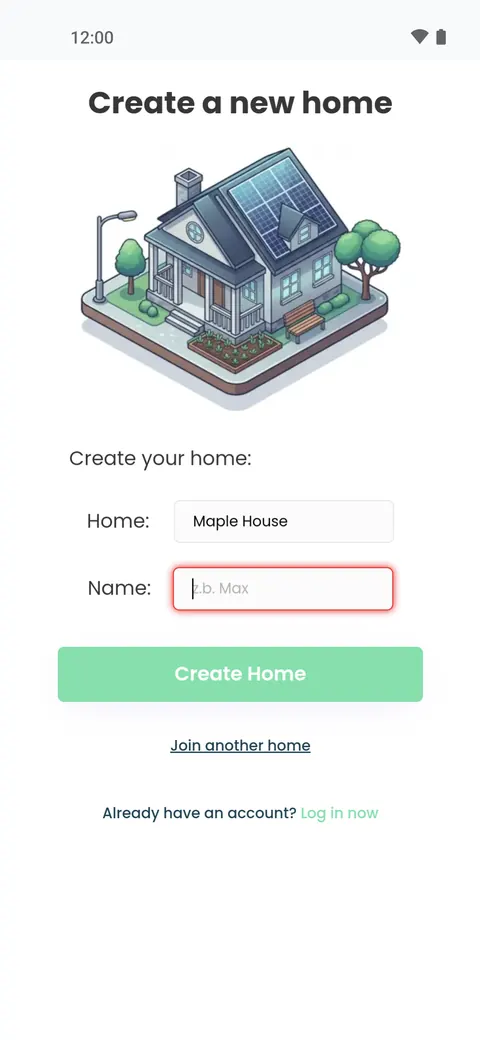
Screenshots: © Carsten Peter Bohling, shown for commentary.
See all 43 screens — create a free accountSee every screen
The full map has all 43 screens, every feature and where each one lives. It is free with an account.
What could be better
Our read of the map, the store listing and recent reviews.
Offer a language picker on first launch and translate every onboarding labelsmall fix
Onboarding mixes German labels into English screens, and a 1-star review says setup text was no longer in English. Add a language choice on the welcome screen and keep all labels in that language.
Let new users finish onboarding before creating an accountsmall fix
Sign-up is required at the sign-up screen before setup can continue. Let users pick starter tasks and see their home first, then ask for email and password only when saving.
Make the Android back key move one step back inside the appsmall fix
The back key exits the app from inside flows, so users lose their place mid-task. Return to the previous screen and exit only from the root Home tab.
Label every control so screen readers can read the appmedium
The webview shell exposes no accessible UI tree, so assistive tools cannot read tasks, forms or the bottom bar. Build native controls with labels for each element.
Show the Plus paywall after the first saved task, not during setupsmall fix
The Plus paywall with monthly, yearly and lifetime options appears in the flow and was closed during mapping. Move it after the first task is created so setup is not gated by a price choice.
Show all Plus prices and trial terms in one tablesmall fix
In-app purchases in the store listing run from $1.99 to $99.99, while Plus is listed at monthly $4.52, yearly $32.92 and lifetime $55.66. Show each plan and its trial terms together.
Add a contractor invoice store linked to tasks and renovation componentslarge
The documents area is empty and its upload flow was not reached during mapping. Let users attach contractor invoices to the task or component they cover so records stay with the work.
Show open walkthrough issues on the Home tab with per-item notessmall fix
Walkthrough progress shows area counts such as Systems 2/5, but open issues are not summarised elsewhere. Keep Ok and Issues toggles per item and show a count of open issues on Home.
Want an app like this, but better?
Tell us the idea. We research it, and build it for you.
Submit your idea