How NordVPN works
nordvpn S.A. · Tools
Android
What it does
NordVPN is a subscription VPN with a server location browser, a security suite (real-time protection, dark web monitor, scam checker, meshnet) and an account system.
Who it is for: People who want a VPN and online security tools, such as server browsing, scam checks, and dark web monitoring, with an account to manage them.
Key features
Privacy and notification onboarding
Consent, privacy toggles and notification pre-prompt
Security suite
Real-time protection, monitor, scam checker, meshnet
Account management
Profile, account, referral, delete
Server location browser
Browse and search countries and cities
VPN settings
Protocol, split tunneling, post-quantum, auto-connect
Subscription paywalls
Black Friday paywall, plan tiers and one-time free-trial offer
The main user flow
- Accept privacy, sign up by email code, see paywall, close, land on the map
- Browse and search locations, tap Secure my connection (needs a plan)
- Configure protocol, split tunneling, post-quantum encryption
- Navigation
- Bottom nav: VPN, Real-time protection, Monitor, Products, Profile.
- Onboarding
- Consent screen, notification pre-prompt, welcome with Sign up/Log in.
- How it makes money
- Subscription plans (Basic, Complete, Ultimate); hard paywall on connect and a one-time 3-day trial offer when closing the paywall; locked premium cards everywhere.
Screenshots
10 of 29 screens, captured on a real phone with sample data.
Home: VPN map All locations Location search Real-time protection tab Profile Black Friday paywall Privacy preferences Can we notify you? Push notifications are disabled Refer a friend - +19 more screensFree with an account
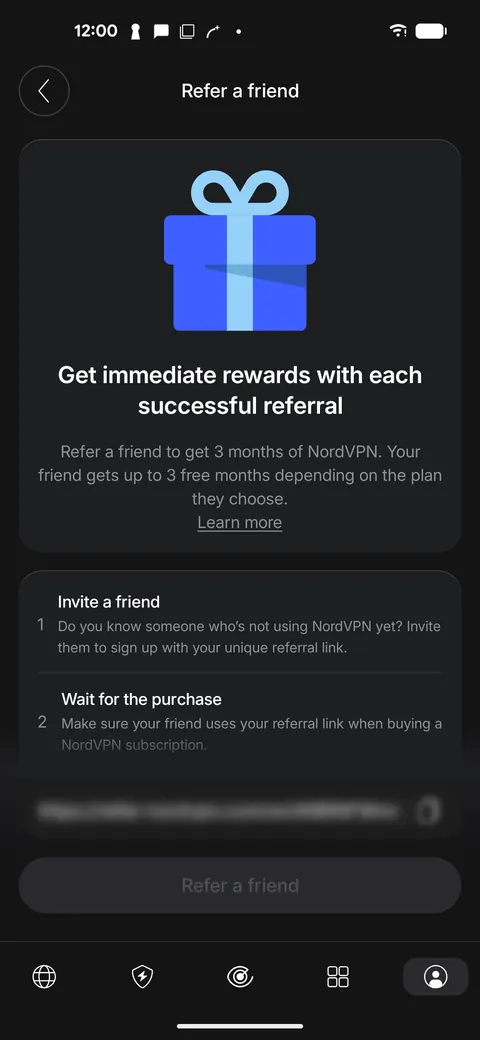
Screenshots: © nordvpn S.A., shown for commentary.
See all 29 screens — create a free accountSee every screen
The full map has all 29 screens, every feature and where each one lives. It is free with an account.
What could be better
Our read of the map, the store listing and recent reviews.
Keep full-screen ads out of paid sessions and make promos dismissiblesmall fix
Paid users hit unskippable full-screen ads on launch and before connecting, and reviews call this the top complaint. Show promos only as a dismissible card on home, never as a blocking screen for subscribers.
Show plan length, renewal date and trial end before any chargesmall fix
Users report trial-to-annual charges they did not expect and subscriptions they could not see. Show the plan term, the price after the trial and the renewal date on the paywall, and send a reminder before the trial converts.
Keep the VPN connected with auto-reconnect and a visible connection health statelarge
Reviews describe connections that hang on connecting, drop after minutes and leave the phone offline. Add auto-reconnect with a clear status line on the home map, so users see whether the tunnel is up without guessing.
Keep sign-in inside the app and preserve the session across launchesmedium
Sign-up leaves the app for a web page, and reviews report forced logouts, failed sign-ins and an app stuck on the loading screen. Use in-app sign-in with a stored session and a clear recovery path for linked Google Play accounts.
Show the real server location and the device count on the accountmedium
Users report that the location shown is not the one connected, a chosen server disappeared after payment, and a device limit appeared with one device. Display the actual exit city and the device slots in use on the location list and account page.
Let support chat survive app switching and keep the conversation historymedium
Users lose their chat when they leave the app to take a screenshot of a requested app, and report that support does not reply. Persist the chat thread and add a reply-time indicator, with a ticket fallback that is always reachable from Help.
Want an app like this, but better?
Tell us the idea. We research it, and build it for you.
Submit your idea