
How LeafCheck: Plant Identifier works
AMOBEAR TECHNOLOGY GROUP PTE. LTD. · Education
Android
What it does
LeafCheck is a plant care assistant that identifies plants and mushrooms from photos, diagnoses plant diseases, provides species and care information, and offers care tools such as a light meter and water calculator. Users can save plants and set care reminders.
Who it is for: LeafCheck is for people who want to identify plants and mushrooms, diagnose plant diseases, and get plant care information.
Key features
Care reminders
Schedule watering, pruning, fertilising or spraying reminders with notifications.
My plants
Save identified plants to a personal list.
Language selection
Choose the app language from a list.
Plant search
Search the plant database by name.
Plant categories
Browse plants by category such as invasive and house plants.
Premium subscription
Weekly or yearly subscription with a 3-day free trial for unlimited identification, diagnosis and no ads.
The main user flow
- Launch, pick language, go through onboarding, allow camera and notifications
- Search or scan a plant, view its info and care guide, add it to My Plants
- Diagnose a plant disease or chat with the AI botanist
- Set a care reminder (watering, pruning, fertilising, spraying) for a saved plant
- Browse categories and use care tools
- Navigation
- Bottom tabs and a side drawer give access to Home (identify, diagnose, mushrooms), Categories, My Plants and Settings.
- Onboarding
- A language selection screen followed by a few intro pages about identifying plants and mushrooms, then camera and notification permission prompts.
- How it makes money
- Premium paywall offering a weekly plan (USD 7.19/week after a 3-day free trial) and a yearly plan (USD 59.99, 84% saving), promising no ads and unlimited identification. Banner ads appear on the home, categories and language screens, and a free premium offer is advertised in the side menu.
Screenshots
10 of 30 screens, captured on a real phone with sample data.
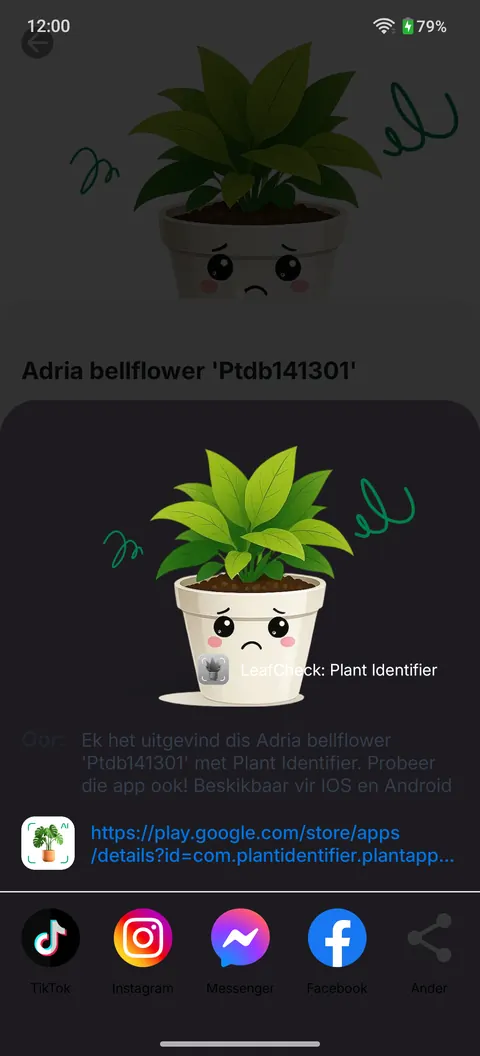
Home - plant search and tools Diagnose - ask AI botanist Plant detail - Adria bellflower Set reminder form Plant search results Premium paywall - weekly and yearly plans Language selection Side menu - settings and more My Plants - empty state Share plant sheet - +20 more screensFree with an account
Screenshots: © AMOBEAR TECHNOLOGY GROUP PTE. LTD., shown for commentary.
See all 30 screens — create a free accountSee every screen
The full map has all 30 screens, every feature and where each one lives. It is free with an account.
What could be better
Our read of the map, the store listing and recent reviews.
Ship an ad-free first session and keep ads off identify and disease-check screensmedium
Ads fill most browsing screens and are unrelated to plant care, and reviewers say the ads crowd out the actual function. Show no ads until the first identification result, and never on identify or disease-check screens.
Show one paywall after the first identification, not during browsingsmall fix
Paywalls appear during categories and plant selection, and reviewers say they were asked to pay before getting any result. Show a single offer after a first successful identification, and state the free limit up front.
Return a clear no-match result and confidence level for identificationslarge
Reviewers say identification returns no match or wrong species, including for known fruit trees, and the disease check flagged mites on a plant that was only dry. Show a confidence score, top candidates, and a retake-photo path instead of one guess.
Give My Plants an empty state with a first-run checklistsmall fix
The saved-plants list opens empty with no next step, and history sits behind a separate button. Show a short start guide: identify a plant, save it, add a reminder, with a direct add button on the same screen.
Show the full price and trial terms on the paywall before purchasesmall fix
The paywall leads with a weekly price after a 3-day trial, and reviewers say they were asked to pay and wanted refunds. Show the total yearly cost, renewal date and cancel path next to the purchase button.
Raise the reminder description limit above 48 characterssmall fix
Reminder descriptions stop at 48 characters with a counter, which is short for task notes such as check leaves or buy care tools. Allow longer notes and wrap the text in the saved reminder.
Filter ad creatives by selected app language and by plant-care relevancemedium
A Russian finance ad appeared on Afrikaans screens, and finance and email ads appear beside plant tools. Match ad language to the chosen app language and exclude categories unrelated to plant care.
Want an app like this, but better?
Tell us the idea. We research it, and build it for you.
Submit your idea