How KineMaster - AI Video Editor works
키네마스터(주) · Video Players & Editors
Android
What it does
KineMaster is a mobile video editor that lets users build videos from clips, photos and audio, with AI tools for captions, text-to-speech, music matching and more. It offers stock media from Pexels and Pixabay and a community feed for sharing work.
Who it is for: People who want to build and edit videos on their phone from clips, photos, and audio, with AI captions and music tools.
Key features
Media import
Browse and add videos and images from the device.
Create project
Start a new video project from the home screen.
Editor tools
Layer, audio, text and other editing tools in the project editor.
Bottom navigation
Tabs for Home, Mix, Create, Inbox and Me.
In-app advertising
Third-party app install and product ads shown inside the app.
Onboarding walkthrough
Introductory screens shown on first launch and in portrait mode tips.
The main user flow
- Sign in or continue, then tap Create New to start a project
- Name the project and choose an aspect ratio and advanced defaults
- Import media and edit with layers, audio, text and AI tools
- Browse the Asset Store and community feed from Home and Inbox
- Upgrade to Premium via the subscription paywall
- Navigation
- Bottom tab bar with Home, Mix, Create, Inbox and Me; editor uses a media panel and a tools panel.
- Onboarding
- Splash with Continue, onboarding Next steps, notification permission prompt, media access prompt, and portrait mode tip sheets, plus optional sign-in via Google, Apple or email.
- How it makes money
- Premium subscription paywall with yearly ($17.49 first year, then $34.99/year) and monthly ($4.99) plans; Premium removes ads and watermark and adds cloud storage. Third-party app install ads appear inside the editor and home screens.
Screenshots
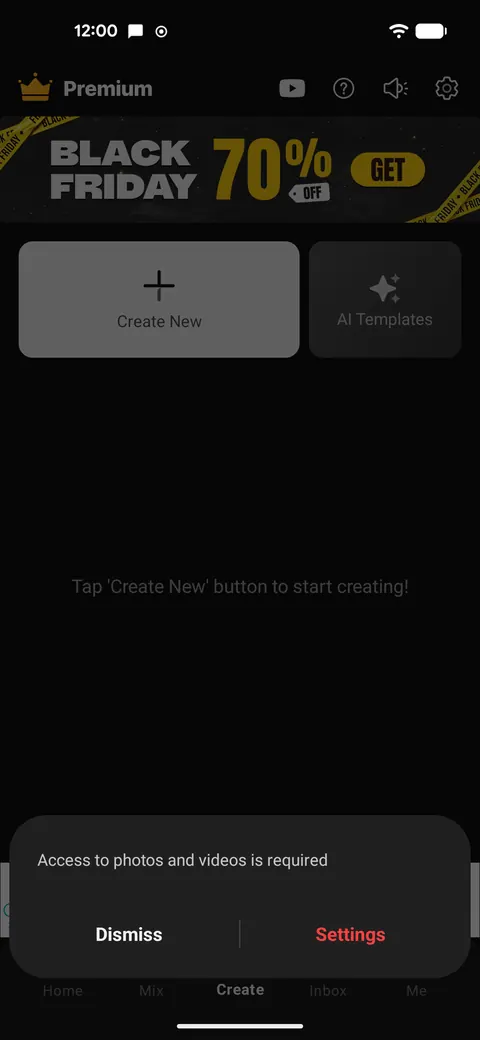
10 of 28 screens, captured on a real phone with sample data.
Home - Create New and AI Templates Editor - media picker and tools Email sign-in form Premium subscription paywall Portrait mode intro (step 1) Media sort options Editor - no video clips Notification permission prompt Sign-in options Photo and video access required - +18 more screensFree with an account
Screenshots: © 키네마스터(주), shown for commentary.
See all 28 screens — create a free accountSee every screen
The full map has all 28 screens, every feature and where each one lives. It is free with an account.
What could be better
Our read of the map, the store listing and recent reviews.
Keep ads out of the editor media panel and project open flowsmall fix
Ads sit inside the editor media panel and home feed, and reviews say an ad appears each time a project opens. Show ads only on home, never between project open and editing, and cap frequency.
Label premium-only tools before use and keep a clear free tiermedium
Many reviews say tools that were free became paid after updates, with no warning. Mark premium effects in the picker, state the free set on the paywall, and never move an existing free tool behind the paywall without notice.
Make export resumable and show specific error codeslarge
Users report exports that fail near completion, error codes with no fix, and saves that need a lower resolution to finish. Show the failing step, keep progress on retry, and avoid forcing a resolution change.
Fix layer add, delete and per-layer mute in the editormedium
Reviews say layers cannot be added, disappear from projects despite the unlimited-layers setting, and cannot be muted as a whole. Add a layer list with add, delete, and mute controls that work on long clips.
Offer a skippable tutorial and guidance for empty media folderssmall fix
Users cannot skip the tutorial and many empty-folder screens give no guidance to add media. Let users skip onboarding at any step and show an add-media prompt with import shortcuts in empty folders.
Keep the play button and main controls in a stable, user-set positionmedium
Users report the play button moved after an update and tablet controls changed. Keep primary controls fixed and offer a layout option so users can restore the previous position.
Accept common audio and video formats on importmedium
Reviews report valid MP4 files and audio files rejected as unsupported. Support the common formats and show the reason when a file is rejected, rather than a generic message.
Cut load and save times in the editorlarge
Reviews say audio takes minutes to load, the app lags when changing speed, and saves are slower than before. Profile load and save paths and show progress while work runs in the background.
Want an app like this, but better?
Tell us the idea. We research it, and build it for you.
Submit your idea