
How Skyscanner Flights Hotels Cars works
SKYSCANNER LIMITED · Travel & Local
Android
What it does
Travel metasearch for flights, hotels, car hire and packages with price calendars and price-drop alerts.
Who it is for: Travelers who want to compare flights, hotels, car hire and packages and get alerts when prices drop.
Key features
Flight search
Roundtrip/one-way/multi-city search with flexible dates and filters.
Price drops and saved
Alerts and saved items.
Explore everywhere
Cheapest destinations from the chosen origin.
The main user flow
- Log in with Google
- Search flights
- Browse results and filters
- Explore everywhere
- Change currency/country
- Navigation
- Bottom tabs: Home, Drops, Saved, Profile; home icons for Flights, Stays, Cars, Packages.
- Onboarding
- Login wall with Skip, then a marketing opt-in prompt.
- How it makes money
- Free; earns via airline/hotel referrals (booking opens airline site in a Chrome tab).
Screenshots
10 of 27 screens, captured on a real phone with sample data.
Home with recent searches Flight results Flights search Where to? search Drops Filters Profile Settings Widget promo sheet Cars search - +17 more screensFree with an account
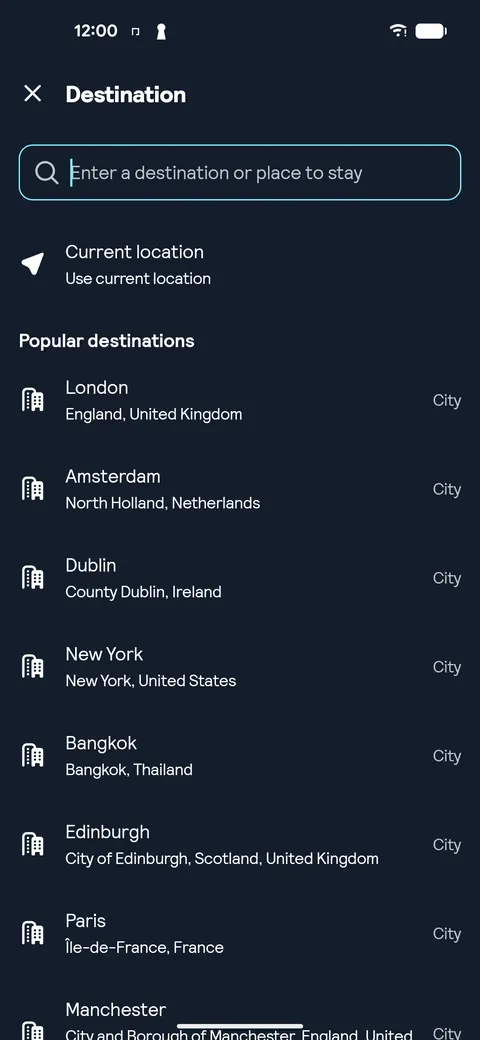
Screenshots: © SKYSCANNER LIMITED, shown for commentary.
See all 27 screens — create a free accountSee every screen
The full map has all 27 screens, every feature and where each one lives. It is free with an account.
What could be better
Our read of the map, the store listing and recent reviews.
Replace the press-and-hold bot check with a lighter verification stepmedium
Many 1-star reviews describe a bot check that repeats on every selection, holds users for a long time, then fails with a connection error. Show verification rarely, explain it, and keep the search usable while it runs.
Show the final all-in price in search results and keep it unchanged through checkoutmedium
Reviewers say the price rises after selection, on refresh, or at payment. Results should show taxes and fees up front, and any price change should be flagged with a reason before the user continues.
Keep the booking summary and status inside the applarge
Reviewers say the app sends them to a Chrome tab or partner site and booking details are missing. Keep a confirmation, itinerary and booking status in the app, and show what the partner page will change before the handoff.
Make sign-in optional and show search results before any login promptsmall fix
The app opens on a login wall with a Skip close button, then asks for a marketing opt-in. Let users search and view results first, and ask for an account only when they save or book.
Allow return dates in a different month and searching nearby airports togethermedium
Reviewers say return dates were forced into the departure month and nearby airports could not be searched together. Let users set any return month and choose several origin and destination airports in one search.
Label partner and third-party sellers before showing their faresmedium
Reviewers report fake fares, failed bookings after payment, and unclear partner sellers. Show who sells each fare, mark third-party sellers, and display refund and special-fare rules before the user taps through.
Let users save searches and set price alerts from flight resultssmall fix
A reviewer could not save a search or set alerts because there was no heart or bell icon. Add save and alert controls on results and link them to the existing saved and drops screens.
Want an app like this, but better?
Tell us the idea. We research it, and build it for you.
Submit your idea