
How Trello: Daily Task Tracker works
ATLASSIAN PTY LTD · Productivity
Android
What it does
Trello is a Kanban-style task and project tracker: boards contain lists, lists contain cards, with an Inbox for quick capture and a Planner calendar.
Who it is for: People who want to track tasks and projects using boards, lists, cards, a quick-capture Inbox, and a Planner calendar.
Key features
Boards, lists and cards
Create boards, add lists, quick-add cards, open card detail with members, labels, dates, attachments
Sign-up and intro
Sign up with email/Google/Microsoft/Apple, intro carousel
Account and settings
Account page, settings, theme (light/dark/system)
Inbox, Planner and Activity
Personal inbox capture, planner agenda and notification feed
Notification prompts
Own explainer before system permission after joining a card
The main user flow
- Sign up, view intro
- Create a board, add lists, quick-add cards
- Open a card to complete it and edit details
- Capture to Inbox, plan in Planner
- Navigation
- Bottom bar: Boards, Inbox, Planner, Activity, Account; board toolbar with filter, notifications and menu.
- Onboarding
- Four-slide intro then straight to Boards with an Inbox quick-add and a getting-started checklist.
- How it makes money
- Free with Atlassian workspaces; premium plans sold on web (Free workspace badge shown).
Screenshots
10 of 24 screens, captured on a real phone with sample data.
Boards home Inbox Empty board Create board Settings Intro 1 List actions Sign-up options Welcome Select theme - +14 more screensFree with an account
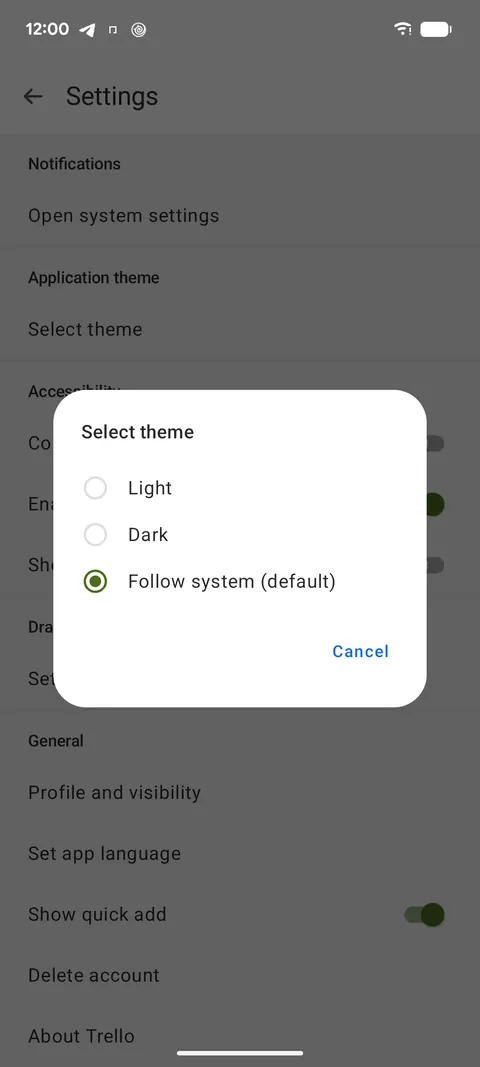
Screenshots: © ATLASSIAN PTY LTD, shown for commentary.
See all 24 screens — create a free accountSee every screen
The full map has all 24 screens, every feature and where each one lives. It is free with an account.
What could be better
Our read of the map, the store listing and recent reviews.
Autosave every edit to cards and lists, with one visible sync statusmedium
Users report lost notes and unsaved work, and saving depends on a checkmark. Autosave edits as they are typed, show one sync status, and never discard text when the user leaves a card or checklist.
Add self-service account recovery and account deletion that works without loginmedium
Accounts are deactivated after inactivity or a new device, and users cannot recover them or delete them. Offer recovery by email and a delete-account path that does not depend on workspace admin or billing status.
Show trial end and cancel steps before any charge, and keep ads out of workmedium
Users report cancellation loops and upsell banners over cards and checklists. Show the trial end date, price and a working cancel path up front, and never place upgrade banners over work views.
Sync card deletions across devices and report sync failures to the usermedium
Deleted cards reappear on other devices and sync stops without warning. Push deletions to every client and show a visible sync error with a retry action instead of silent failure.
Make quick-add title-only, and remember the user's show or hide choicesmall fix
Quick capture now asks for too many fields and resets hidden settings after updates. Make quick add a single title field with optional details, and persist the user's show or hide choice across updates.
Offer a layout revert and keep one-tap actions on boards and cardsmedium
Layout redesigns removed screen space and added taps, and users cannot go back. Ship a per-user option to restore the previous layout, and keep common card actions one tap away.
Make member assignment a deliberate action, separate from card tap targetssmall fix
Member avatars sit near the card-open target, so tapping near them joins a card by accident, and assigning a person is hard to find. Use a labelled Assign button and confirm before joining.
Ask for notification permission once, after an explicit user choicesmall fix
Users see their own pre-prompt and then the system dialog, so permission is asked twice. Show the system request only after the user taps Enable, and do not repeat it after a decline.
Want an app like this, but better?
Tell us the idea. We research it, and build it for you.
Submit your idea